

Hermes Agent 是一款终端 AI 编程工具,可以通过按量计费、Coding Plan 或 Token Plan 团队版接入阿里云百炼。阿小云分享阿里云官方关于Hermes Agent部署安装并接入阿里云百炼全流程,在阿里云CLUB中心免费领优惠券,接入百炼有3种方式,按量计费、Coding Plan 或 Token Plan任选其一。
安装 Hermes Agent
1、在终端中执行以下命令安装 Hermes Agent,安装脚本会自动安装 Python、Git 等依赖。
curl -fsSL https://raw.githubusercontent.com/NousResearch/hermes-agent/main/scripts/install.sh | bash
2、安装完成后,重新加载终端环境。
source ~/.bashrc # 如果使用 zsh,改为 source ~/.zshrc
3、运行以下命令验证安装。若有版本号输出,则表示安装成功。
hermes --version
配置百炼接入凭证
通过 hermes config set 命令配置接入参数,根据所选方案填入对应的 Base URL 和 API Key,接入百炼有三种方式,即Coding Plan、Token Plan或按量计费:
- Token Plan 团队版:按坐席订阅,按 token 消耗抵扣 Credits。
- Coding Plan:固定月费订阅,按模型调用次数计量。
- 按量计费:按实际调用量后付费。
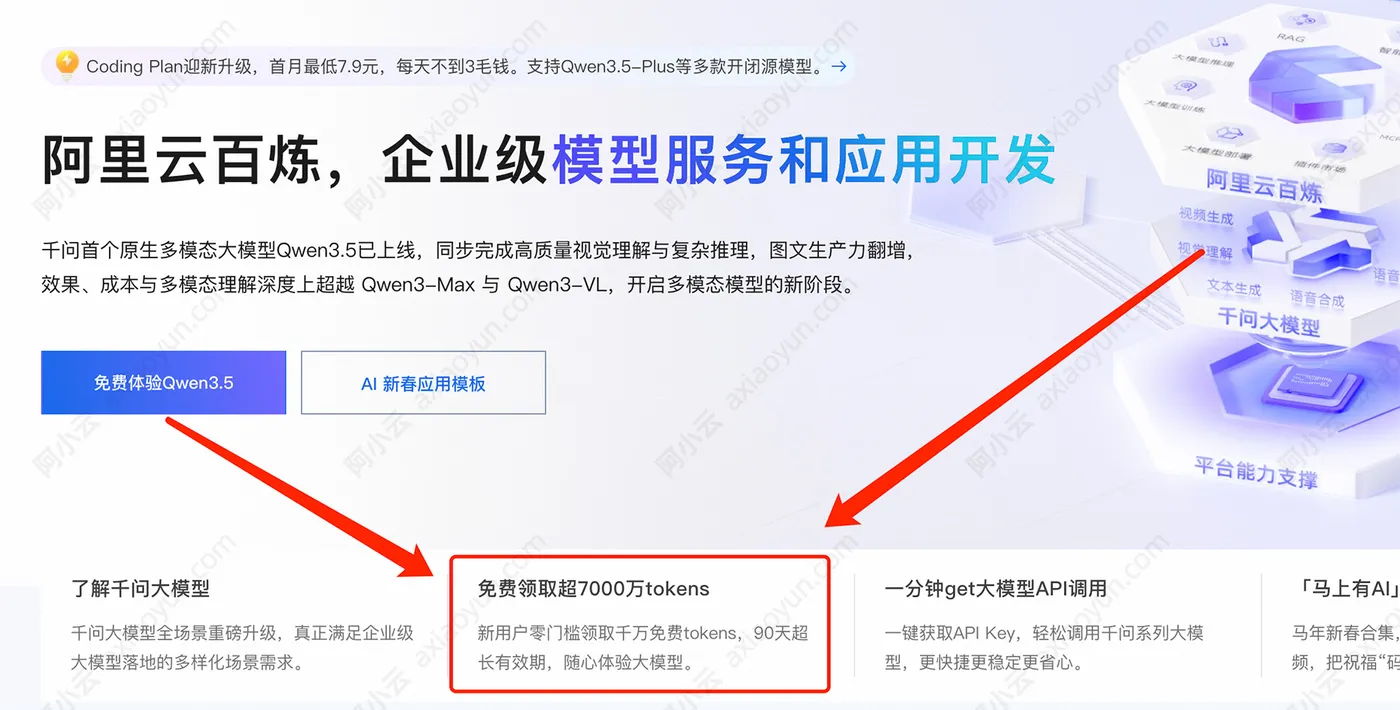
目前开通百炼:https://www.aliyun.com/product/bailian 可以免费领取千万Tokens,如下图:
方法1、Token Plan 团队版
将 YOUR_API_KEY 替换为 Token Plan 团队版专属 API Key。
hermes config set model.provider custom
hermes config set model.base_url https://token-plan.cn-beijing.maas.aliyuncs.com/apps/anthropic
hermes config set model.api_mode anthropic_messages
hermes config set model.api_key YOUR_API_KEY
hermes config set model.default qwen3.7-max
以上命令将配置写入 ~/.hermes/config.yaml。也可以直接编辑该文件,写入以下内容:
config.yaml 配置示例:
model:
  default: qwen3.7-max
  provider: custom
  base_url: https://token-plan.cn-beijing.maas.aliyuncs.com/apps/anthropic
  api_mode: anthropic_messages
  api_key: YOUR_API_KEY
方法2、Coding Plan
将 YOUR_API_KEY 替换为 Coding Plan 专属 API Key。
hermes config set model.provider custom
hermes config set model.base_url https://coding.dashscope.aliyuncs.com/apps/anthropic
hermes config set model.api_mode anthropic_messages
hermes config set model.api_key YOUR_API_KEY
hermes config set model.default qwen3.7-plus
以上命令将配置写入 ~/.hermes/config.yaml。也可以直接编辑该文件,写入以下内容:
config.yaml 配置示例:
model:
  default: qwen3.7-plus
  provider: custom
  base_url: https://coding.dashscope.aliyuncs.com/apps/anthropic
  api_mode: anthropic_messages
  api_key: YOUR_API_KEY
方法3、按量付费
将 YOUR_API_KEY 替换为阿里云百炼 API Key。base_url 按地域设置,API Key 需与所选地域对应:
- 华北2(北京):https://dashscope.aliyuncs.com/apps/anthropic
- 新加坡:https://{WorkspaceId}.ap-southeast-1.maas.aliyuncs.com/apps/anthropic,请将WorkspaceId替换为真实的获取Workspace ID
hermes config set model.provider custom
hermes config set model.base_url https://dashscope.aliyuncs.com/apps/anthropic
hermes config set model.api_mode anthropic_messages
hermes config set model.api_key YOUR_API_KEY
hermes config set model.default qwen3.7-max
以上命令将配置写入 ~/.hermes/config.yaml。也可以直接编辑该文件,写入以下内容:
config.yaml 配置示例:
model:
  default: qwen3.7-max
  provider: custom
  base_url: https://dashscope.aliyuncs.com/apps/anthropic
  api_mode: anthropic_messages
  api_key: YOUR_API_KEY
验证配置
配置完成后,执行以下命令发送一条测试消息:
hermes chat -q "你好"
如果返回正常的回复,则配置成功。如需切换模型,通过 -m 参数指定:
hermes chat -m qwen3.7-max
常见问题
错误码
配置过程中遇到报错,请参考对应计费方案的常见问题文档:
- 按量付费:错误码排查
- Coding Plan:Coding Plan 常见问题
- Token Plan 团队版:Token Plan 团队版常见问题
配置后仍连接到 OpenRouter
Hermes Agent 默认使用 OpenRouter 作为推理提供商。接入阿里云百炼时,model.provider 必须设置为 custom。请执行以下命令确认:
hermes config set model.provider custom
更多关于Hermes Agent部署教程,移步到阿里云官方Hermes Agent部署页面查看:https://www.aliyun.com/activity/ecs/clawdbot
