问题描述
在排查 Container App 副本异常变化的时间点时,在系统日志中看到与 Readiness Probe 失败相关的事件。
日志信息为:Probe of readiness failed with timeout in 1 seconds.
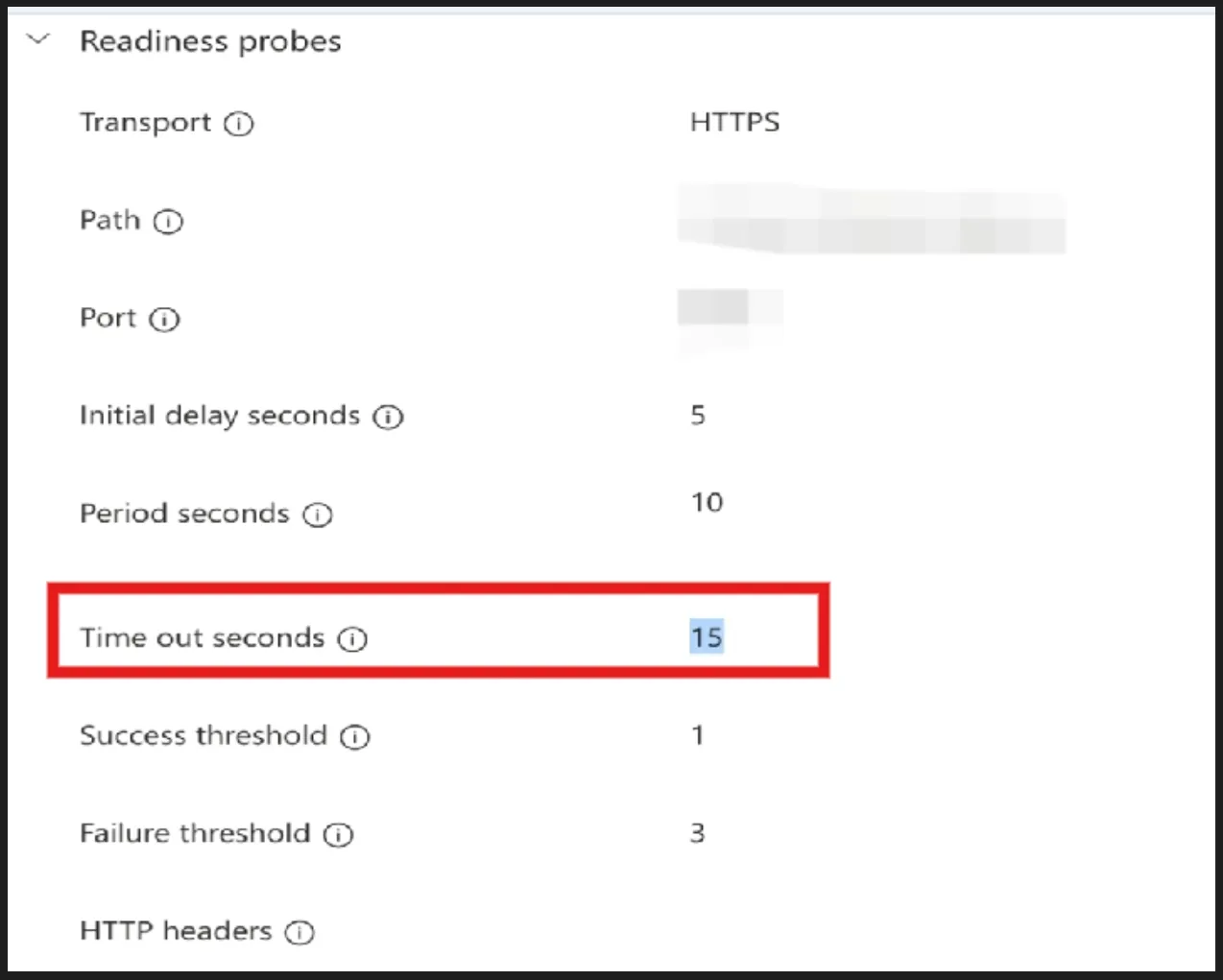
现场配置里 TimeoutSeconds 已设置为 15 秒,但日志中仍出现 timeout in 1 second,看起来与配置不一致。
问题解答
结合日志和 GitHub 上的同类问题,这类现象大概率与 Consumption 类型下的探针参数限制有关:
在 Consumption 模式下,TimeoutSeconds 不能大于 PeriodSeconds。
当配置不满足该约束时,在Container App的门户上看到的配置值不一定代表运行时最终生效的探针参数,日志里可能表现为未按预期 timeout 生效,例如仍显示 timeout in 1 second。
GitHub 上也有类似讨论,提到 Consumption 模式下存在这个限制。
Looks like this is a current consumption limitation I wasn't aware of. If the app is on consumption plan, then
TimeoutSecondscan't be greater thanPeriodSeconds. I'm following up with the runtime team there, but the only workaround I can tell is to set bothPeriodSecondsandPeriodSecondsto 11 seconds.Link: https://github.com/microsoft/azure-container-apps/issues/1580
因此,正确的处理方式是:将 PeriodSeconds 与 TimeoutSeconds 设为相同值,或者至少确保 TimeoutSeconds <= PeriodSeconds
当在复杂的环境中面临问题,格物之道需:浊而静之徐清,安以动之徐生。 云中,恰是如此!