
问题描述
应用部署在 Azure VM 中并通过公网入口提供服务,同时仅允许指定 IP 访问。配置 Application Insights 标准可用性测试后,探测可能持续失败。
原因是探测请求来自 Microsoft 托管探测点,而不是已知的IP地址段,发起Application Insights Availability test的相关请求来源未被纳入访问此应用的入口白名单中。
那么,问题的关键点,是如何才能获取到Application Insights Availability服务的IP地址段呢?
问题解答
Application Insights Availability Test的配置页面:
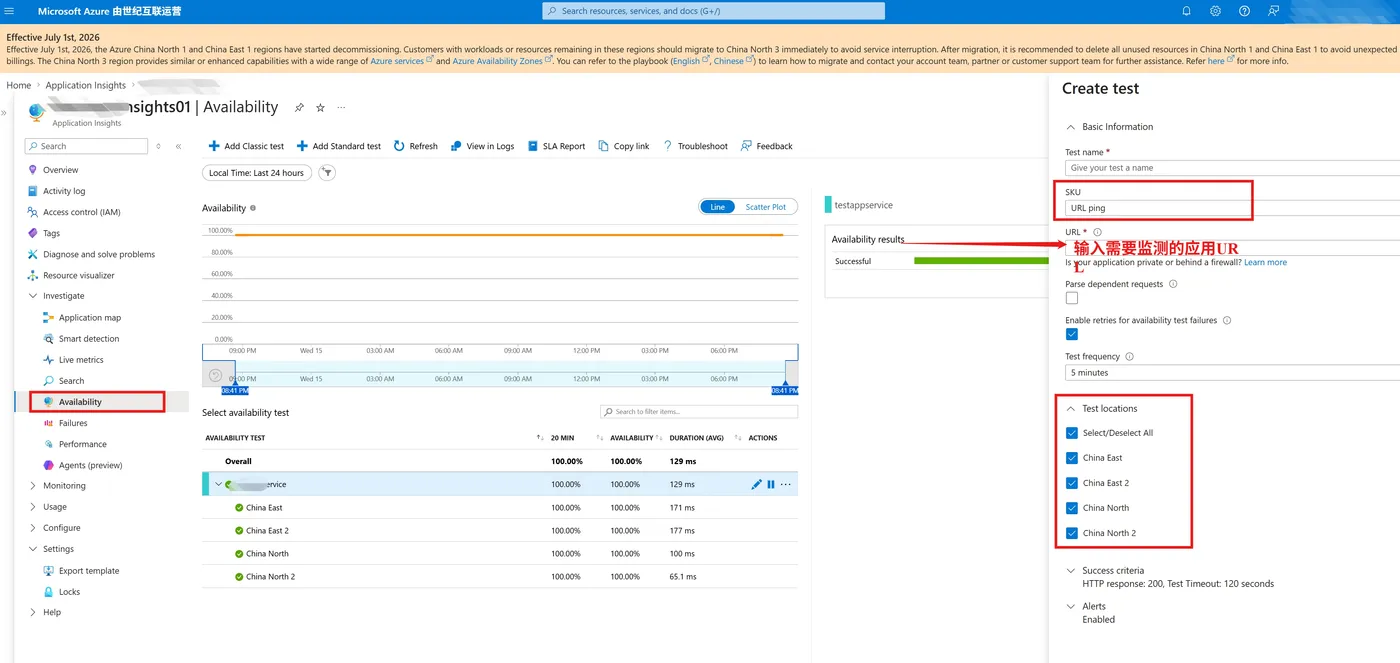
Application Insights Availability Test 适用于可从公共互联网访问、且可被公共 DNS 解析的 HTTP/HTTPS 终结点。根据 Azure Monitor 网络访问与防火墙配置文档,为覆盖所需的网络例外,应在 Azure NSG 或 Azure Firewall 的入站规则中放行 ActionGroup、ApplicationInsightsAvailability 和 AzureMonitor 服务标记,并仅开放应用实际需要的端口(通常为 TCP 443)。

在 Azure 中国云中,ActionGroup 和 ApplicationInsightsAvailability 可能出现在官方 Azure IP Ranges and Service Tags JSON 文件中,但尚不能作为 NSG 或防火墙规则可引用的服务标记(JSON 中的 networkFeatures 为 null)。
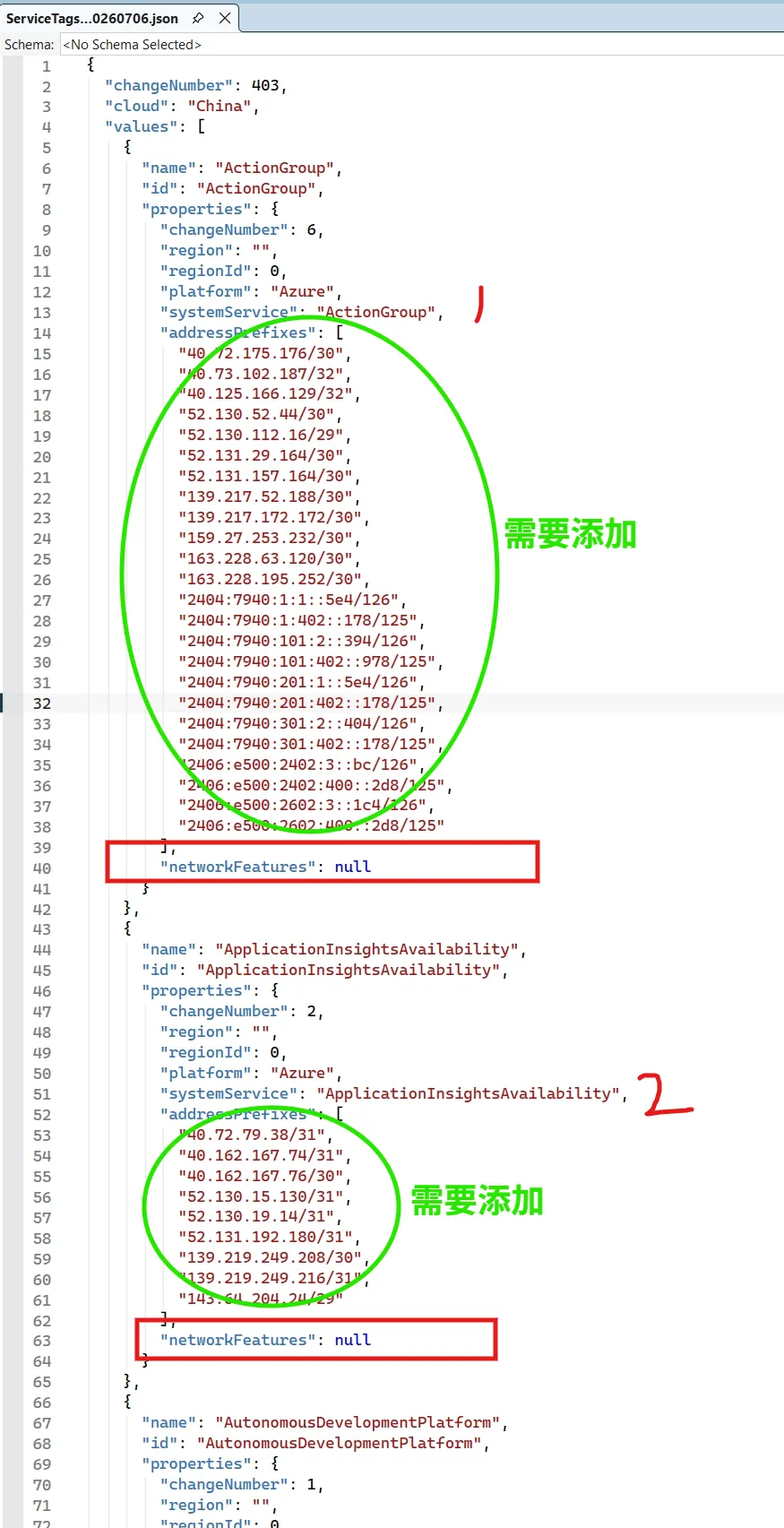
(文档链接:Download Azure IP Ranges and Service Tags – China Cloud from Official Microsoft Download Center)
因此,需要从该 JSON 文件提取两个服务的 addressPrefixes,将对应公网 CIDR 手动加入 VM 公网入口的白名单,AzureMonitor 则按当前环境中可用的服务标记配置,所以不需要再次手动添加Azure Monitor服务的IP地址段。
注:IP 地址范围会更新,应定期同步 JSON 文件并自动化更新规则,不能将一次导出的列表视为永久配置。
参考资料
Application Insights availability tests : https://learn.microsoft.com/azure/azure-monitor/app/availability
Azure Monitor endpoint access and firewall configuration : https://learn.microsoft.com/azure/azure-monitor/fundamentals/azure-monitor-network-access
Service tags overview : https://learn.microsoft.com/azure/virtual-network/service-tags-overview
Use availability tests on an internal server behind a firewall : https://learn.microsoft.com/troubleshoot/azure/azure-monitor/app-insights/availability/internal-server-availability-tests-firewall
当在复杂的环境中面临问题,格物之道需:浊而静之徐清,安以动之徐生。 云中,恰是如此!