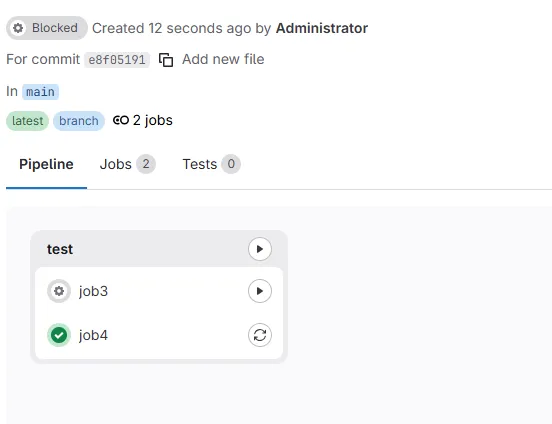
GitLab-Pipeline
一、Pipeline开发工具
- 流水线视图
- 流水线编辑器
- Job作业视图
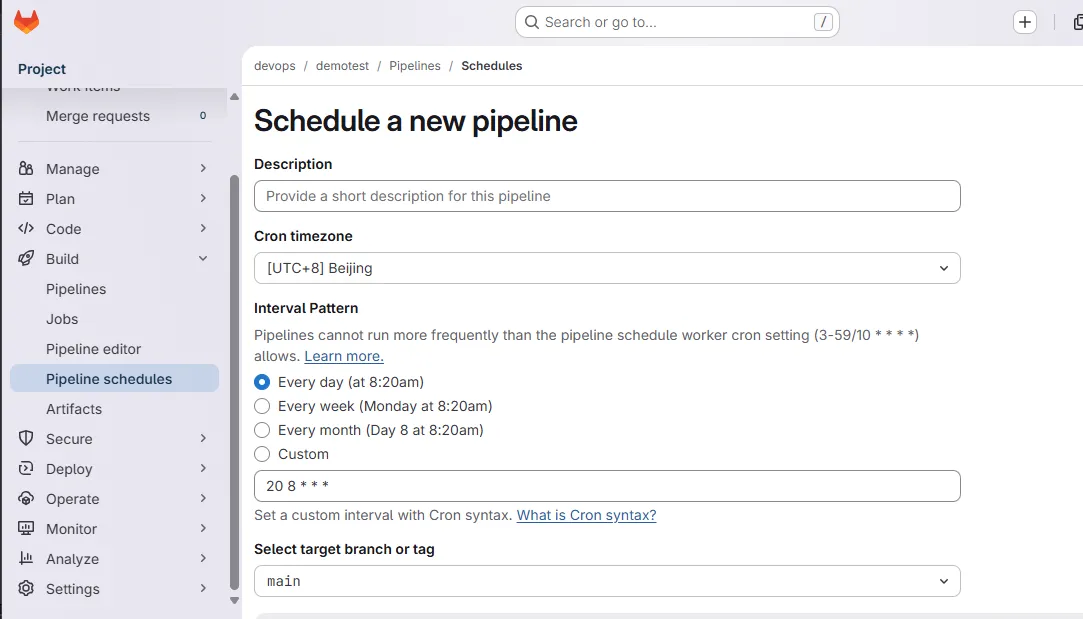
- Schedules 定时运行
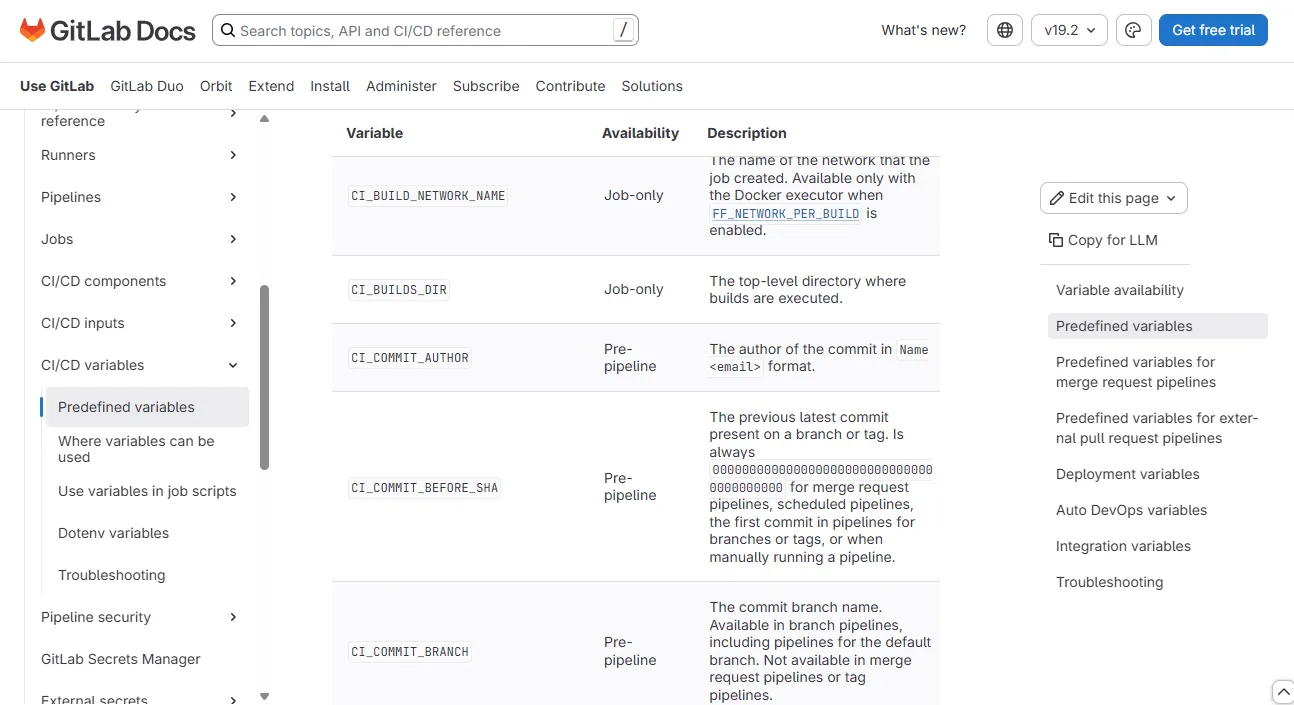
- 环境变量
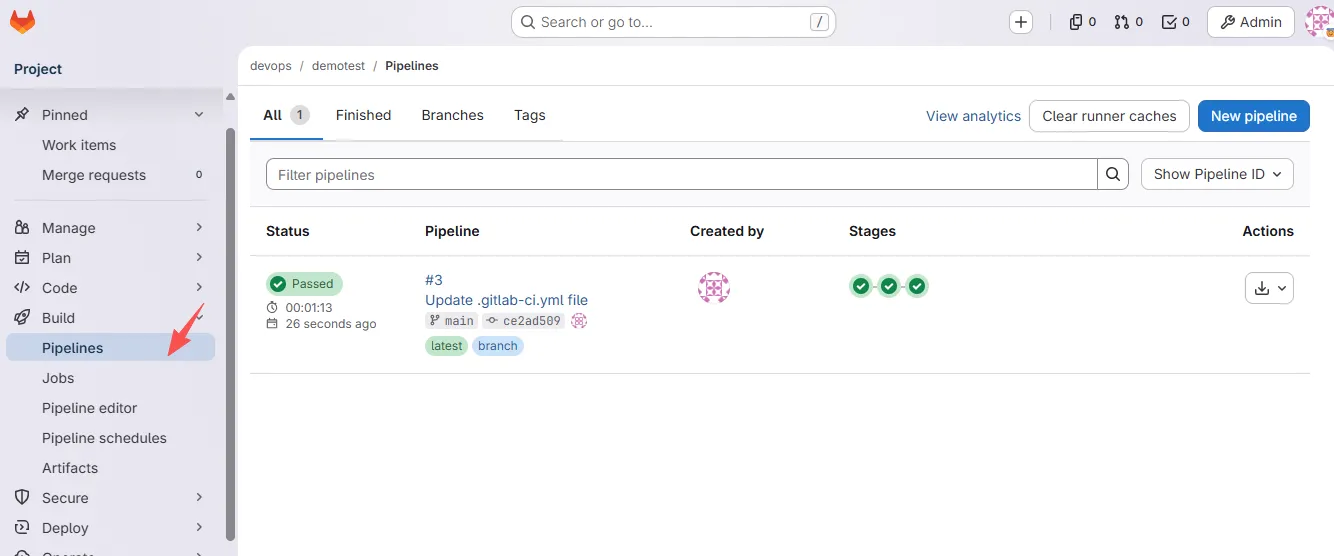
1.1 流水线视图
1.2 Schedule
1.3 环境变量
二、CI/CD设置
- 全局配置
- 是否公开访问Pipeline信息;
- 是否自动取消相同分支已经在构建的Pipeline;
- 部署Job成功后,跳过其他还未运行的部署作业;
- ci文件的本地或远程位置;
- 为项目设置流水线状态标志
skip ci
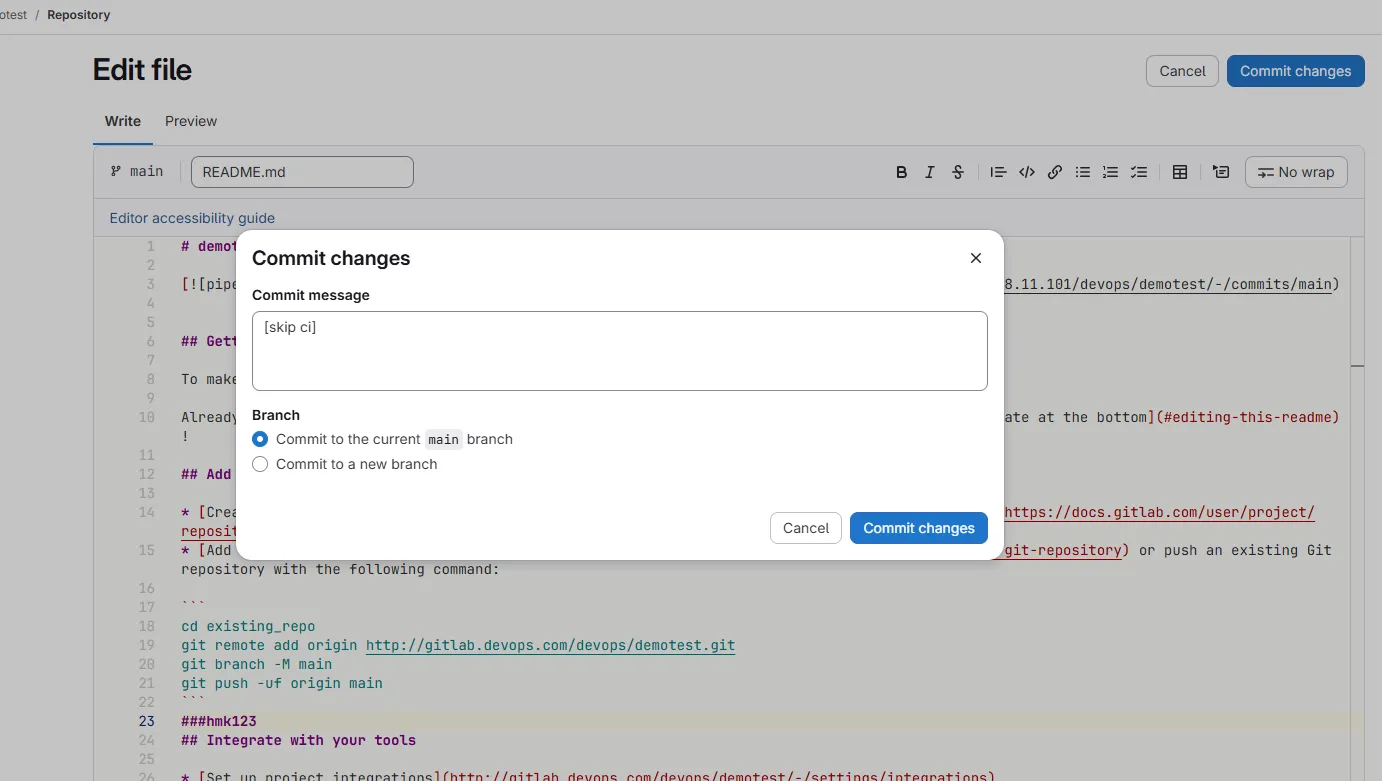
三、Pipeline语法
3.1 Stages
If stages is not defined in the .gitlab-ci.yml file, the default pipeline stages are:
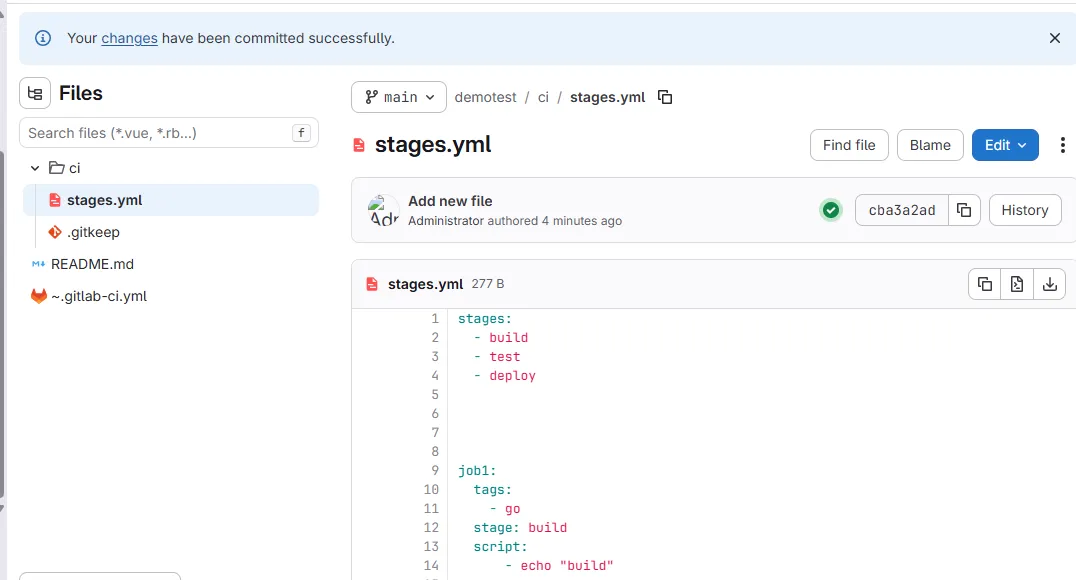
设置settiing CI/CD General pipelines - CI/CD configure file
ci/stages.yml
pipeline editor: 编写新的pipeline
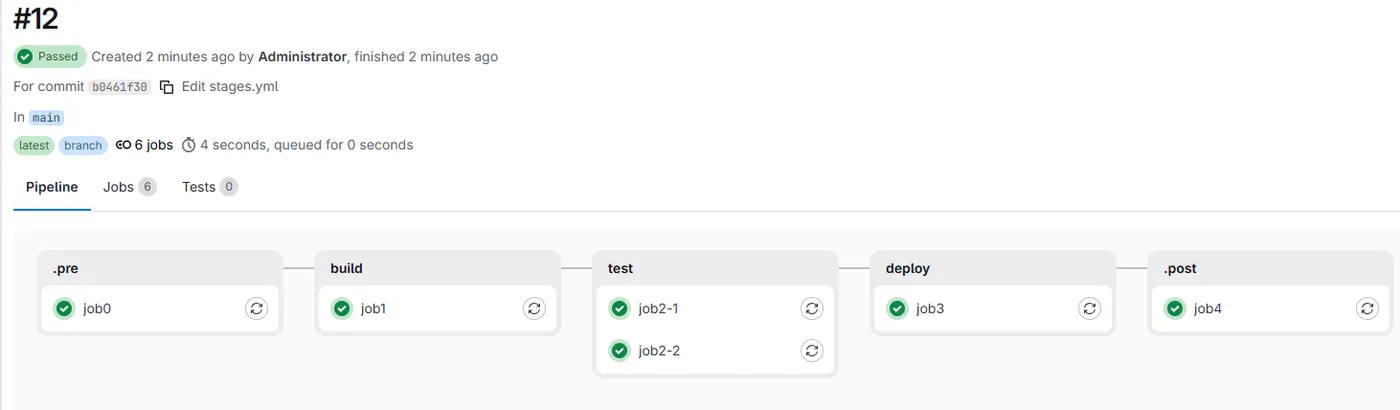
顺序运行
修改 gitlab-runner - config.toml 配置
concurrent = 10
stages:
  - .pre
  - build
  - test
  - deploy
  - .post

job0:
  tags:
    - go
  stage: .pre
  script:
      - echo "init"


job1:
  tags:
    - go
  stage: build
  script:
      - echo "build"

job2-1:
  tags:
    - go
  stage: test
  script:
      - echo "test1"

job2-2:
  tags:
    - go
  stage: test
  script:
      - echo "test2"

job3:
  tags:
    - go
  stage: deploy
  script:
      - echo "deploy"

job4:
  tags:
    - go
  stage: .post
  script:
      - echo "end"
3.2 variables
variables:
  GIT_DEPTH: 0                    # 禁用浅克隆,完整拉取仓库
  GIT_STRATEGY: clone             # 强制完整克隆(而不是 fetch)
  GIT_FETCH_EXTRA_FLAGS: "--no-tags"  # 解决 fetch 兼容性问题

  BUILD_TOOLS: "mvn"
  RUNNER_TAG: "go"

stages:
  - build

job1:
  tags:
    - ${RUNNER_TAG}
  stage: build
  variables:
    BUILD_TOOLS: "gradle22255"
  script:
    - echo $BUILD_TOOLS
3.3 jobs
| 语法关键字 | 作用 | 备注 |
|---|---|---|
| variables | 定义作业中的环境变量 | |
| tags | 根据标签选择运行作业的构建节点 | - 多个标签匹配所有标签构建节点; - 标签可以使用变量 |
| stage | 指定当前作业所属的阶段名称 | |
| before_script | 作业在运行前执行的shell命令行 | |
| script | 作业在运行中执行的shell命令行 | 每个作业至少要包含一个script |
| after_script | 作业在运行后执行的命令行 |
stages:
  - build

variables:
  RUNNER_TAG: "go"
before_script:
  - echo "global pipeline before script"
after_script:
  - echo "all done"

job1:
  tags:
    - $RUNNER_TAG
  stage: build
  before_script:
    - echo "before script ready"
  script:
    - echo "mvn package"
  after_script:
    - echo "after sciprt done"

job2:
  tags:
    - $RUNNER_TAG
  stage: build
  script:
    - echo 'job2'
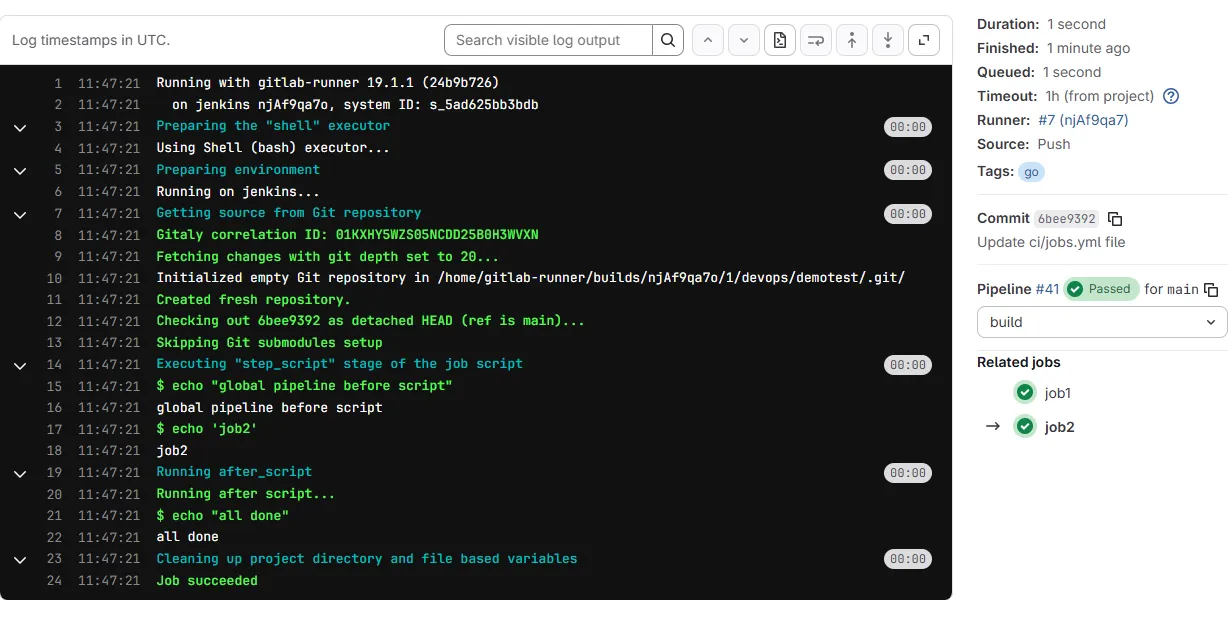
如果job没有 定义before ,after script,会使用全局的
3.3.1 job运行控制 allow_failure和when
| 关键字 | 作用 | 备注 |
|---|---|---|
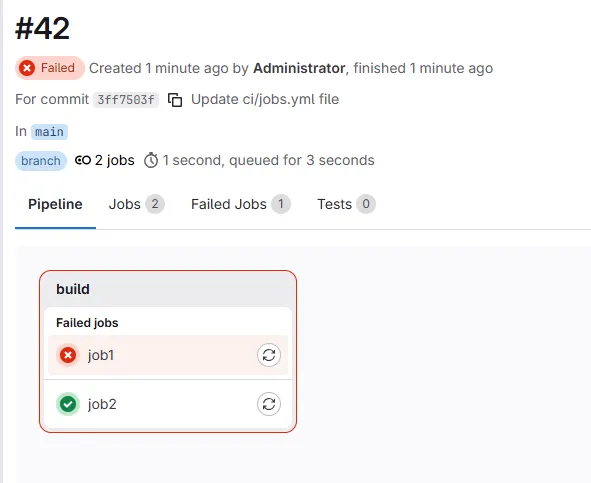
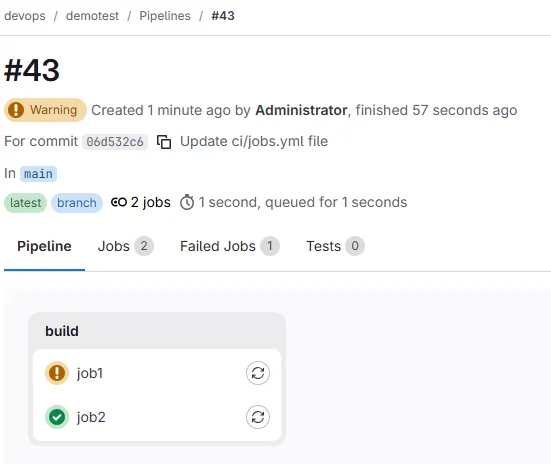
| allow_failure | 控制作业状态,是否允许作业失败,默认值为false。启用后,如果作业运行失败,该作业将在用户界面中显示橙色警告。 | 管道认为作业成功/通过,不会别阻塞。假设所有其他作业均成功,则该作业的阶段及其管道将显示相同的橙色警告。但是,关联的提交将被标记为“通过”,而不会发出警告。 |
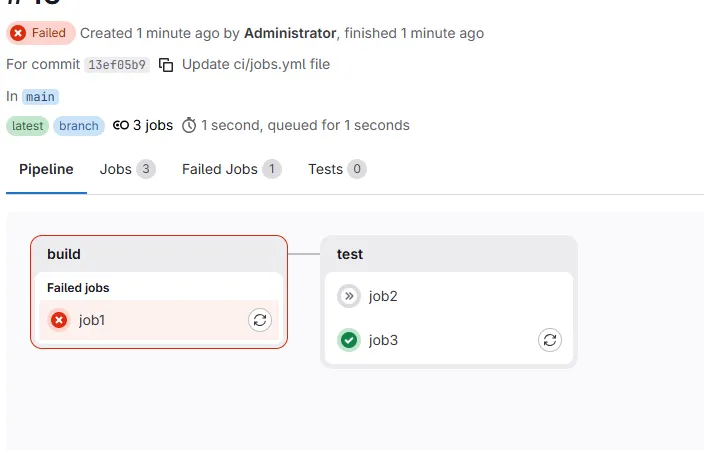
| when | 根据状态控制作业运行,当前面作业成功或者失败时运行。 | on_success前面阶段成功时执行(默认值); on_failure前面阶段失败时运行 always总是执行 manual手动执行 delayed延迟执行 never永不执行 |
stages:
  - build

variables:
  RUNNER_TAG: "go"
before_script:
  - echo "global pipeline before script"
after_script:
  - echo "all done"

job1:
  tags:
    - $RUNNER_TAG
  stage: build
  allow_failure: true
  before_script:
    - echo "before script ready"
  script:
    - echo "mvn package"
    - mvs
  after_script:
    - echo "after sciprt done"

job2:
  tags:
    - $RUNNER_TAG
  stage: build
  script:
    - echo 'job2'
stages:
  - build
  - test
variables:
  RUNNER_TAG: "go"
before_script:
  - echo "global pipeline before script"
after_script:
  - echo "all done"

job1:
  tags:
    - $RUNNER_TAG
  stage: build
  allow_failure: false
  before_script:
    - echo "before script ready"
  script:
    - echo "mvn package"
    - mvs
  after_script:
    - echo "after sciprt done"

job2:
  tags:
    - $RUNNER_TAG
  stage: test
  when: on_success
  script:
    - echo 'job2'

job3:
  tags:
    - $RUNNER_TAG
  stage: test
  when: on_failure
  script:
    - echo 'job3 is running  job2 skipped'
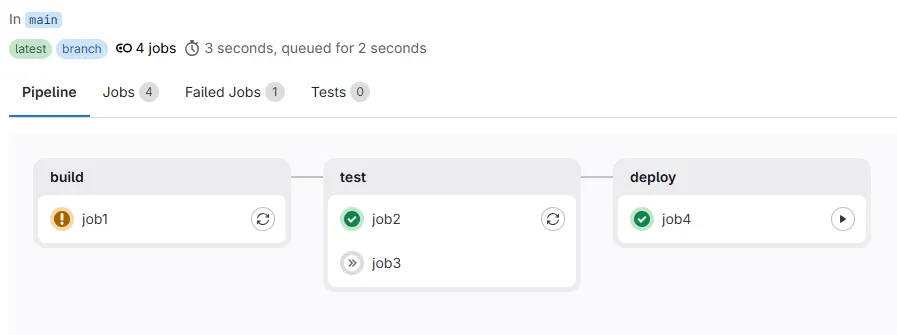
manual 必须前面所有的阶段都是success
stages:
  - build
  - test
  - deploy
variables:
  RUNNER_TAG: "go"
before_script:
  - echo "global pipeline before script"
after_script:
  - echo "all done"

job1:
  tags:
    - $RUNNER_TAG
  stage: build
  allow_failure: true
  before_script:
    - echo "before script ready"
  script:
    - echo "mvn package"
    - mvs
  after_script:
    - echo "after sciprt done"

job2:
  tags:
    - $RUNNER_TAG
  stage: test
  when: on_success
  script:
    - echo 'job2 is running'

job3:
  tags:
    - $RUNNER_TAG
  stage: test
  when: on_failure
  script:
    - echo 'job2 is running  job3 skipped'
job4:
  tags:
    - $RUNNER_TAG
  stage: deploy
  when: manual
  script:
    - echo 'manual run'
3.3.2 job运行控制retry和timeout
| 关键字 | 作用 | 备注 |
|---|---|---|
| retry | 作业重新运行,遇到错误重新运行的次数 | 值为整数 等于或大于0,但小于等于2 异常分类 |
| timeout | 作业运行超时时间 | |
| rules | 根据特定的变量或文件变更来控制作业运行; | if changes exists |
| needs | 作业依赖控制 | needs:["作业名称"] |
| parallel | 生成多个作业,并行运行 | parallel:5 值2-50之间 |
stages:
  - build
  - test
  - deploy

variables:
  RUNNER_TAG: "go"

job1:
  tags:
    - $RUNNER_TAG
  stage: build
  retry: 2
  script:
    - echo "build task begin"
    - mvs

job2:
  tags:
    - $RUNNER_TAG
  stage: test
  script:
    - echo "test task begin"
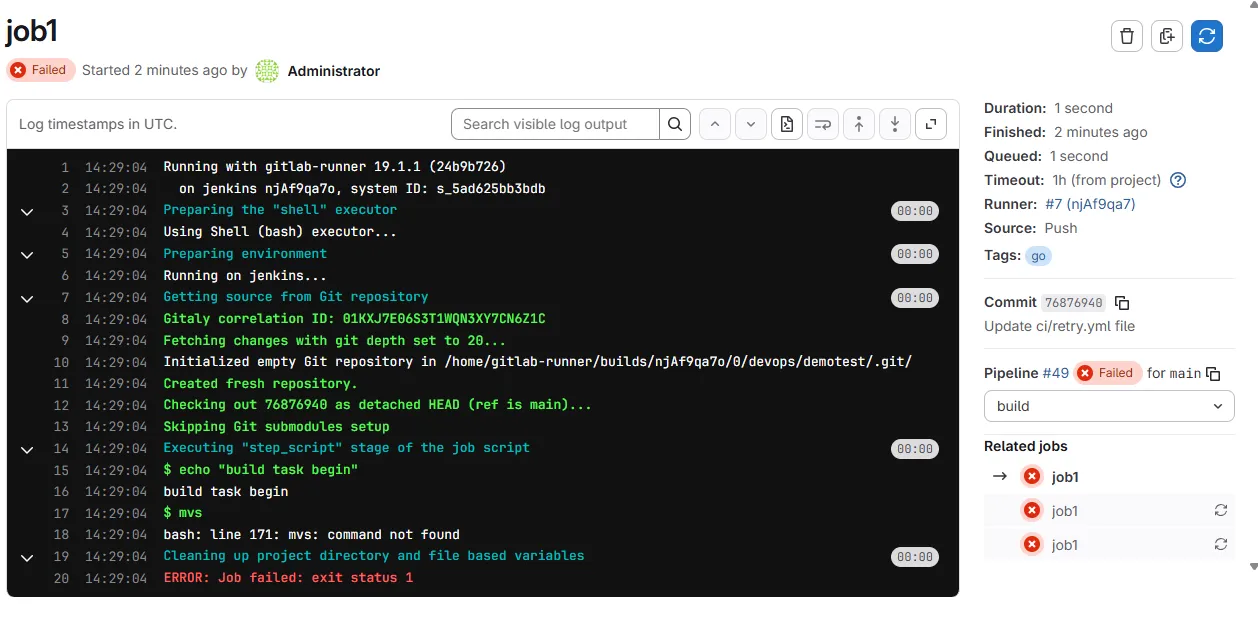
配合条件使用,job2 不会retry
stages:
  - build
  - test
  - deploy

variables:
  RUNNER_TAG: "go"

job1:
  tags:
    - $RUNNER_TAG
  stage: build
  retry: 2
  script:
    - echo "build task begin"
    - mvs

job2:
  tags:
    - $RUNNER_TAG
  stage: test
  when: on_failure
  script:
    - echo "test task begin"
    - mvs
  retry:
    max: 2
    when: api_failure
    # when: script_failure job2 会重试
3.4 rules
GitLab CI 的 rules 是从上到下匹配,匹配到第一个条件就停止,不再继续往后判断。
job1 不会运行
stages:
  - build

variables:
  RUNNER_TAG: "go"
  SKIP_BUILD: "false"

job1:
  tags:
    - $RUNNER_TAG
  stage: build
  rules:
    - if: $SKIP_BUILD != true
      when: never
    - when: always
  script:
    - echo "mvn packages"

job2:
  tags:
    - $RUNNER_TAG
  stage: build
  script:
    - echo "job2"
运行job1
stages:
  - build

variables:
  RUNNER_TAG: "go"
  SKIP_BUILD: "false"

job1:
  tags:
    - $RUNNER_TAG
  stage: build
  rules:
    - if: $SKIP_BUILD == "true"
      when: never
    - when: always
  script:
    - echo "mvn packages"

job2:
  tags:
    - $RUNNER_TAG
  stage: build
  script:
    - echo "job2"
changes 文件更改了触发job
stages:
  - build
  - test

variables:
  RUNNER_TAG: "go"
  SKIP_BUILD: "false"

job1:
  tags:
    - $RUNNER_TAG
  stage: build
  rules:
    - if: $SKIP_BUILD != "true"
      when: never
    - when: always
  script:
    - echo "mvn packages"

job2:
  tags:
    - $RUNNER_TAG
  stage: test
  rules:
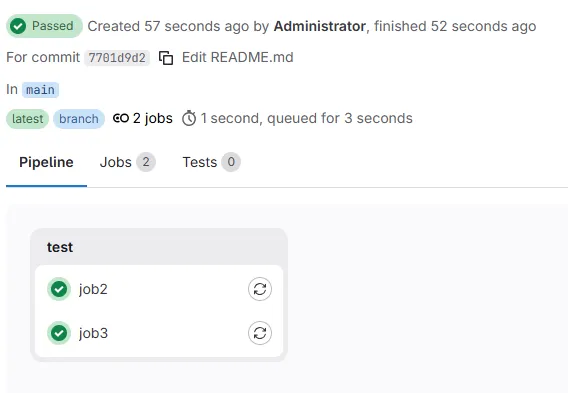
    - changes:
        - README.md #文件更改了触发job
        when: always
    when: never
  script:
    - echo "job2"

job3:
  tags:
    - $RUNNER_TAG
  stage: test
  script:
    - echo "job3"
变更文件触发
stages:
  - build
  - test

variables:
  RUNNER_TAG: "go"
  SKIP_BUILD: "false"

job1:
  tags:
    - $RUNNER_TAG
  stage: build
  rules:
    - if: $SKIP_BUILD != "true"
      when: never
    - when: always
  script:
    - echo "mvn packages"

job2:
  tags:
    - $RUNNER_TAG
  stage: test
  rules:
    - changes:
        - README.md #文件更改了触发job
      when: always
    -  when: never
  script:
    - echo "job2"

job3:
  tags:
    - $RUNNER_TAG
  stage: test
  rules:
    - exists:
        - Dockerfile
      when: manual
    - when: never
  script:
    - echo "job3"

job4:
  tags:
    - $RUNNER_TAG
  stage: test
  script:
    - echo "job4"
# 只有job4运行
增加Dockerfile
手动运行job3