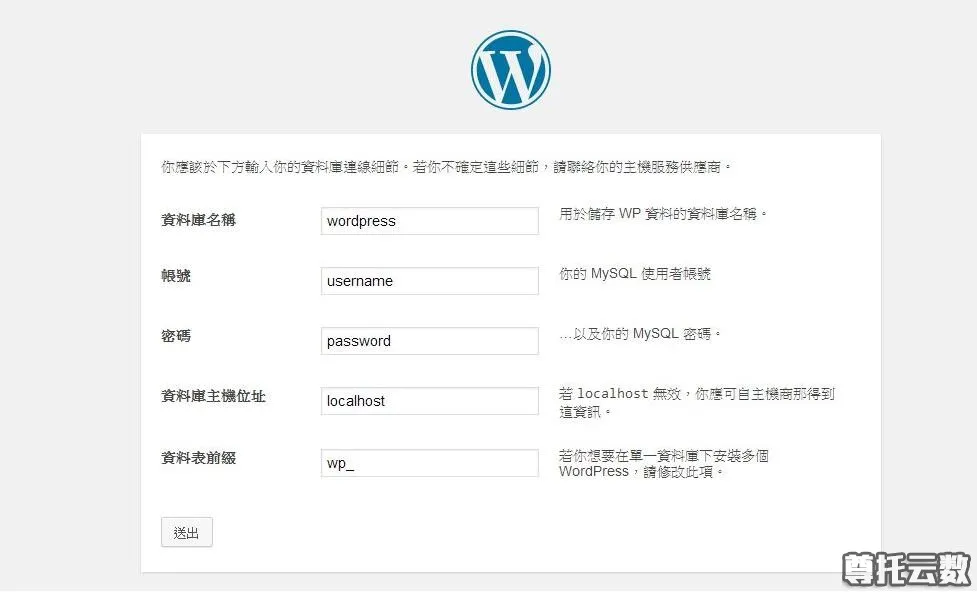
云服务器使用教程-在Centos系统上搭建WordPress个人博客
很多站长都是从个人博客开始进入站长生涯的,那么本教程就来学习,在Centos系统上如何使用wordpress来搭建自己的个人博客网站。
今天搭建wordpress博客使用的环境是LNMP,即linux+nginx+mysql+php的环境,我们不使用以前介绍过的如宝塔、WDCP等软件集成环境,而是通过一步步来自己安装这些所需环境。
搭建WordPress个人博客之前,你得有一个云服务器,没有的站长可以点击这里购买阿里云、腾讯云等大品牌云服务器2折秒杀特惠产品,可以让你即省钱又能真正低成本拥有自己的云服务器,购买云服务器的时候记得选Centos操作系统,因为我们的WordPress个人博客搭建教程是基于Centos来的,购买之后即可开始我们的WordPress个人博客搭建之旅了。
第一步、安装 Nginx
使用 yum 安装 Nginx,使用yum命令安装,命令如下:
yum install nginx -y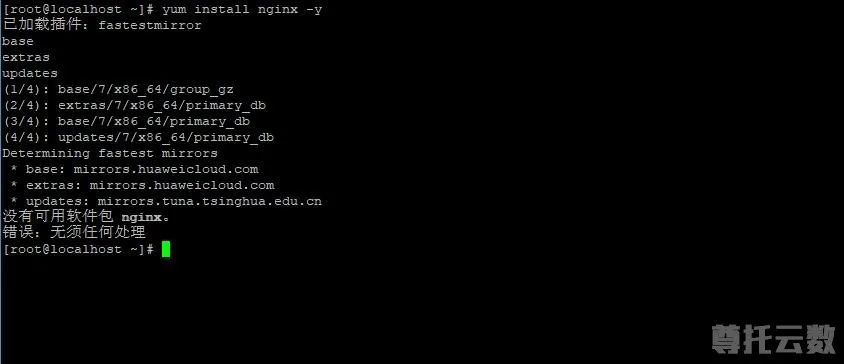
使用上面命令安装nginx时,注意如果出现如上图“没有可能软件包nginx”提示,原因是nginx位于第三方的yum源里面,而不在centos官方yum源里面,我们可以使用如下命令获取nginx软件包:
sudo yum install epel-release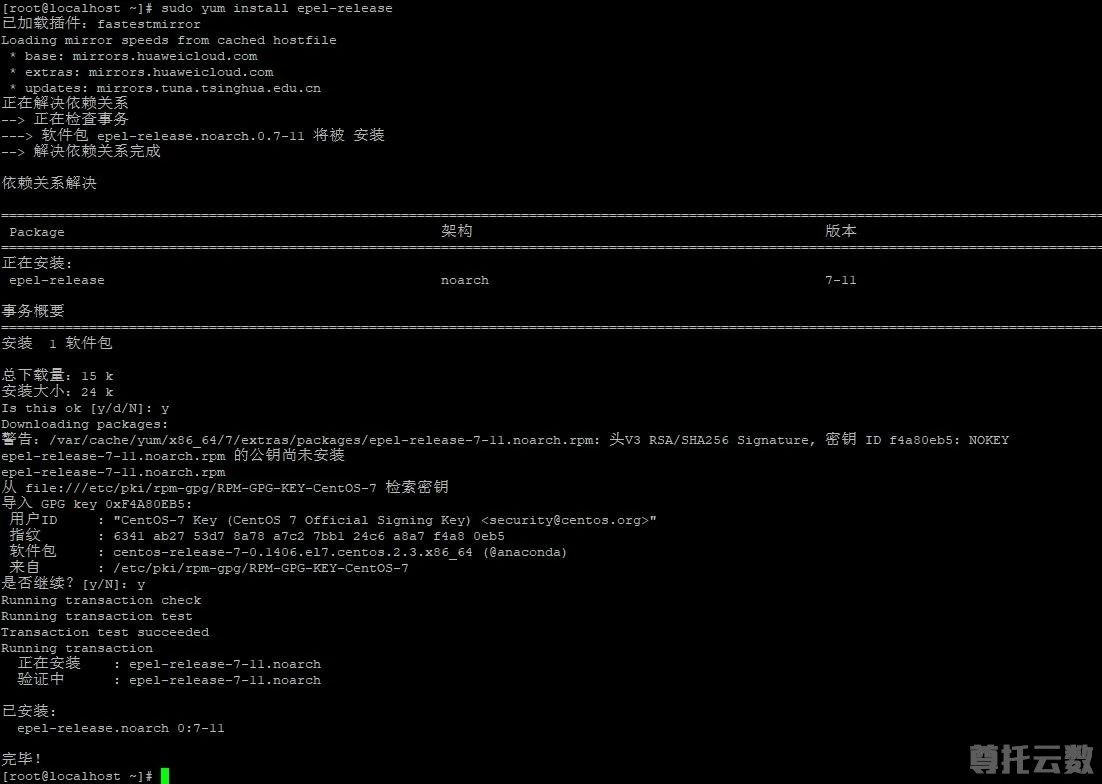
在使用上面命令时,如果有此错误提示:Cannot retrieve metalink for repository: epel/x86_64. Please verify its path and try again,请点击这里参见这个解决方案。获取软件包的过程中如果出现Y/N的询问,输入Y回车即可,nginx软件包获取完成,输入yum update命令更新,更新之后,即可使用“yum install nginx -y”命令安装nginx。
安装nginx之后,启动 Nginx:
nginx第二步、安装 MySQL
使用 yum 安装 MySQL,命令如下:
yum install mysql-server -y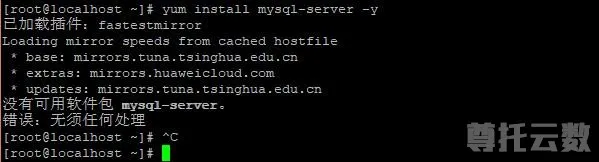
如果出现上图中“没有可用软件包 mysql-server”错误提示,请点击这里参考解决方法
安装完成后,启动 MySQL 服务:
service mysqld restart设置 MySQL 账户 root 密码:
/usr/bin/mysqladmin -u root password 'MyPas$word4Word_Press'将 MySQL 设置为开机自动启动:
chkconfig mysqld on第三步、安装 PHP
使用 yum 安装 PHP:
yum install php-fpm php-mysql -y安装之后,启动 PHP-FPM 进程:
service php-fpm start启动之后,可以使用下面的命令查看 PHP-FPM 进程监听哪个端口
netstat -nlpt | grep php-fpm把 PHP-FPM 也设置成开机自动启动:
chkconfig php-fpm on第四步、安装并配置 WordPress
配置好 LNMP 环境后,继续使用 yum 来安装 WordPress:
yum install wordpress -y安装完成后,就可以在 /usr/share/wordpress 看到 WordPress 的源代码了。
配置数据库
进入 MySQL:
mysql -uroot --password='MyPas$word4Word_Press'为 WordPress 创建一个数据库:
CREATE DATABASE wordpress;MySQL 部分设置完了,我们退出 MySQL 环境:
exit把上述的 DB 配置同步到 WordPress 的配置文件中,可参考下面的配置:
示例代码:/etc/wordpress/wp-config.php
<?php
/**
 * The base configuration for WordPress
 *
 * The wp-config.php creation script uses this file during the
 * installation. You don't have to use the web site, you can
 * copy this file to "wp-config.php" and fill in the values.
 *
 * This file contains the following configurations:
 *
 * * MySQL settings
 * * Secret keys
 * * Database table prefix
 * * ABSPATH
 *
 * @link https://codex.wordpress.org/Editing_wp-config.php
 *
 * @package WordPress
 */

// ** MySQL settings - You can get this info from your web host ** //
/** The name of the database for WordPress */
define('DB_NAME', 'wordpress');

/** MySQL database username */
define('DB_USER', 'root');

/** MySQL database password */
define('DB_PASSWORD', 'MyPas$word4Word_Press');

/** MySQL hostname */
define('DB_HOST', 'localhost');

/** Database Charset to use in creating database tables. */
define('DB_CHARSET', 'utf8');

/** The Database Collate type. Don't change this if in doubt. */
define('DB_COLLATE', '');

/**#@+
 * Authentication Unique Keys and Salts.
 *
 * Change these to different unique phrases!
 * You can generate these using the {@link https://api.wordpress.org/secret-key/1.1/salt/ WordPress.org secret-key service}
 * You can change these at any point in time to invalidate all existing cookies. This will force all users to have to log in again.
 *
 * @since 2.6.0
 */
define('AUTH_KEY',         'put your unique phrase here');
define('SECURE_AUTH_KEY',  'put your unique phrase here');
define('LOGGED_IN_KEY',    'put your unique phrase here');
define('NONCE_KEY',        'put your unique phrase here');
define('AUTH_SALT',        'put your unique phrase here');
define('SECURE_AUTH_SALT', 'put your unique phrase here');
define('LOGGED_IN_SALT',   'put your unique phrase here');
define('NONCE_SALT',       'put your unique phrase here');

/**#@-*/

/**
 * WordPress Database Table prefix.
 *
 * You can have multiple installations in one database if you give each
 * a unique prefix. Only numbers, letters, and underscores please!
 */
$table_prefix  = 'wp_';

/**
 * See http://make.wordpress.org/core/2013/10/25/the-definitive-guide-to-disabling-auto-updates-in-wordpress-3-7
 */

/* Disable all file change, as RPM base installation are read-only */
define('DISALLOW_FILE_MODS', true);

/* Disable automatic updater, in case you want to allow
   above FILE_MODS for plugins, themes, ... */
define('AUTOMATIC_UPDATER_DISABLED', true);

/* Core update is always disabled, WP_AUTO_UPDATE_CORE value is ignore */

/**
 * For developers: WordPress debugging mode.
 *
 * Change this to true to enable the display of notices during development.
 * It is strongly recommended that plugin and theme developers use WP_DEBUG
 * in their development environments.
 *
 * For information on other constants that can be used for debugging,
 * visit the Codex.
 *
 * @link https://codex.wordpress.org/Debugging_in_WordPress
 */
define('WP_DEBUG', false);

/* That's all, stop editing! Happy blogging. */

/** Absolute path to the WordPress directory. */
if ( !defined('ABSPATH') )
    define('ABSPATH', '/usr/share/wordpress');

/** Sets up WordPress vars and included files. */
require_once(ABSPATH . 'wp-settings.php');
第五步、配置 Nginx
WordPress 已经安装完毕,我们配置 Nginx 把请求转发给 PHP-FPM 来处理
首先,重命名默认的配置文件:
cd /etc/nginx/conf.d/
mv default.conf defaut.conf.bak
在 /etc/nginx/conf.d 创建 wordpress.conf 配置,参考下面的内容:
示例代码:/etc/nginx/conf.d/wordpress.conf
server {
    listen 80;
    root /usr/share/wordpress;
    location / {
        index index.php index.html index.htm;
        try_files $uri $uri/ /index.php index.php;
    }
    # pass the PHP scripts to FastCGI server listening on 127.0.0.1:9000
    location ~ .php$ {
        fastcgi_pass   127.0.0.1:9000;
        fastcgi_index  index.php;
        fastcgi_param  SCRIPT_FILENAME  $document_root$fastcgi_script_name;
        include        fastcgi_params;
    }
}
配置后,通知 Nginx 进程重新加载:
nginx -s reload大功告成!
恭喜,您的 WordPress 博客已经部署完成,您可以通过浏览器访问博客查看效果。
博客访问地址:您的域名/wp-admin/install.php