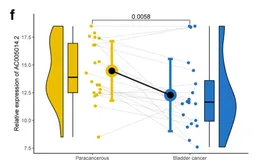
bar+rain_cover
整个新系列。目前的几个系列, 「#R实战」 以「生信分析」为主, 「#跟着CNS学作图」 以「复现顶刊」Figure为主,而本系列 「#R绘图」 则是学习不在文章中但同样很好看的图,致力于给同学们在数据可视化中提供新的思路和方法。
本系列往期文章
- R绘图 | 气泡散点图+拟合曲线
- R绘图 | 对比条形图+连线
- R绘图 | 一幅小提琴图的美化之旅
- R绘图 | 山峦图(ggridges)
- R绘图 | 哑铃图+区域放大
- R绘图 | 描述性统计常用图(散点图+柱状图+饼图)
- R绘图 | 圆角堆叠柱状图(ggchicklet )
- R绘图 | 时间线热图
- R绘图 | 堆叠柱状图
本期图片
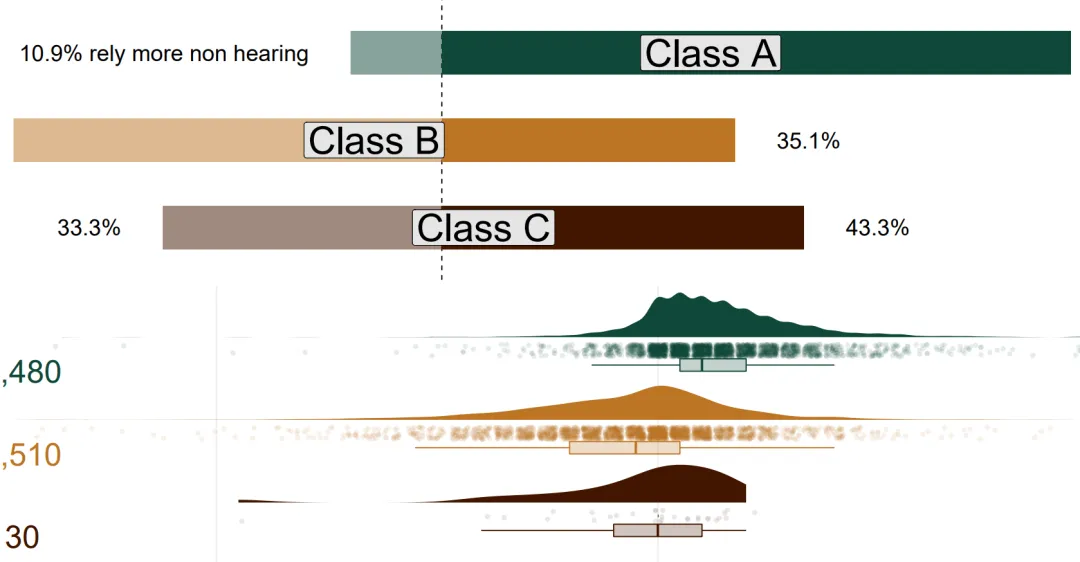 bar+plot
示例数据和代码领取
点赞、在看 本文,分享至朋友圈集赞20个并保留30分钟,截图发至微信mzbj0002领取。
「木舟笔记2022年度VIP可免费领取」。
木舟笔记2022年度VIP企划
「权益:」
- 「2022」年度木舟笔记所有推文示例数据及代码(「在VIP群里实时更新」)。
 data+code
绘制
library(tidyverse)
library(grid)
library(colorspace)
library(cowplot)
library(MetBrewer)
library(patchwork)
# prep data for plots    ------------------------------------------
plot_prep <- read.csv('plot_prep.csv')
# color palette
colors <- MetBrewer::met.brewer("Moreau")
# bar plot   ------------------------------------------
bars <- plot_prep |>
  group_by(classification, sense) |>
  summarise(total = sum(ratio),
            n = n()) |>
  ungroup() |>
  group_by(classification) |>
  mutate(perc = n / sum(n) * sign(total),
         classification = factor(classification,
                                 levels = c("Class C",
                                            "Class B",
                                            "Class A"))) |>
  filter(sense != "none") |>
  mutate(lab = mean(perc)) |>
  ggplot(aes(classification, perc, fill = classification)) +
  geom_hline(yintercept = 0, linetype = 2) +
  geom_col(width = .5, aes(alpha = sense)) +
  geom_label(aes(x = classification, y = lab,
                 label = classification),
             fill = "grey90", size = 12, ) +
  geom_text(aes(
    label = case_when(classification == "Class A" &
                        sense == "sight" ~ paste0(label_percent()(abs(perc)),
                                                  " rely more non sight"),
                      classification == "Class A" &
                        sense == "sound" ~ paste0(label_percent()(abs(perc)),
                                                  " rely more non hearing"),
                      TRUE ~ label_percent()(abs(perc))),
    y = perc + .05 * sign(perc),
    hjust = ifelse(sense == "sight", 0, 1)
  ),
  size = 7, lineheight = .25) +
  scale_fill_met_d(name = "Moreau") +
  scale_alpha_manual(values = c(1, .5)) +
  scale_y_continuous(labels = function(x) label_percent()(abs(x)),
                     limits = c(-.75, 1),
                     breaks = c(seq(from = -.5, to = 1, by = .5))) +
  coord_flip(clip = "off") +
  theme_void() +
  theme(plot.margin = margin(r = 20),
        legend.position = "none",
        text = element_text( size = 15),
        plot.title.position = "plot",
        plot.title = element_textbox(fill = colors[7], color = "white", hjust = .5,
                                     padding = margin(4,4,2,4), r = unit(2, "points"),
                                     margin = margin(b = 5))) +
  labs(x = "", y = "")
bars
# raincloud plot   ------------------------------------------
rain <- plot_prep |>
  mutate(classification = factor(classification,
                                 levels = c("Class C",
                                            "Class B",
                                            "Class A"))) |>
  ggplot(aes(classification, ratio)) +
  ggdist::stat_halfeye(
    aes(fill = classification),
    adjust = 1,
    width = .6,
    .width = 0,
    justification = -.3,
    point_colour = NA) +
  gghalves::geom_half_boxplot(
    side = "l", outlier.color = NA, center = TRUE, errorbar.draw = FALSE,
    width = .5, nudge = .1, alpha = .25,
    aes(fill = classification,
        color = classification)
  ) +
  geom_point(
    aes(fill = classification,
        color = classification),
    shape = 21,
    alpha = .1,
    position = position_jitter(
      seed = 1, width = .075
    )
  ) +
  stat_summary(fun.data = function(x) data.frame(y = median(x),
                                                 label = paste0("n = ",
                                                                label_comma()(length(x)))),
               geom = "text", aes(x = classification, y = -30, color = classification),
               size = unit(10, "points"),
               position = position_nudge(x = -.25))  +
  scale_color_met_d(name = "Moreau") +
  scale_fill_met_d(name = "Moreau") +
  scale_y_continuous(labels = c("+40 instances of hearing",
                                "+20",
                                "Neutral",
                                "+20 instances of sight"),
                     breaks =  c(-40, -20, 0, 20)) +
  coord_flip() +
  theme_minimal() +
  theme(legend.position = "none",
        text = element_text(size = 30),
        plot.title.position = "plot",
        panel.grid.minor.x = element_blank(),
        panel.grid.major.y = element_blank(),
        axis.text = element_text(lineheight = .25),
        plot.title = element_textbox(fill = colors[7], color = "white", hjust = .5,
                                     padding = margin(4,4,2,4), r = unit(2, "points"),
                                     margin = margin(b = 5))) +
  labs(x = "", y = "")
rain
# plot patchwork   ------------------------------------------
bars/rain
# save file  ------------------------------------------
ggsave(filename = "rain_barpolt.pdf",w = 22, h = 8)
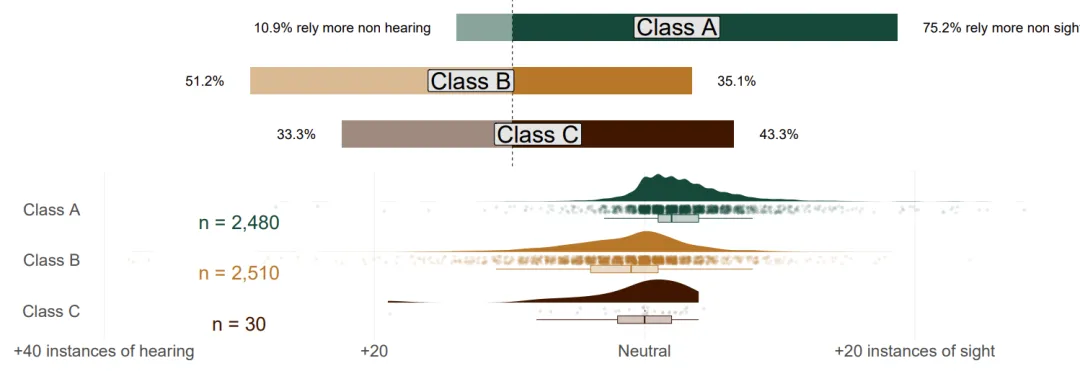 result
参考
- tidytuesday/final_plot.R at master · Pecners/tidytuesday (github.com)