
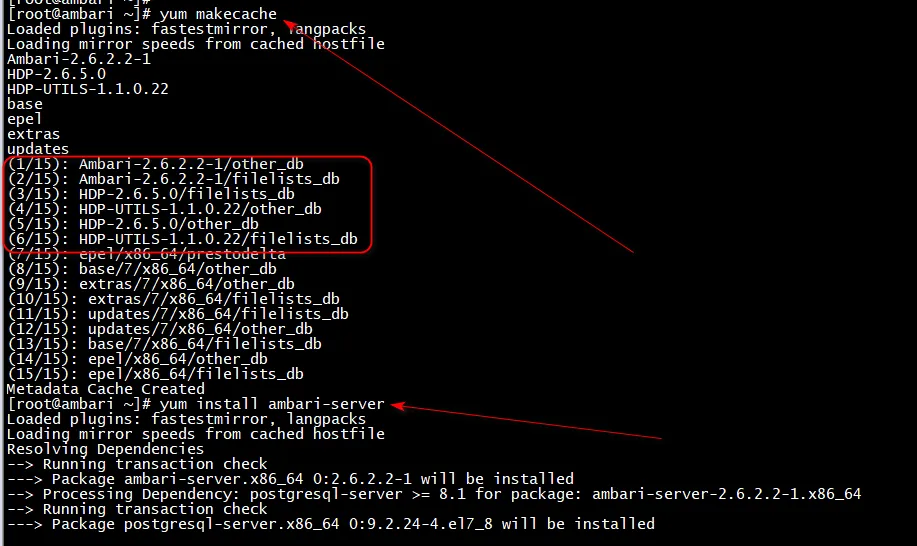
五、安装ambari-server
yum -y install ambari-server
六、安装MariaDB数据库并配置数据库
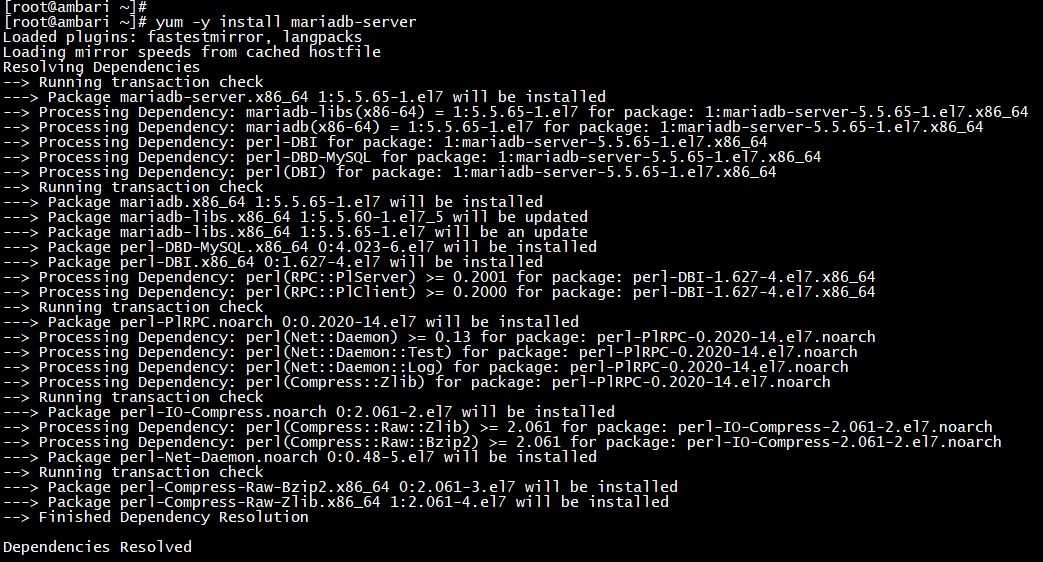
1、安装MariaDB数据库
yum -y install mariadb-server
systemctl enable mariadb.service
systemctl start mariadb.service
netstat -anp | grep 3306

2、设置数据库初始密码
mysqladmin -uroot password "ambari"
3、设置可以远程登录
mysql -uroot -pambari
grant all privileges on *.* to 'root'@'ambari' identified by 'ambari' with grant option;
grant all privileges on *.* to 'root'@'10.20.90.59' identified by 'ambari' with grant option;
flush privileges;
systemctl restart mariadb.service
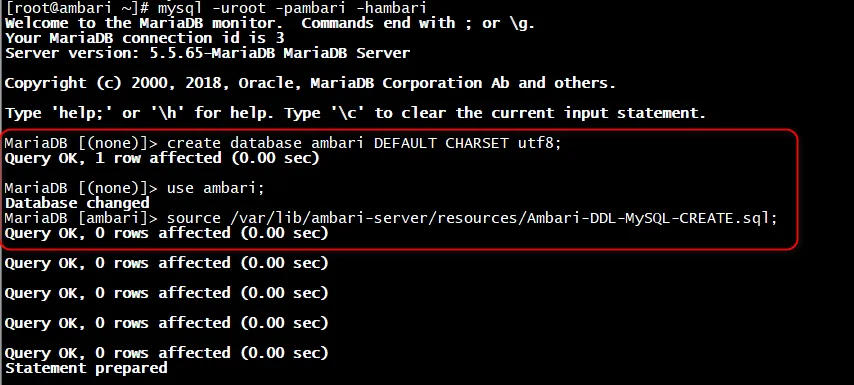
4、创建ambari数据库
mysql -uroot -pambari -hambari
create database ambari DEFAULT CHARSET utf8;
use ambari
source /var/lib/ambari-server/resources/Ambari-DDL-MySQL-CREATE.sql
七、ambari-server初始化配置
[root@ambari home]# ambari-server setup
Using python  /usr/bin/python
Setup ambari-server
Checking SELinux...
SELinux status is 'disabled'
Customize user account for ambari-server daemon [y/n] (n)? y
Enter user account for ambari-server daemon (root):root
Adjusting ambari-server permissions and ownership...
Checking firewall status...
Checking JDK...
[1] Oracle JDK 1.8 + Java Cryptography Extension (JCE) Policy Files 8
[2] Oracle JDK 1.7 + Java Cryptography Extension (JCE) Policy Files 7
[3] Custom JDK
==============================================================================
Enter choice (1): 3
WARNING: JDK must be installed on all hosts and JAVA_HOME must be valid on all hosts.
WARNING: JCE Policy files are required for configuring Kerberos security. If you plan to use Kerberos,please make sure JCE Unlimited Strength Jurisdiction Policy Files are valid on all hosts.
Path to JAVA_HOME: /usr/local/jdk
Validating JDK on Ambari Server...done.
Checking GPL software agreement...
GPL License for LZO: https://www.gnu.org/licenses/old-licenses/gpl-2.0.en.html
Enable Ambari Server to download and install GPL Licensed LZO packages [y/n] (n)? n
Completing setup...
Configuring database...
Enter advanced database configuration [y/n] (n)? y
Configuring database...
==============================================================================
Choose one of the following options:
[1] - PostgreSQL (Embedded)
[2] - Oracle
[3] - MySQL / MariaDB
[4] - PostgreSQL
[5] - Microsoft SQL Server (Tech Preview)
[6] - SQL Anywhere
[7] - BDB
==============================================================================
Enter choice (1): 3
Hostname (localhost):
Port (3306):
Database name (ambari):
Username (ambari): root
Enter Database Password (bigdata): ambari
Re-enter password:
Configuring ambari database...
WARNING: Before starting Ambari Server, you must copy the MySQL JDBC driver JAR file to /usr/share/java and set property "server.jdbc.driver.path=[path/to/custom_jdbc_driver]" in ambari.properties.
Press <enter> to continue.
Configuring remote database connection properties...
WARNING: Before starting Ambari Server, you must run the following DDL against the database to create the schema: /var/lib/ambari-server/resources/Ambari-DDL-MySQL-CREATE.sql
Proceed with configuring remote database connection properties [y/n] (y)? y
Extracting system views...
....ambari-admin-2.6.2.2.1.jar
.......
Adjusting ambari-server permissions and ownership...
Ambari Server 'setup' completed successfully.
拷贝jdbc驱动包,并在ambari.properties配置文件中添加jdbc驱动的配置
mkdir /usr/share/java
cp /home/mysql-connector-java-8.0.20.jar /usr/share/java/mysql-connector-java.jar
vi /etc/ambari-server/conf/ambari.properties
#追加一行
server.jdbc.driver.path=/usr/share/java/mysql-connector-java.jar

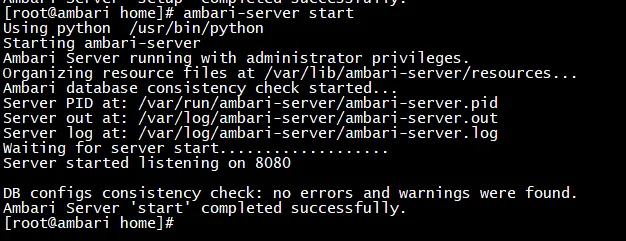
ambari-server start
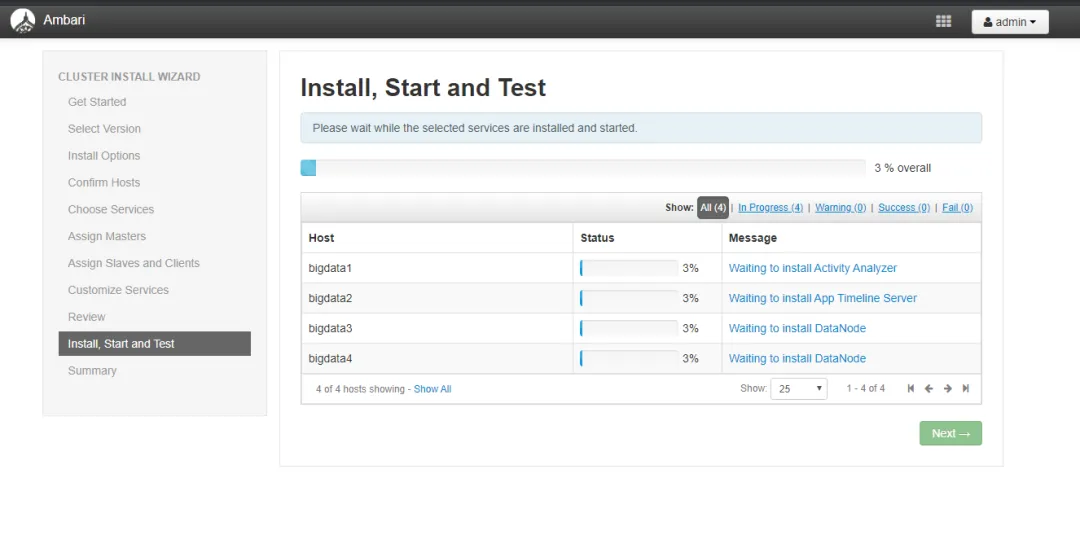
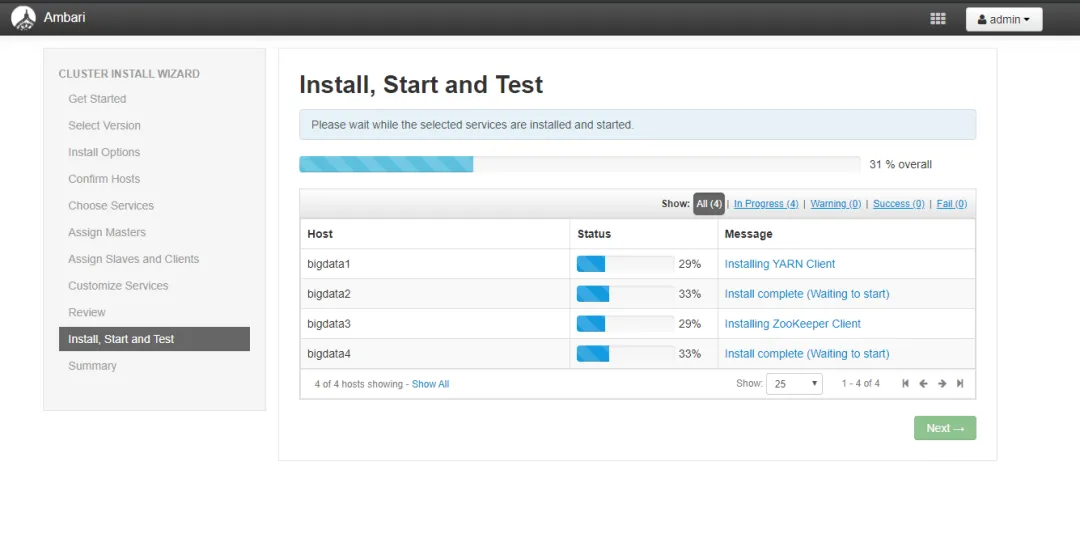
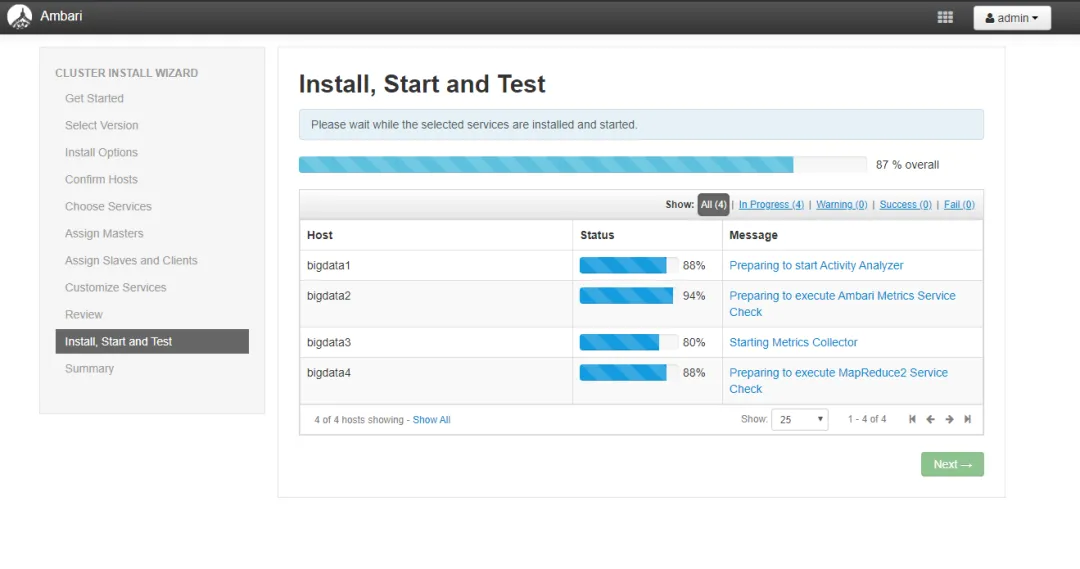
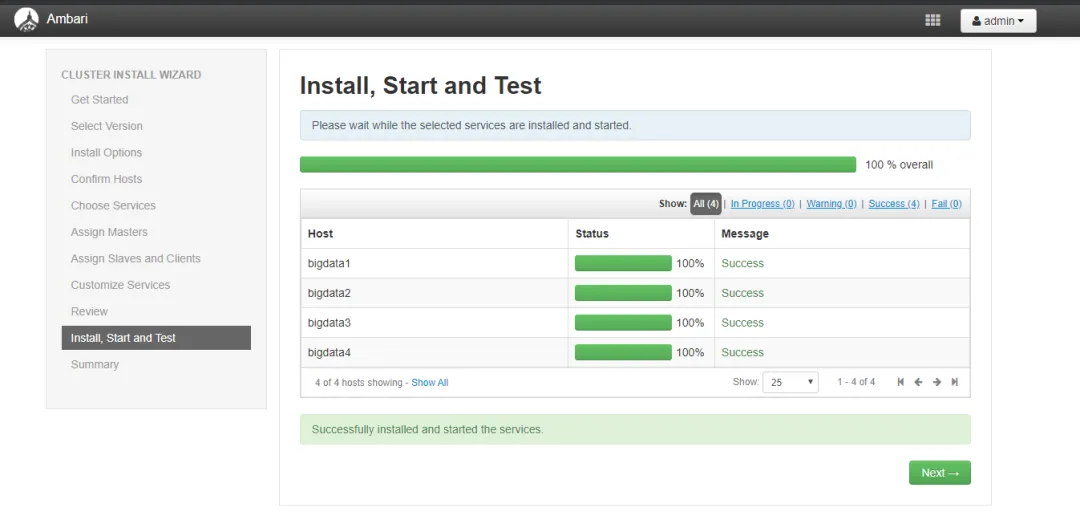
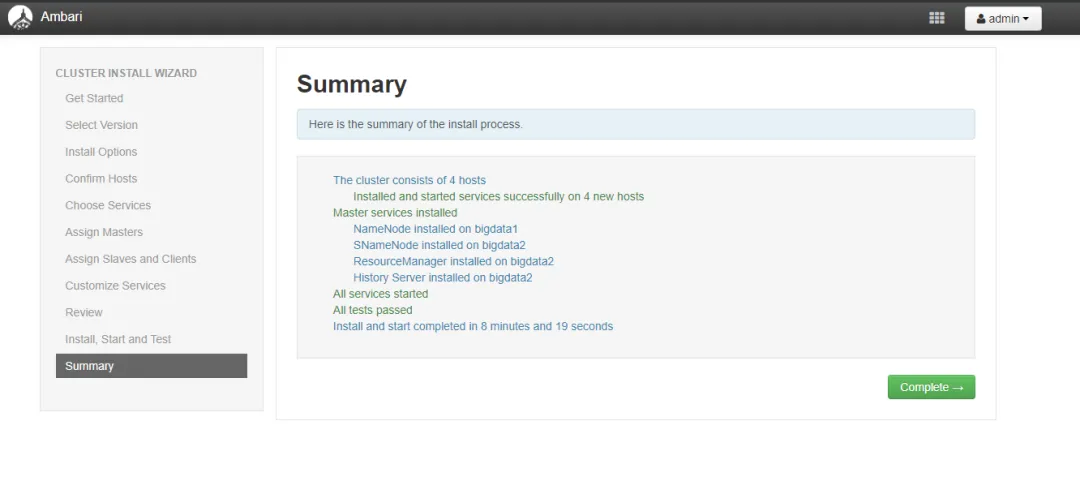
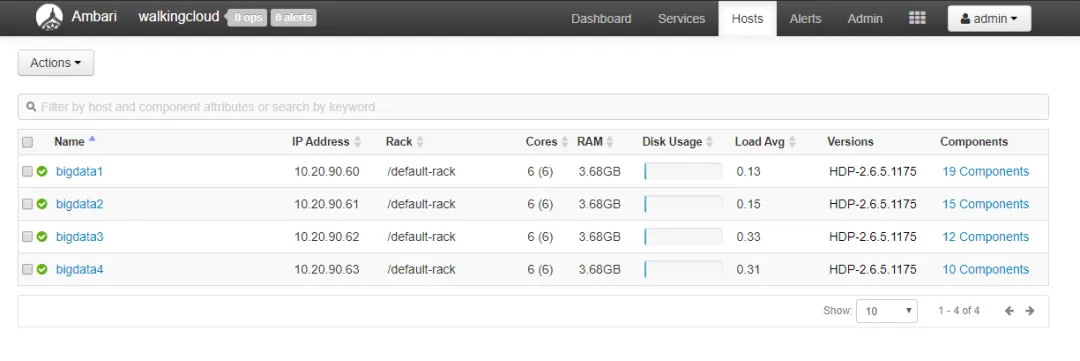
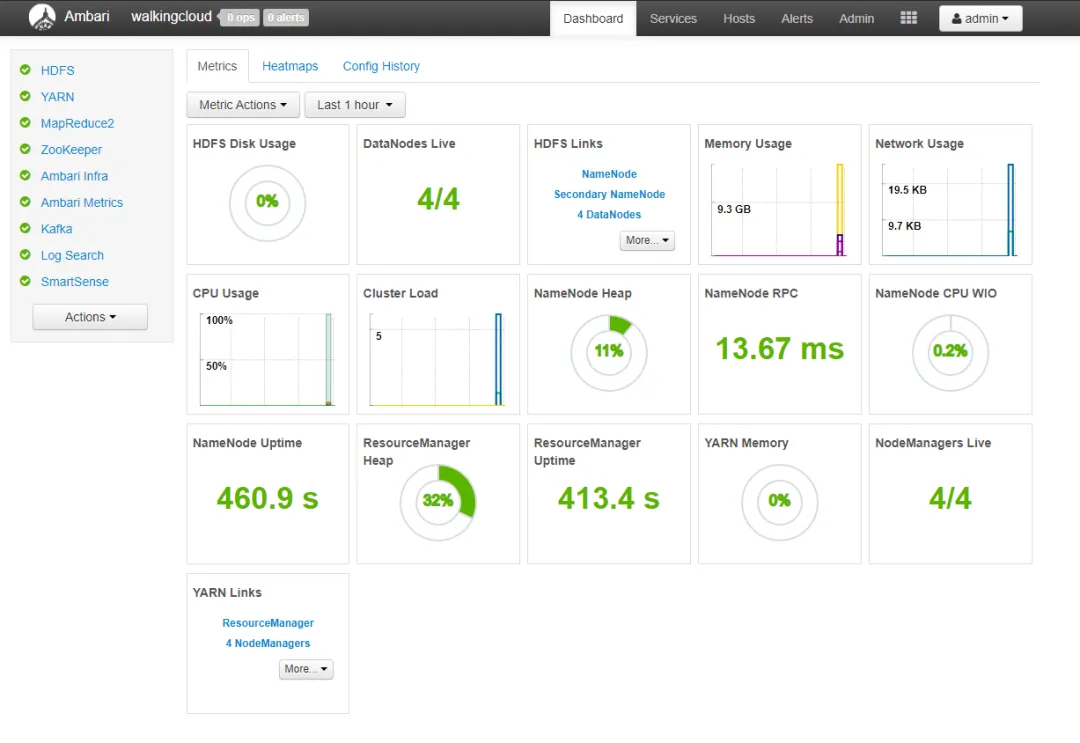
八、ambari web界面向导搭建集群
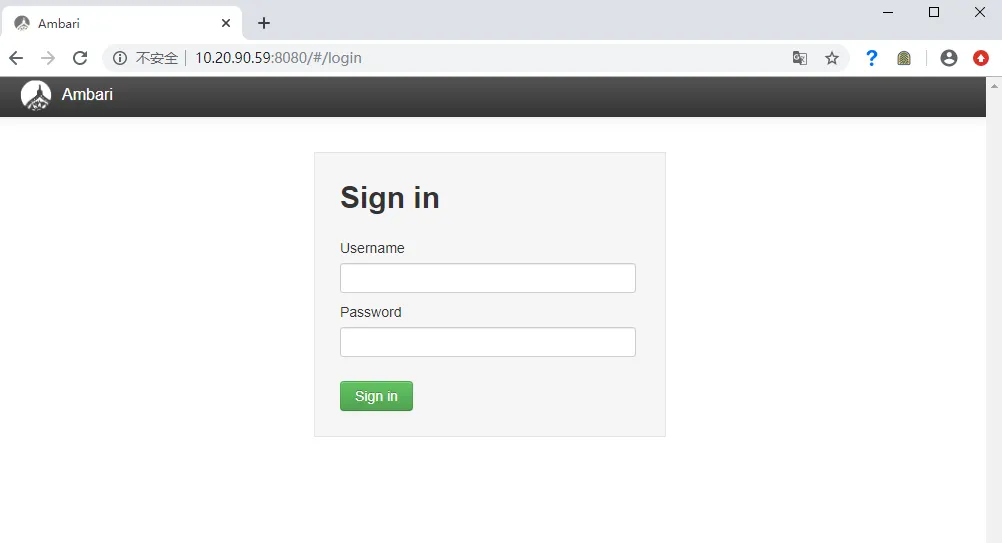
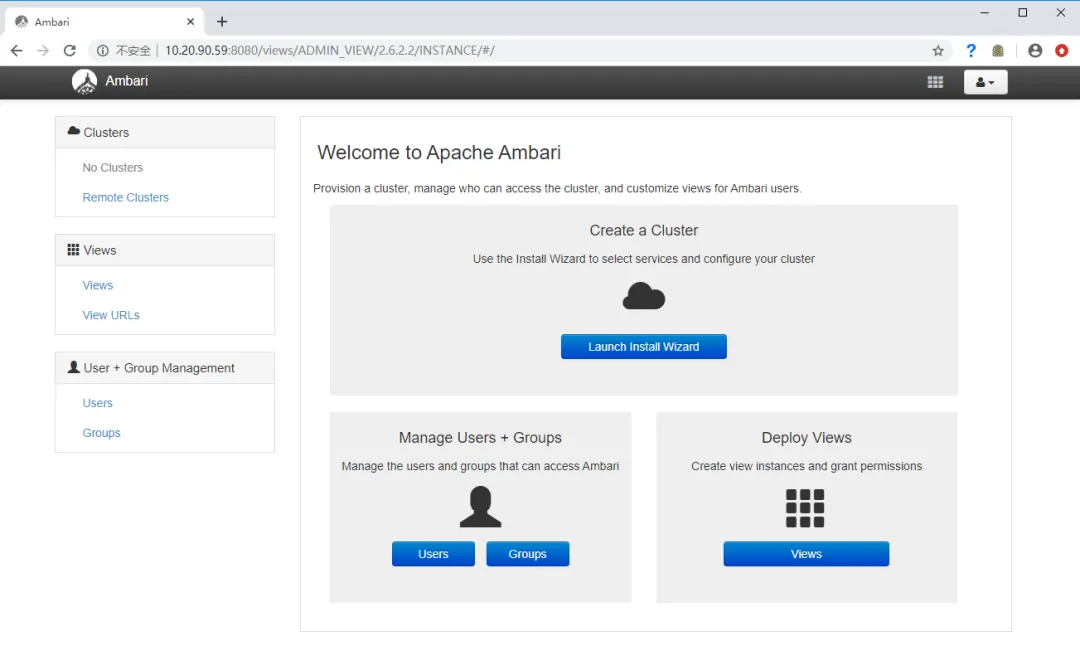
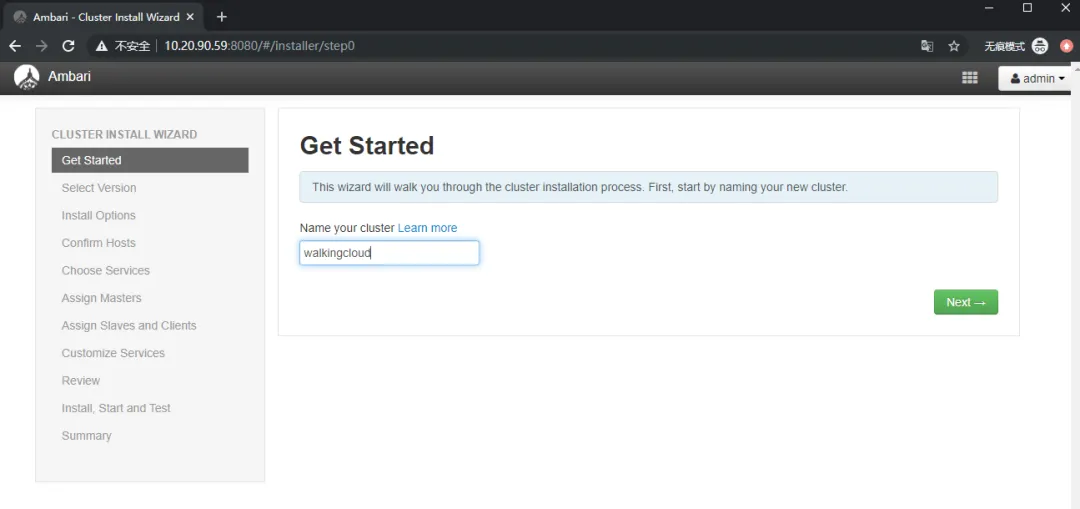
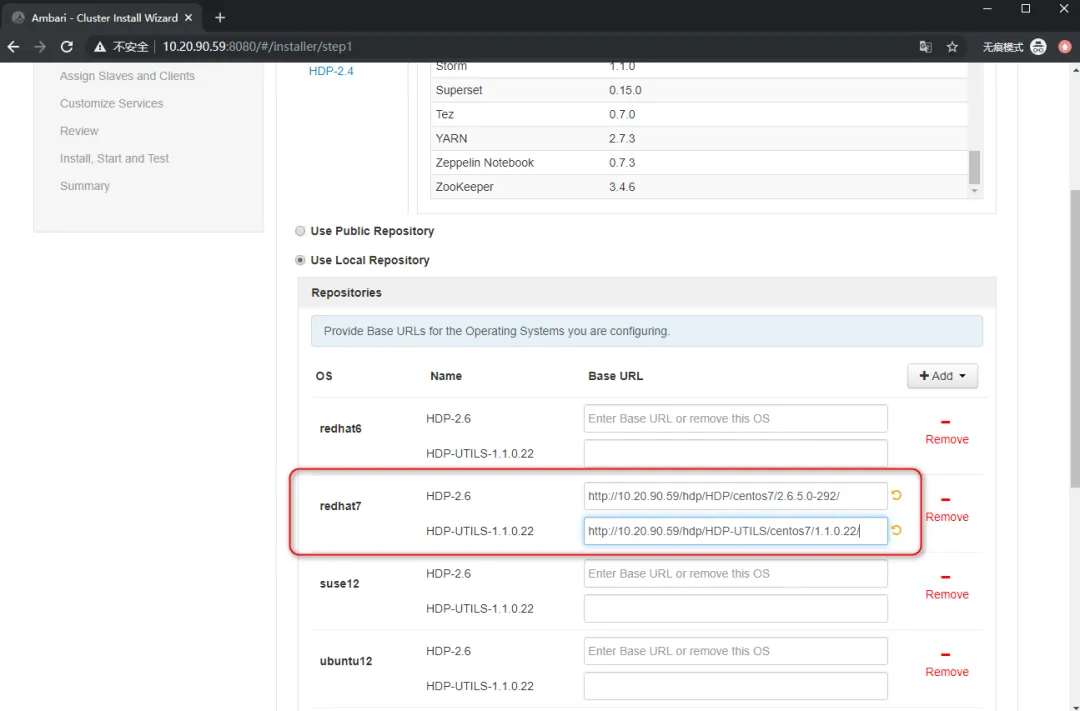
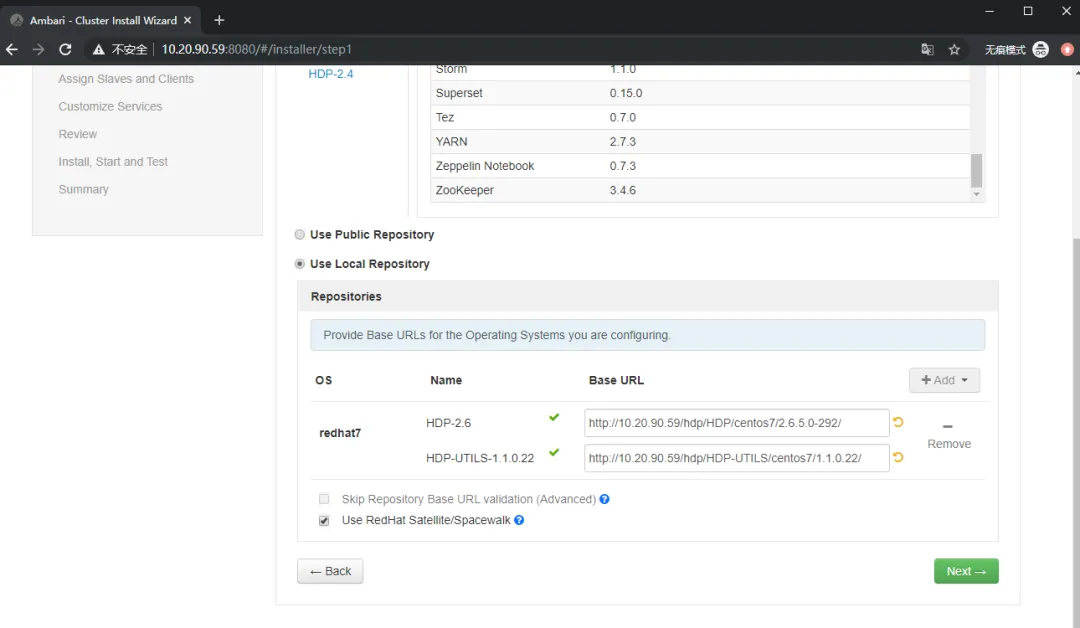
注意:这里的URL最后面的/斜杠需要去掉,(图误)
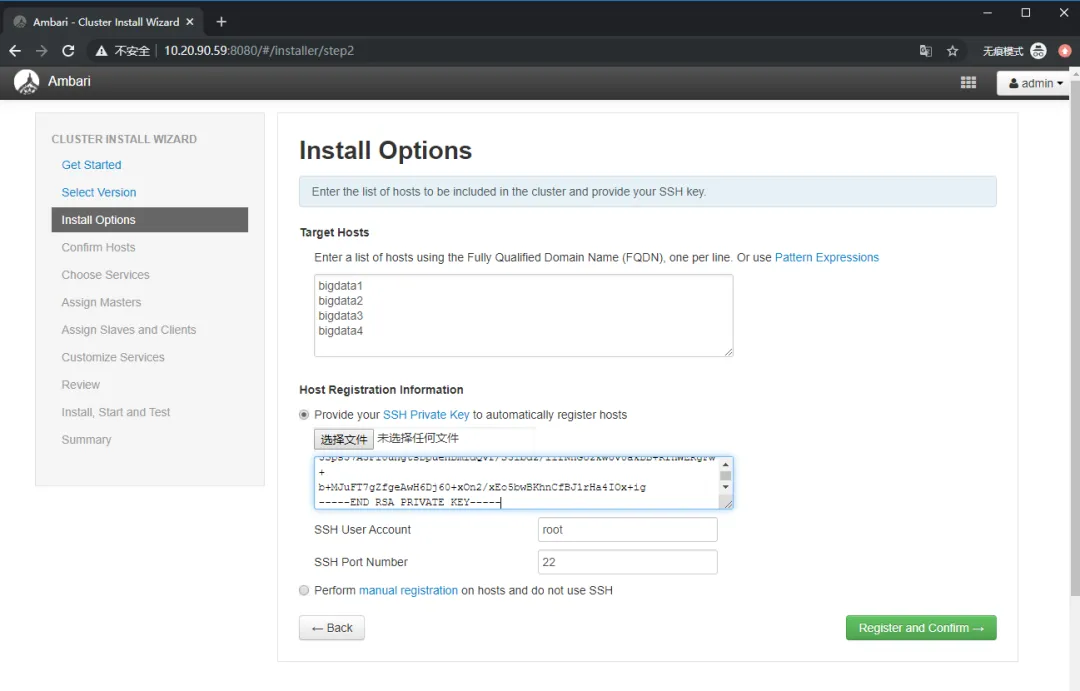
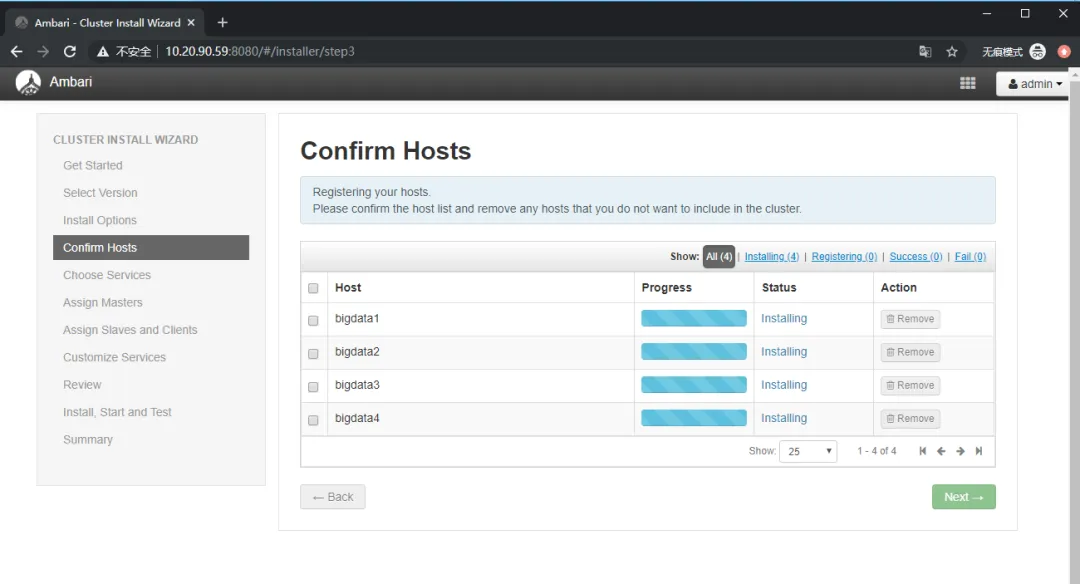
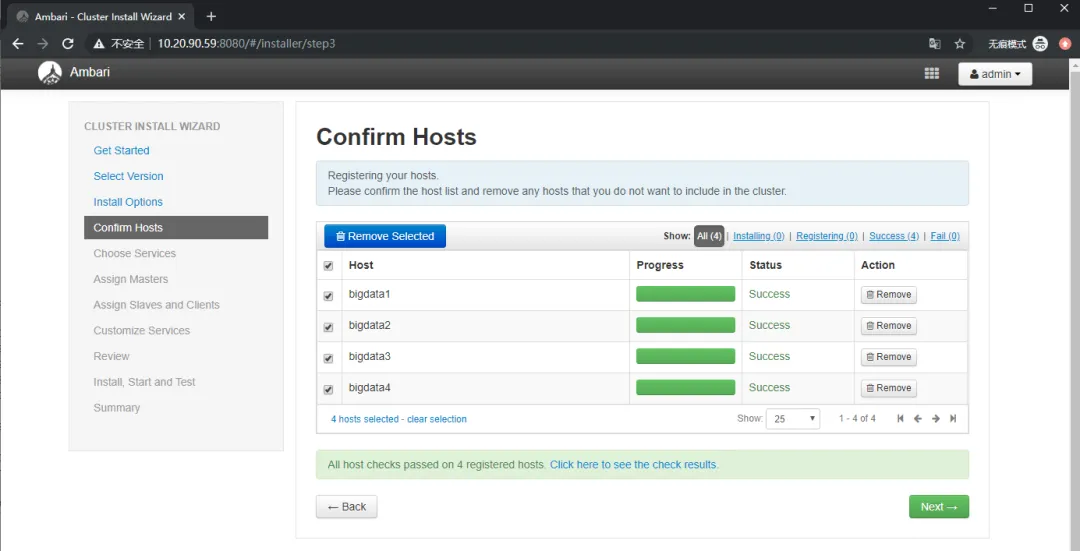
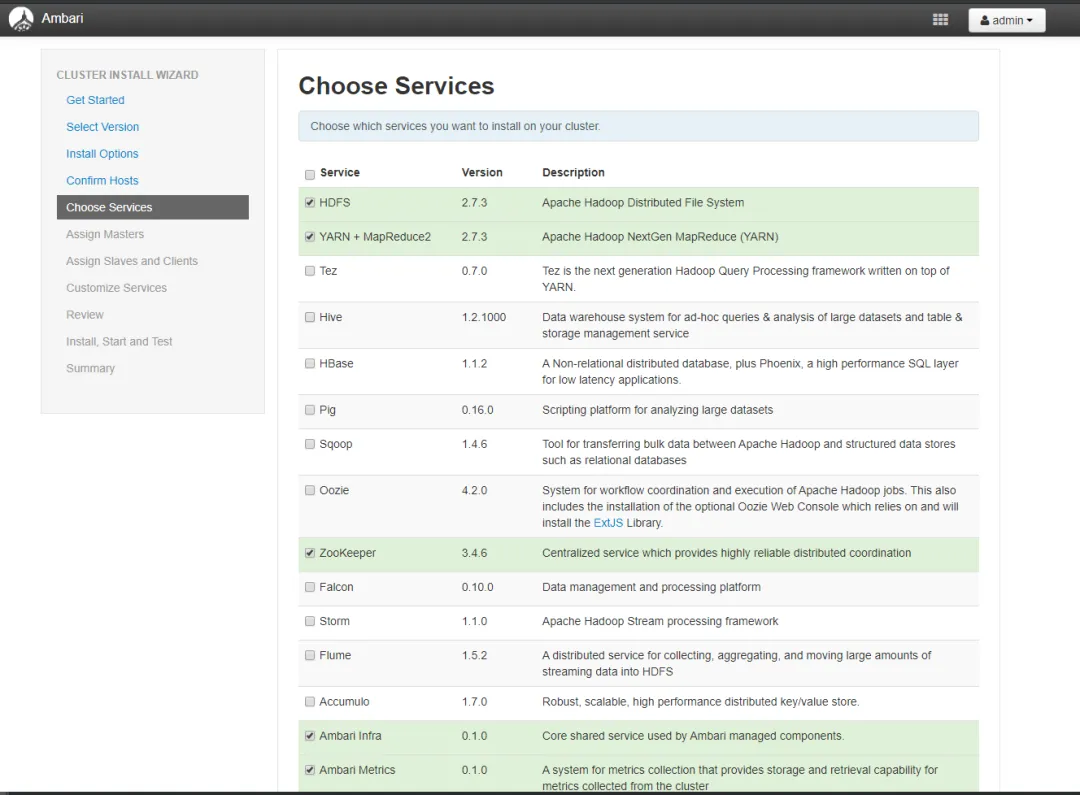
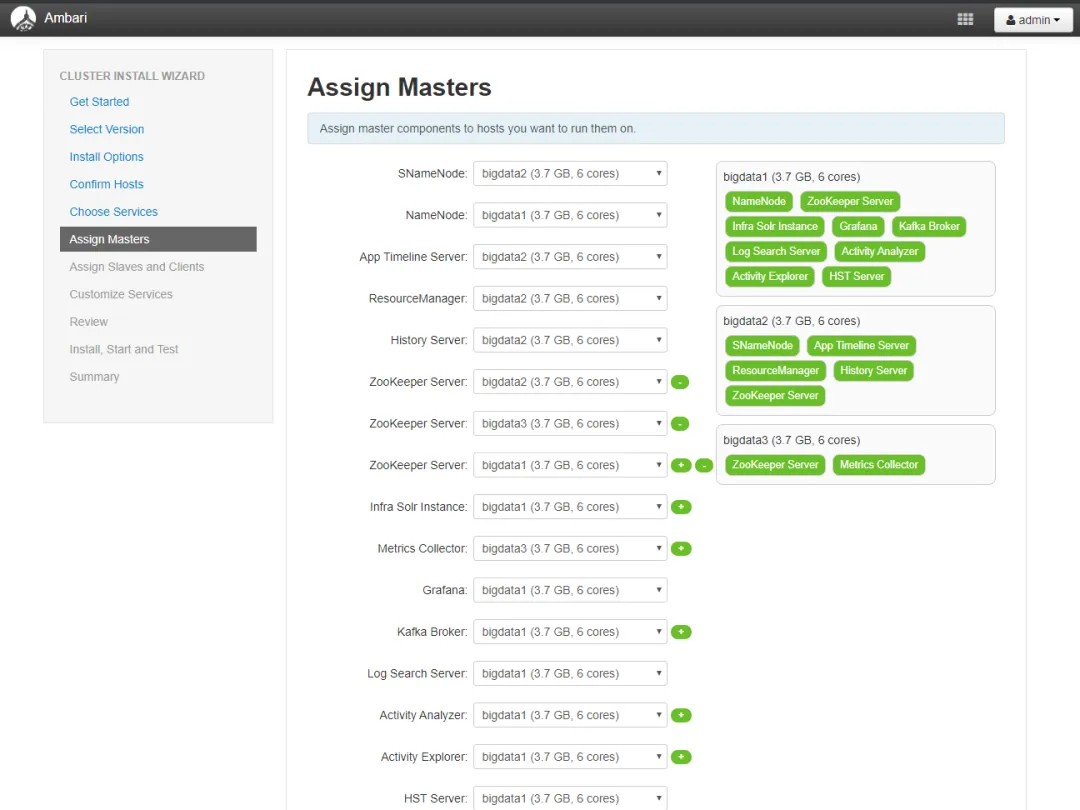
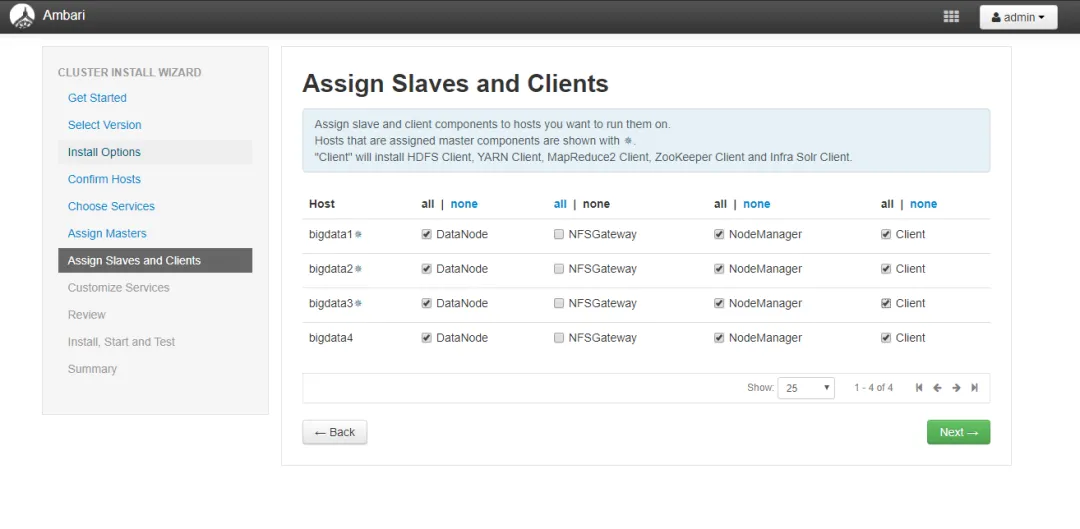
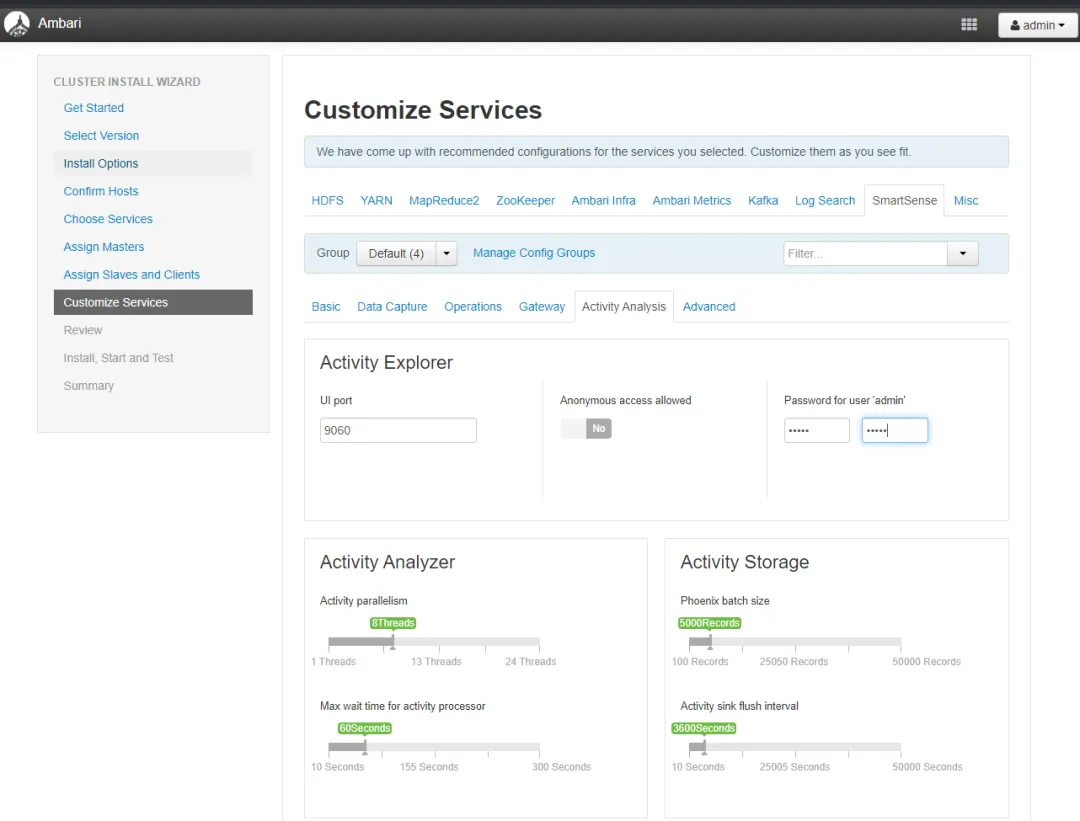
九、排错
1、Confirm Hosts时出现安装ambari-agent的报错的解决方法
修改 /etc/ambari-agent/conf/ambari-agent.ini 文件,在 [security] 配置部分添加
[security]
...
force_https_protocol=PROTOCOL_TLSv1_2
2、yum.conf配置文件修改
vi /etc/yum.conf
installonly_limit=5改为
installonly_limit=600
