一、spring中加密连接数据库的信息:
spring项目中,我们一般把连接数据库的信息写在jdbc.properties中,然后在spring-dao.xml中读取配置信息。
未加密是这样写的:
jdbc.properties:
jdbc.driver=com.mysql.jdbc.Driver
jdbc.url=jdbc:mysql:///test?useUnicode=true&characterEncoding=utf8
jdbc.username=root
jdbc.password=123
然后在spring-dao.xml中读取:
<context:property-placeholder location="classpath:jdbc.properties" />
要加密需要进行以下操作:
1、编写DES算法加密工具类:
DESUtil.java:
import java.security.Key;
import java.security.SecureRandom;
import javax.crypto.Cipher;
import javax.crypto.KeyGenerator;
import sun.misc.BASE64Decoder;
import sun.misc.BASE64Encoder;
/**
 * 用DES对称算法加密数据库连接的信息</br>
 * 所谓对称算法就是加密和解密使用相同的key
 *
 * @author zhu
 *
 */
public class DESUtil {
    private static Key key;
    // 设置密钥key
    private static String KEY_STR = "myKey";
    private static String CHARSETNAME = "UTF-8";
    private static String ALGORITHM = "DES";
    static {
        try {
            // 生成des算法对象
            KeyGenerator generator = KeyGenerator.getInstance(ALGORITHM);
            // 运用SHA1安全策略
            SecureRandom secureRandom = SecureRandom.getInstance("SHA1PRNG");
            // 设置密钥种子
            secureRandom.setSeed(KEY_STR.getBytes());
            // 初始化基于SHA1的算法对象
            generator.init(secureRandom);
            // 生成密钥对象
            key = generator.generateKey();
            generator = null;
        } catch (Exception e) {
            throw new RuntimeException();
        }
    }
    /**
     * 获取加密后的信息
     *
     * @param str
     * @return
     */
    public static String getEncryptString(String str) {
        // 基于BASE64编码,接收byte[]并转换层String
        BASE64Encoder base64encoder = new BASE64Encoder();
        try {
            // utf-8编码
            byte[] bytes = str.getBytes(CHARSETNAME);
            // 获取加密对象
            Cipher cipher = Cipher.getInstance(ALGORITHM);
            // 初始化密码信息
            cipher.init(Cipher.ENCRYPT_MODE, key);
            // 加密
            byte[] doFinal = cipher.doFinal(bytes);
            // 返回
            return base64encoder.encode(doFinal);
        } catch (Exception e) {
            throw new RuntimeException();
        }
    }
    /**
     * 获取解密之后的信息
     *
     * @param str
     * @return
     */
    public static String getDecryptString(String str) {
        //基于BASE64编码,接收byte[]并转换成String
        BASE64Decoder base64decoder = new BASE64Decoder();
        try {
            //将字符串decode成byte[]
            byte[] bytes = base64decoder.decodeBuffer(str);
            //获取解密对象
            Cipher cipher = Cipher.getInstance(ALGORITHM);
            //初始化解密信息
            cipher.init(Cipher.DECRYPT_MODE, key);
            //解密
            byte[] doFinal = cipher.doFinal(bytes);
            //返回解密之后的信息
            return new String(doFinal,CHARSETNAME);
        }catch(Exception e) {
            throw new RuntimeException(e);
        }
    }
       /**
     * 测试
     *
     * @param args
     */
    public static void main(String[] args) {
        // 加密root字符串
        System.out.println(getEncryptString("root"));
        // 加密123
        System.out.println(getEncryptString("123"));
        // 解密WnplV/ietfQ=
        System.out.println(getDecryptString("WnplV/ietfQ="));
    }
}
这个类就实现了DES算法加密字符串,把需要加密的字段传入getEncryptString方法即可加密。看运行效果:
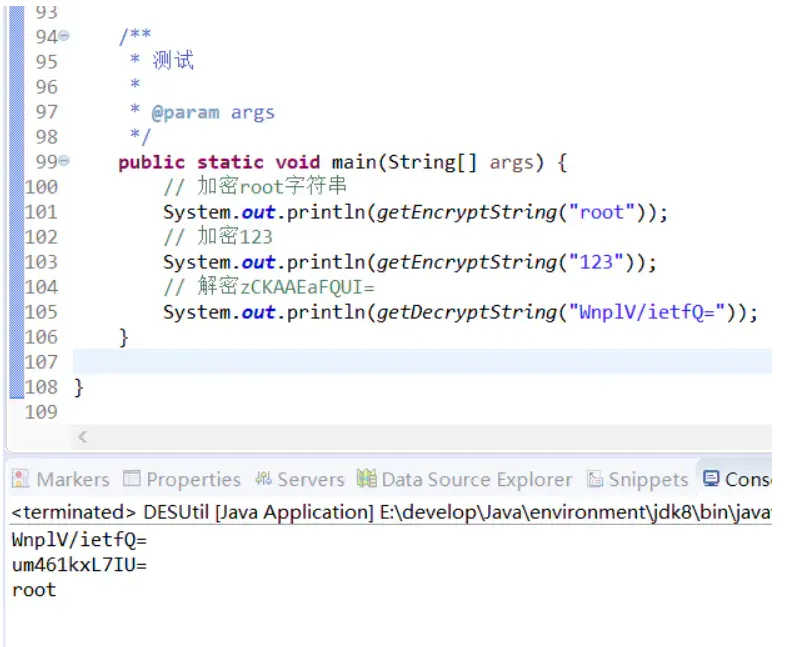
注意:
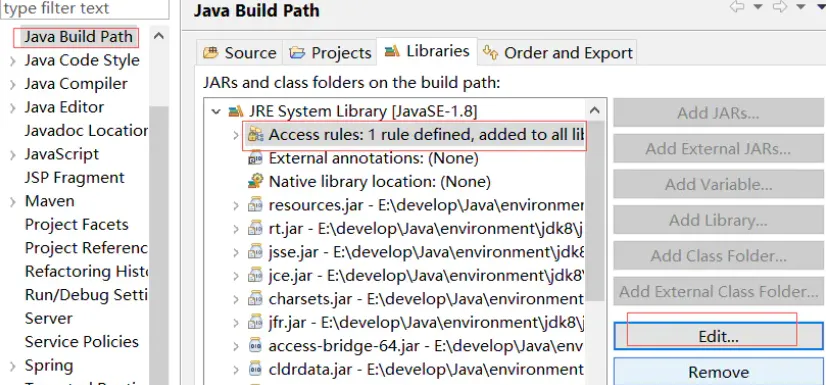
在编写这个类的时候,BASE64Encoder一直报错,找不到 sun.misc.BASE64Encoder包,没办法import这个包。
解决办法:
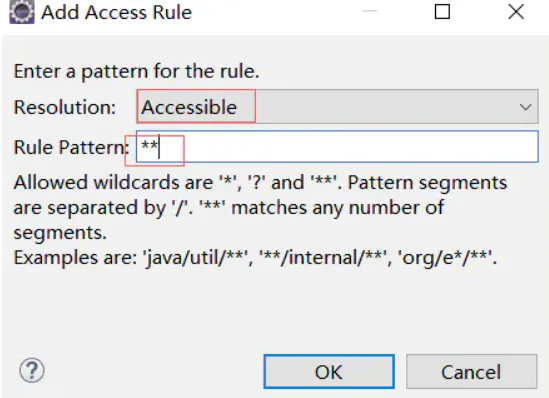
选中项目 ---> build path ---> libraries ---> jre system library ---> access rules
---> edit ---> add ---> accessble ---> ** ---> ok
2、把jdbc.properties中的字段换成加密后的
jdbc.properties:
jdbc.driver=com.mysql.jdbc.Driver
jdbc.url=jdbc:mysql:///test?useUnicode=true&characterEncoding=utf8
jdbc.username=WnplV/ietfQ=
jdbc.password=um461kxL7IU=
3、在spring读取配置时解密
以上两步完成了加密,但是这样spring读取时并不会自动解密这些经过加密的字段,所以还需要进行如下操作:
EncryptPropertyPlaceholderConfigurer.java:
import org.springframework.beans.factory.config.PropertyPlaceholderConfigurer;
/**
 * 在spring-dao加载jdbc.properties时,将加密信息解密出来
 *
 * @author zhu
 *
 */
public class EncryptPropertyPlaceholderConfigurer extends PropertyPlaceholderConfigurer {
    // 需要加密的字段数组
    private String[] encryptPropNames = { "jdbc.username", "jdbc.password" };
    protected String convertProperty(String propertyName, String propertyValue) {
        if (isEncryptProp(propertyName)) {
            // 对加密的字段进行解密工作(调用DESUtil中的解密方法)
            String decryptValue = DESUtil.getDecryptString(propertyValue);
            return decryptValue;
        } else {
            return propertyValue;
        }
    }
    /**
     * 该属性是否已加密
     *
     * @param propertyName
     * @return
     */
    private boolean isEncryptProp(String propertyName) {
        // 若等于需要加密的field,则进行加密
        for (String encryptpropertyName : encryptPropNames) {
            if (encryptpropertyName.equals(propertyName)) {
                return true;
            }
        }
        return false;
    }
}
这段代码就对jdbc.username和jdbc.password进行了解密。然后在spring-dao.xml中以如下方式读取jdbc.properties:
spring-dao.xml:
<bean
        class="com.zhu.util.EncryptPropertyPlaceholderConfigurer">
        <property name="locations">
            <list>
                <value>classpath:jdbc.properties</value>
            </list>
        </property>
        <property name="fileEncoding" value="UTF-8" />
    </bean>
这里就把EncryptPropertyPlaceholderConfigurer配置成了bean,用这个类去读取jdbc.properties就可以解密了。
4、连接测试:
DESTest.java:
import org.junit.Test;
import org.junit.runner.RunWith;
import org.springframework.test.context.ContextConfiguration;
import org.springframework.test.context.junit4.SpringJUnit4ClassRunner;
import com.mysql.jdbc.Driver;
@RunWith(SpringJUnit4ClassRunner.class)
@ContextConfiguration({ "classpath:spring/spring-dao.xml"})
public class DESTest {
    @Test
    public void testGetDataSource() {
        System.out.println(Driver.class);
    }
}
运行结果:
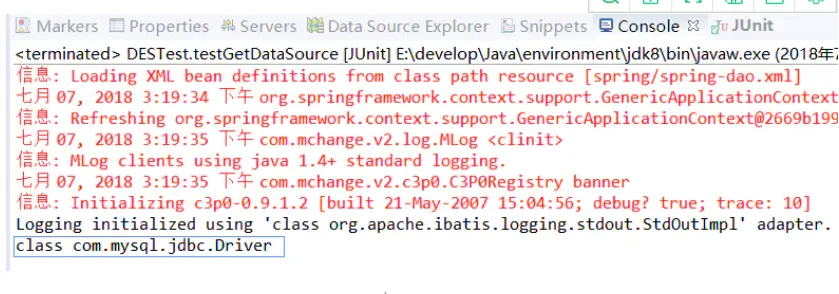
连接成功!
二、springboot项目中加密数据库连接信息:
springboot项目没有jdbc.properties,也没有spring-dao.xml,全都写在application.properties或application.yml中。需要加密的话执行如下操作即可:
1、引入jasypt的jar包:
<dependency>
            <groupId>com.github.ulisesbocchio</groupId>
            <artifactId>jasypt-spring-boot-starter</artifactId>
            <version>1.16</version>
        </dependency>
2、在application.properties中配置加密key:
这个key可以自己随便写,我写的是hellospringboot。
#配置数据源加密的密钥
jasypt.encryptor.password=hellospringboot
3、使用jasypt加密字段:
import org.jasypt.encryption.StringEncryptor;
import org.junit.Test;
import org.junit.runner.RunWith;
import org.springframework.beans.factory.annotation.Autowired;
import org.springframework.boot.test.context.SpringBootTest;
import org.springframework.test.context.junit4.SpringJUnit4ClassRunner;
@RunWith(SpringJUnit4ClassRunner.class)
@SpringBootTest
public class test {
    //注入StringEncryptor
    @Autowired
    StringEncryptor encryptor;
    @Test
    public void encry() {
        //加密root
        String username = encryptor.encrypt("root");
        System.out.println(username);
        //加密123
        String password = encryptor.encrypt("123");
        System.out.println(password);
    }
}
运行结果:
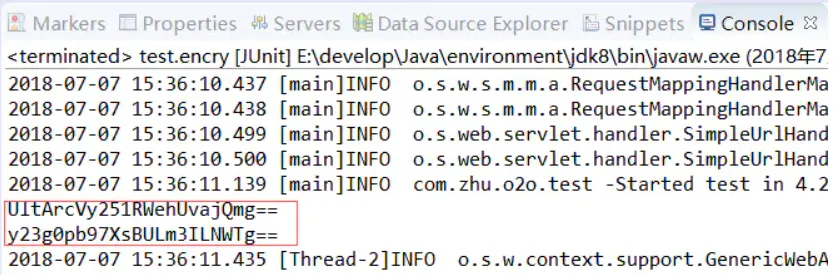
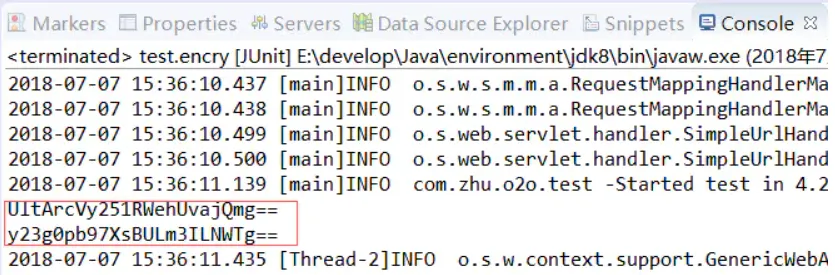
这两个就是root和123加密后的结果。
注意:
这个测试类每运行一次输出的结果都是不一样的,比如第一次运行是上图结果,第二次运行加密结果又不一样了,这是正常现象。随便复制哪一次的运行结果到application.properties中都行。
4、在application.properties中配置连接数据库的信息:
spring.datasource.driver-class-name=com.mysql.jdbc.Driver
spring.datasource.url=jdbc:mysql:///meilianMall?useUnicode=true&characterEncoding=utf8
spring.datasource.username=ENC(UltArcVy251RWehUvajQmg==)
spring.datasource.password=ENC(y23g0pb97XsBULm3ILNWTg==)
注意:
加密字段需要用ENC(密文)的形式,直接写spring.datasource.username=UltArcVy251RWehUvajQmg是无效的。
5、连接测试:
import org.junit.Test;
import org.junit.runner.RunWith;
import org.springframework.boot.test.context.SpringBootTest;
import org.springframework.test.context.junit4.SpringJUnit4ClassRunner;
import com.mysql.jdbc.Driver;
@RunWith(SpringJUnit4ClassRunner.class)
@SpringBootTest
public class test {
    @Test
    public void testGetDataSource() {
        System.out.println(Driver.class);
    }
}
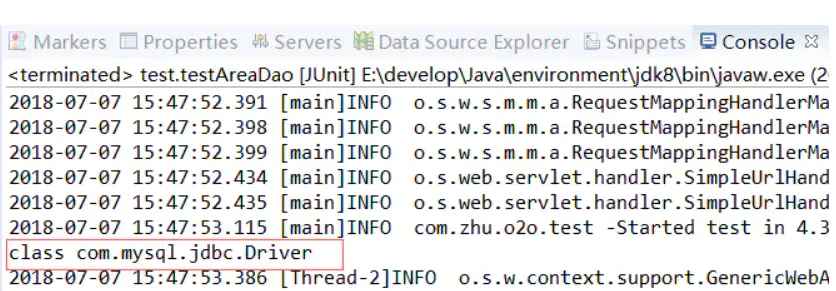
可以看到也是连接成功的。
总结:
spring项目中加密数据库连接信息的方法稍微麻烦一点,要加密又要解密,而springboot采用的jasypt加密相当于解密工作它会自动完成,我们只需要在application.properties中配置密钥和加密后的信息即可。
以上内容属于个人笔记整理,如有错误,欢迎批评指正