Overview
Knative Serving builds on Kubernetes and Istio to support deploying and serving of serverless applications and functions. Serving is easy to get started with and scales to support advanced scenarios.
Let's introduce how to quickly install Knative Serving and scale automatically based on Alibaba Cloud Container Service Kubernetes
Installing Knative Serving
Prepare Kubernetes
Alibaba Cloud Container Service supports the Kubernetes 1.12.6 now, making it easy to create Kubernetes clusters through the Container Service Management Console, see Create a Kubernetes cluster.
Installing Istio
Knative depends on Istio for traffic routing and ingress. Currently, Alibaba Cloud Container Service Kubernetes has provided a quick one-click deployment to install and configure Istio, see the Deploy Istio.
Log on to the Container Service console. Under Kubernetes, click Clusters in the left-side navigation pane. On the right of the target cluster, choose More > Deploy Istio.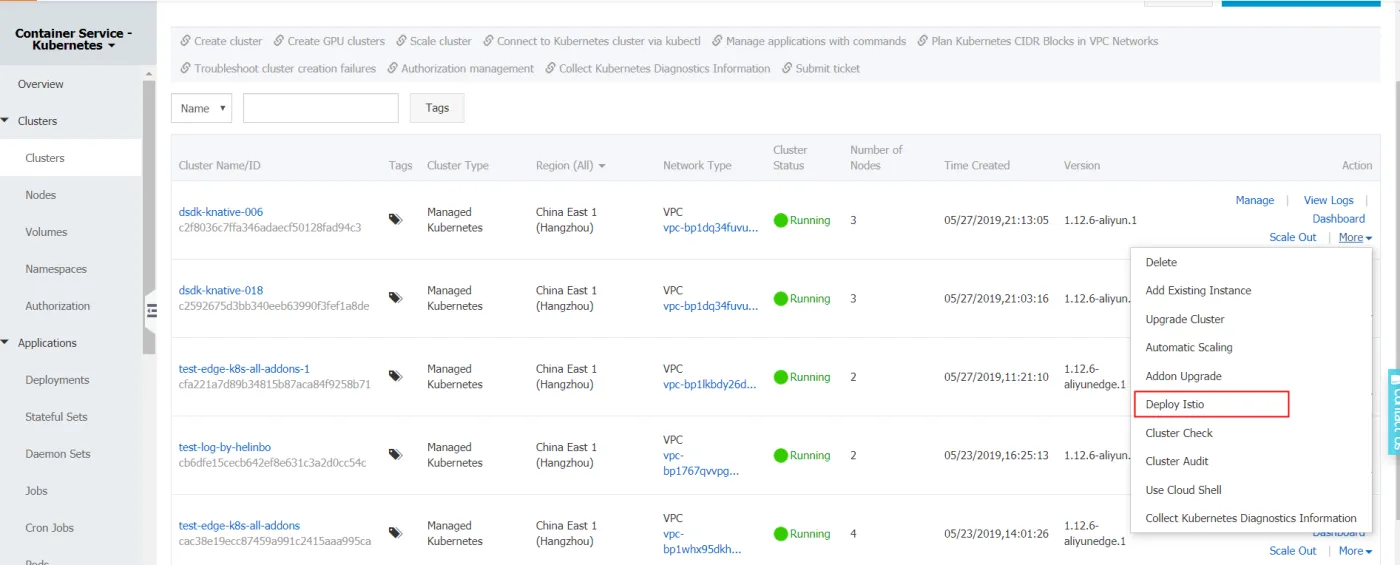
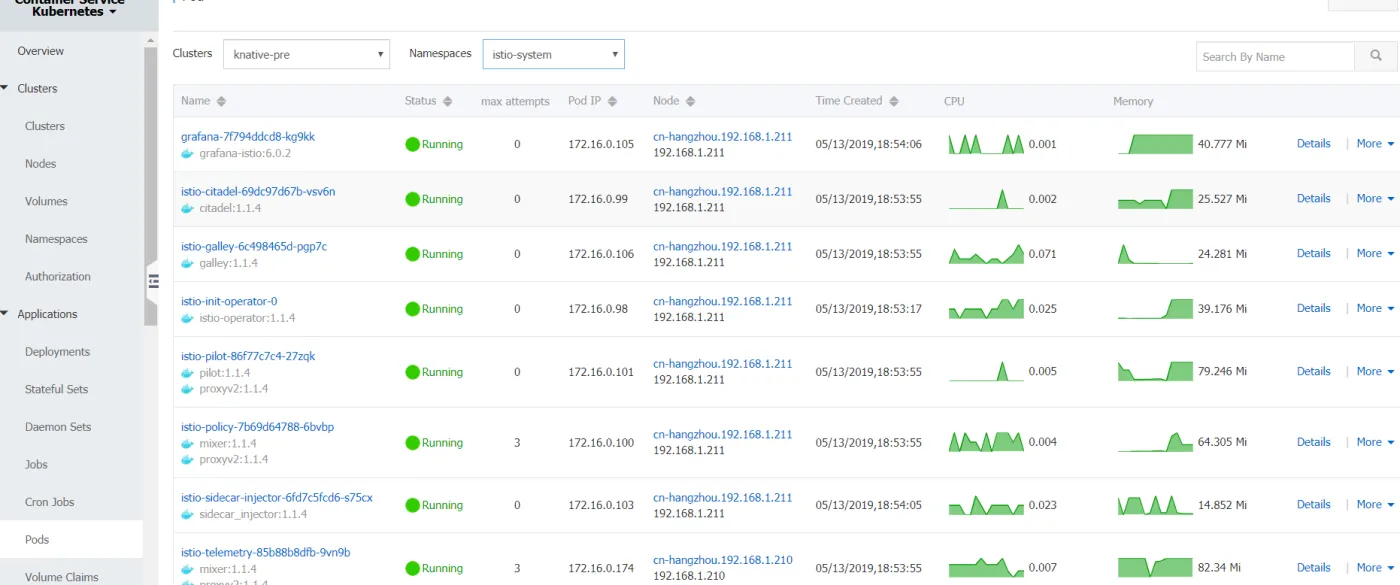
You can view your deployment results in the following way:
- In the left-side navigation pane, choose
Application>Pods, select the cluster and namespace in which Istio is deployed, and you can see the relevant pods in which Istio is deployed.
Installing Istio Ingress gateway
In the left-side navigation pane, choose Store > App Catalog. Click the ack-istio-ingressgateway. 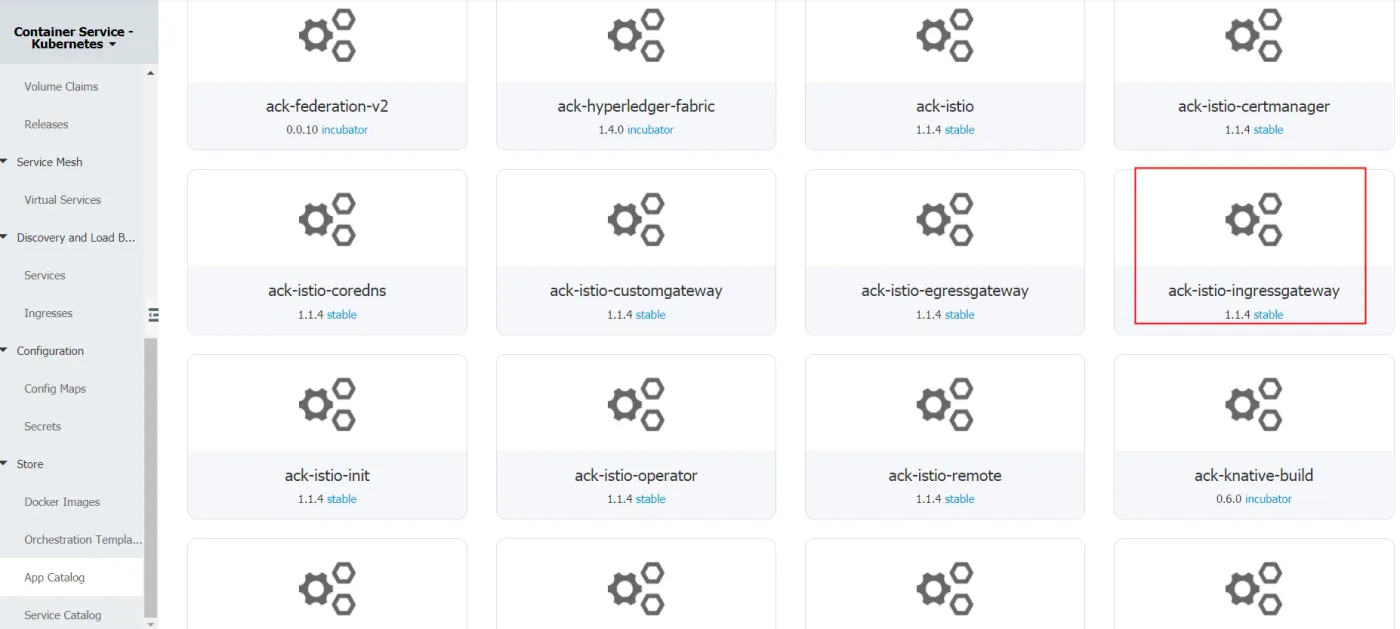
Click the Values tab, and then set the parameters. You can set customized parameters, including indicating whether to enable a specific port, or whether to use the intranet SLB or the Internet SLB by setting the serviceAnnotations parameter.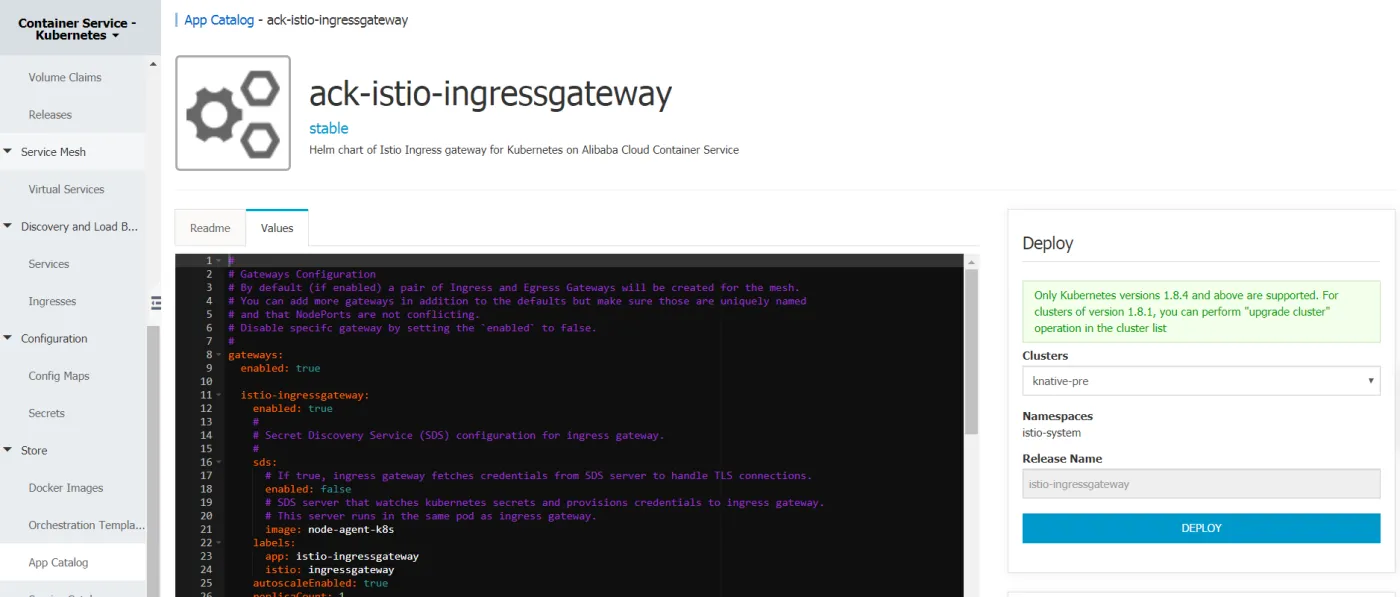
In the left-side navigation pane, choose Application > Pod. Select the target cluster and the istio-system namespace to view the pod to which the Istio Ingress gateway has been deployed.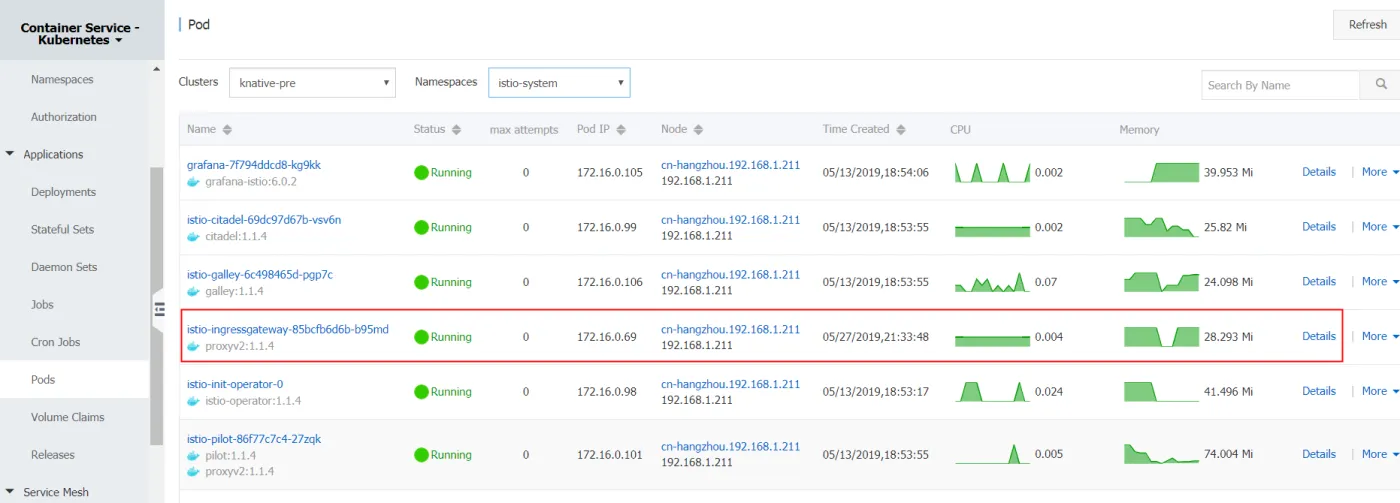
Installing Knative CRD
Log on to the Container Service console. In the left-side navigation pane, choose Store > App Catalog. Click the ack-knative-init. 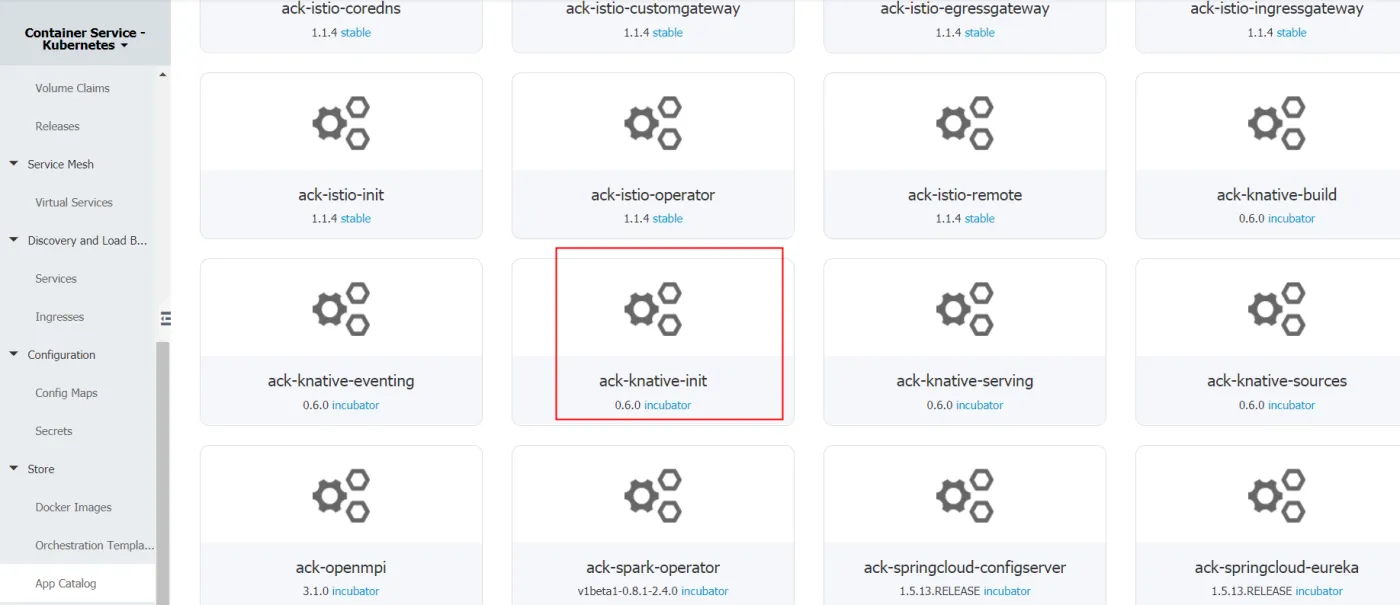
In the Deploy area on the right, select the target Cluster from the drop-down list, and then click DEPLOY.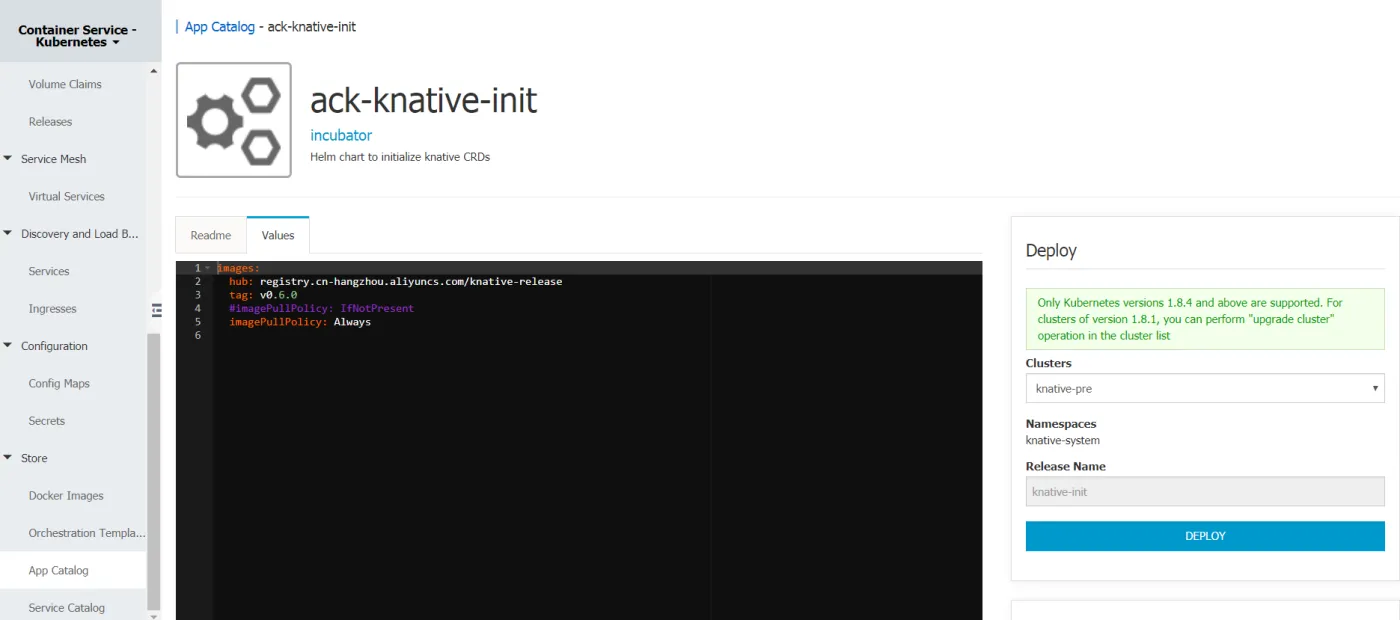
Installing Knative Serving
Log on to the Container Service console. In the left-side navigation pane, choose Store > App Catalog. Click the ack-knative-serving. 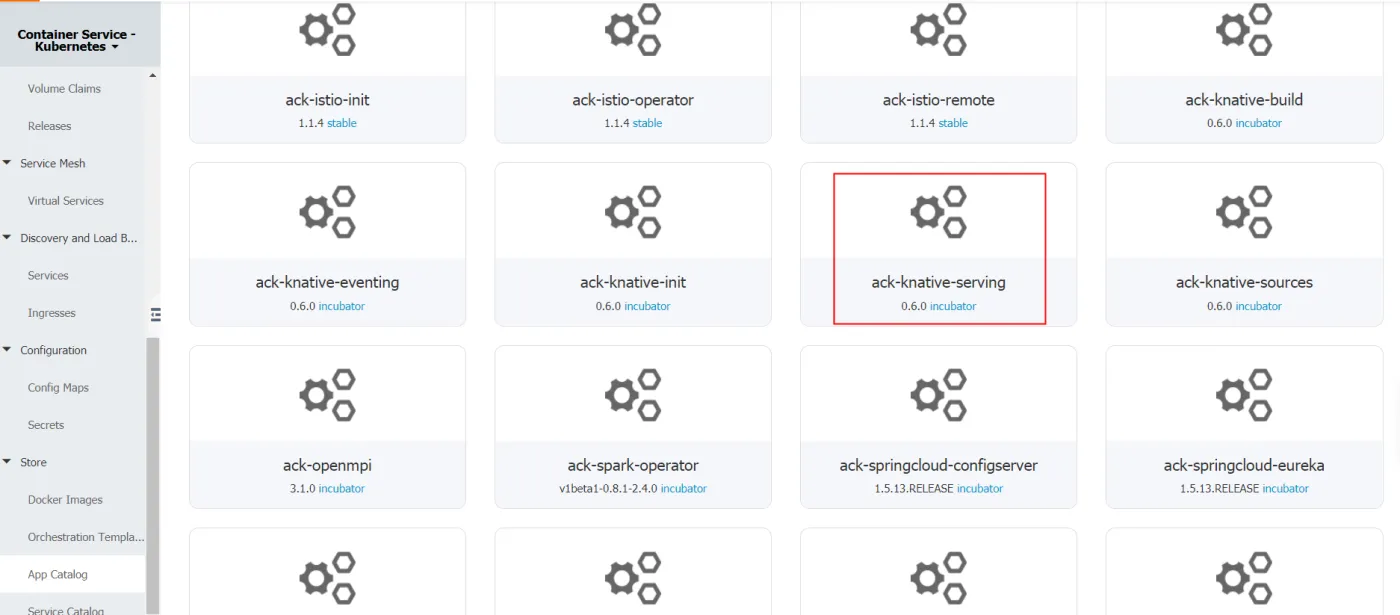
Click the Values tab, then set the parameters. You can set customized values for parameters, or use the default value Istio IngressGateway. And then click DEPLOY.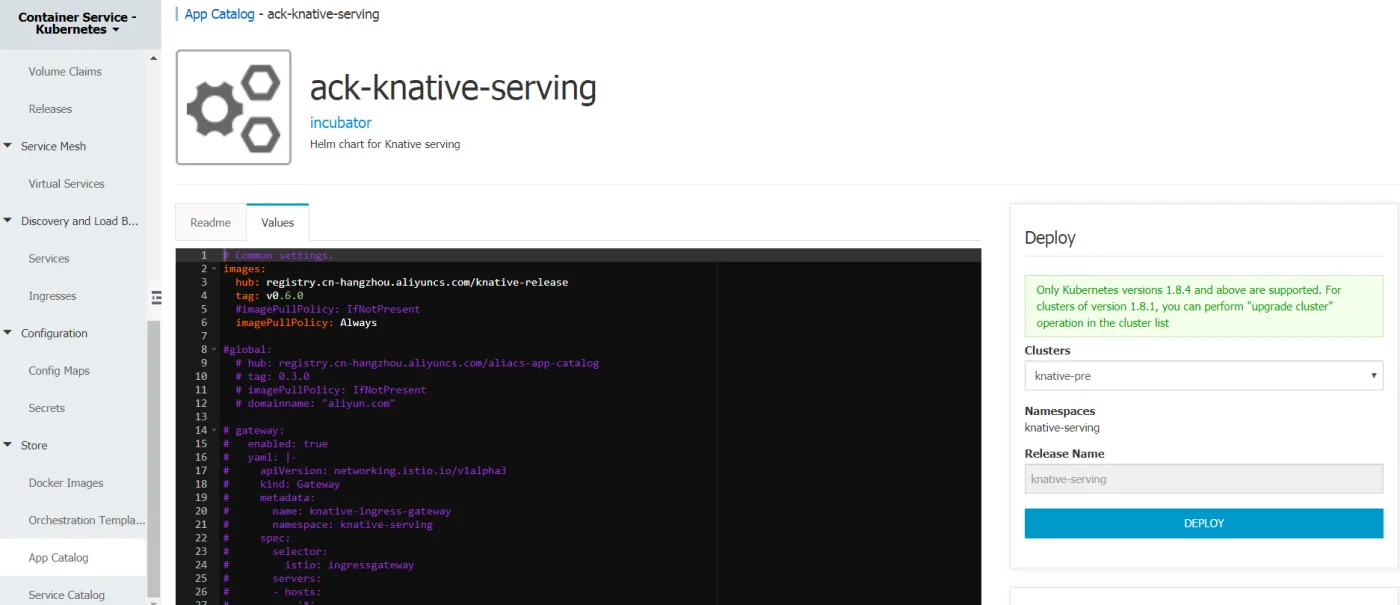
Currently, the all four Helm charts for the Knative serving have been installed. Like this: 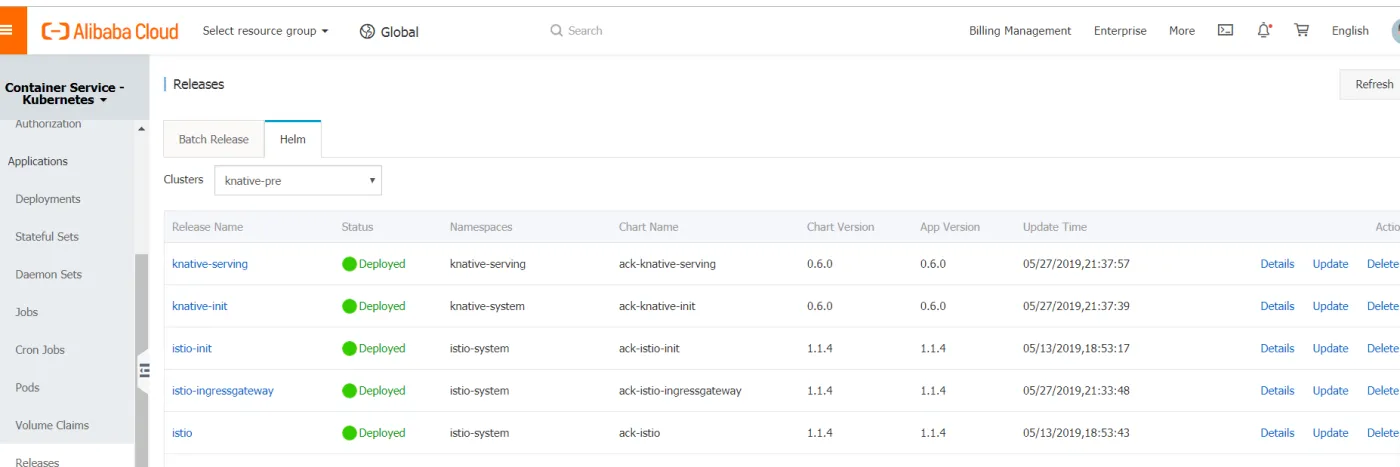
Getting Started with Knative
Deploy the autoscale sample
Deploy the sample Knative Service, run the following command:
kubectl create -f autoscale.yamlExample of the autoscale.yaml:
apiVersion: serving.knative.dev/v1alpha1
kind: Service
metadata:
  name: autoscale-go
  namespace: default
spec:
  runLatest:
    configuration:
      revisionTemplate:
        metadata:
          annotations:
            # Target 10 in-flight-requests per pod.
            autoscaling.knative.dev/target: "10"
            autoscaling.knative.dev/class:  kpa.autoscaling.knative.dev
        spec:
          container:
            image: registry.cn-beijing.aliyuncs.com/wangxining/autoscale-go:0.1
Load the autoscale service
Obtain both the hostname and IP address of the istio-ingressgateway service in the istio-system namespace, and then export them into the IP_ADDRESS environment variable.
export IP_ADDRESS=`kubectl get svc istio-ingressgateway --namespace istio-system --output jsonpath="{.status.loadBalancer.ingress[*].ip}"`Make a request to the autoscale app to see it consume some resources.
curl --header "Host: autoscale-go.default.{domain.name}" "http://${IP_ADDRESS?}?sleep=100&prime=10000&bloat=5"Note, need to replace the {domain.name} to your domain. The domain name of the sample is aliyun.com.
curl --header "Host: autoscale-go.default.aliyun.com" "http://${IP_ADDRESS?}?sleep=100&prime=10000&bloat=5"
Allocated 5 Mb of memory.
The largest prime less than 10000 is 9973.
Slept for 100.16 milliseconds.
Installing the hey load generator:
go get -u github.com/rakyll/heySend 30 seconds of traffic maintaining 50 in-flight requests:
hey -z 30s -c 50 \
  -host "autoscale-go.default.aliyun.com" \
  "http://${IP_ADDRESS?}?sleep=100&prime=10000&bloat=5" \
  && kubectl get pods
With the traffic request running for 30 seconds, the Knative Serving scale automatically as the requests increasing.
Summary:
  Total:    30.1126 secs
  Slowest:    2.8528 secs
  Fastest:    0.1066 secs
  Average:    0.1216 secs
  Requests/sec:    410.3270

  Total data:    1235134 bytes
  Size/request:    99 bytes

Response time histogram:
  0.107 [1]    |
  0.381 [12305]    |■■■■■■■■■■■■■■■■■■■■■■■■■■■■■■■■■■■■■■■■
  0.656 [0]    |
  0.930 [0]    |
  1.205 [0]    |
  1.480 [0]    |
  1.754 [0]    |
  2.029 [0]    |
  2.304 [0]    |
  2.578 [27]    |
  2.853 [23]    |


Latency distribution:
  10% in 0.1089 secs
  25% in 0.1096 secs
  50% in 0.1107 secs
  75% in 0.1122 secs
  90% in 0.1148 secs
  95% in 0.1178 secs
  99% in 0.1318 secs

Details (average, fastest, slowest):
  DNS+dialup:    0.0001 secs, 0.1066 secs, 2.8528 secs
  DNS-lookup:    0.0000 secs, 0.0000 secs, 0.0000 secs
  req write:    0.0000 secs, 0.0000 secs, 0.0023 secs
  resp wait:    0.1214 secs, 0.1065 secs, 2.8356 secs
  resp read:    0.0001 secs, 0.0000 secs, 0.0012 secs

Status code distribution:
  [200]    12356 responses


NAME                                             READY   STATUS        RESTARTS   AGE
autoscale-go-00001-deployment-5fb497488b-2r76v   2/2     Running       0          29s
autoscale-go-00001-deployment-5fb497488b-6bshv   2/2     Running       0          2m
autoscale-go-00001-deployment-5fb497488b-fb2vb   2/2     Running       0          29s
autoscale-go-00001-deployment-5fb497488b-kbmmk   2/2     Running       0          29s
autoscale-go-00001-deployment-5fb497488b-l4j9q   1/2     Terminating   0          4m
autoscale-go-00001-deployment-5fb497488b-xfv8v   2/2     Running       0          29s
Conclusion
Based on the Alibaba Cloud Container Service Kubernetes, we can quickly install Knative Serving and scale automatically. Welcome to use the container service on Alibaba Cloud to install Knative and integrate it into your product.