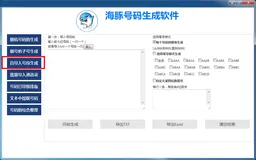
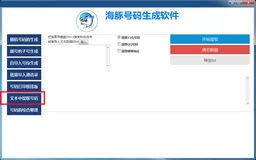
下载地址【已上传】:https://www.pan38.com/share.php?code=JCnzE 提取码:6666
声明:所下载的文件以及如下所示代码仅供学习参考用途,作者并不提供软件的相关服务。
实现了完整的股票持仓截图生成功能,包含随机数据生成、表格绘制、汇总统计和水印添加。使用时只需创建StockPortfolioGenerator实例并调用generate()方法即可生成图片,exportAsImage()方法可导出为图片数据URL2。支持自定义股票列表、界面尺寸和颜色主题
class StockPortfolioGenerator {
constructor(options = {}) {
this.width = options.width || 800;
this.height = options.height || 600;
this.backgroundColor = options.backgroundColor || '#f5f5f5';
this.textColor = options.textColor || '#333';
this.primaryColor = options.primaryColor || '#1890ff';
this.stocks = options.stocks || this.generateRandomStocks();
this.canvas = document.createElement('canvas');
this.ctx = this.canvas.getContext('2d');
this.canvas.width = this.width;
this.canvas.height = this.height;
}
generateRandomStocks(count = 10) {
const stocks = [];
const stockNames = ['腾讯控股','阿里巴巴','贵州茅台','美团-W',
'京东集团','中国平安','招商银行','宁德时代',
'比亚迪','小米集团'];
for(let i = 0; i < count; i++) {
  const costPrice = (Math.random() * 100 + 50).toFixed(2);
  const currentPrice = (costPrice * (0.9 + Math.random() * 0.2)).toFixed(2);
  const shares = Math.floor(Math.random() * 1000) + 100;

  stocks.push({
    name: stockNames[i % stockNames.length],
    code: `SH${600000 + i}`,
    costPrice: parseFloat(costPrice),
    currentPrice: parseFloat(currentPrice),
    shares: shares,
    marketValue: (currentPrice * shares).toFixed(2),
    profit: ((currentPrice - costPrice) * shares).toFixed(2),
    profitRate: (((currentPrice - costPrice) / costPrice) * 100).toFixed(2)
  });
}
return stocks;
}
drawHeader() {
this.ctx.fillStyle = this.primaryColor;
this.ctx.fillRect(0, 0, this.width, 60);
this.ctx.fillStyle = '#fff';
this.ctx.font = 'bold 24px Arial';
this.ctx.textAlign = 'center';
this.ctx.fillText('股票持仓明细', this.width / 2, 40);

this.ctx.font = '14px Arial';
this.ctx.fillText(`生成时间: ${new Date().toLocaleString()}`, this.width / 2, 80);
}
drawTable() {
const columns = [
{ title: '股票名称', key: 'name', width: 120 },
{ title: '股票代码', key: 'code', width: 100 },
{ title: '持仓数量', key: 'shares', width: 100 },
{ title: '成本价', key: 'costPrice', width: 100 },
{ title: '当前价', key: 'currentPrice', width: 100 },
{ title: '市值', key: 'marketValue', width: 120 },
{ title: '盈亏', key: 'profit', width: 120 },
{ title: '盈亏率', key: 'profitRate', width: 100 }
];
// 绘制表头
this.ctx.fillStyle = '#e6f7ff';
this.ctx.fillRect(0, 100, this.width, 40);

this.ctx.fillStyle = this.textColor;
this.ctx.font = 'bold 14px Arial';
this.ctx.textAlign = 'center';

let x = 20;
columns.forEach(col => {
  this.ctx.fillText(col.title, x + col.width / 2, 125);
  x += col.width;
});

// 绘制表格内容
this.ctx.font = '14px Arial';
this.ctx.textAlign = 'right';

this.stocks.forEach((stock, rowIndex) => {
  const y = 150 + rowIndex * 30;

  // 交替行颜色
  this.ctx.fillStyle = rowIndex % 2 === 0 ? '#fff' : '#f9f9f9';
  this.ctx.fillRect(0, y - 20, this.width, 30);

  // 绘制单元格内容
  this.ctx.fillStyle = this.textColor;
  let cellX = 20;

  columns.forEach(col => {
    const value = stock[col.key];
    const isProfit = col.key === 'profit' || col.key === 'profitRate';

    if(isProfit) {
      this.ctx.fillStyle = value >= 0 ? '#f5222d' : '#52c41a';
    }

    this.ctx.fillText(value, cellX + col.width - 10, y);
    cellX += col.width;
    this.ctx.fillStyle = this.textColor;
  });
});
}
drawSummary() {
const totalMarketValue = this.stocks.reduce((sum, stock) =>
sum + parseFloat(stock.marketValue), 0).toFixed(2);
const totalProfit = this.stocks.reduce((sum, stock) =>
  sum + parseFloat(stock.profit), 0).toFixed(2);

const yPos = 150 + this.stocks.length * 30 + 30;

this.ctx.fillStyle = '#e6f7ff';
this.ctx.fillRect(0, yPos - 30, this.width, 60);

this.ctx.fillStyle = this.textColor;
this.ctx.font = 'bold 16px Arial';
this.ctx.textAlign = 'left';
this.ctx.fillText('汇总统计:', 20, yPos);

this.ctx.font = '14px Arial';
this.ctx.fillText(`总市值: ${totalMarketValue}`, 20, yPos + 25);
this.ctx.fillText(`总盈亏: ${totalProfit}`, 200, yPos + 25);
}
addWatermark() {
this.ctx.fillStyle = 'rgba(0,0,0,0.1)';
this.ctx.font = 'bold 48px Arial';
this.ctx.textAlign = 'center';
this.ctx.textBaseline = 'middle';
this.ctx.save();
this.ctx.translate(this.width / 2, this.height / 2);
this.ctx.rotate(-Math.PI / 6);
this.ctx.fillText('DEMO ONLY', 0, 0);
this.ctx.restore();
}
generate() {
// 绘制背景
this.ctx.fillStyle = this.backgroundColor;
this.ctx.fillRect(0, 0, this.width, this.height);
// 绘制各组件
this.drawHeader();
this.drawTable();
this.drawSummary();
this.addWatermark();

return this.canvas;
}
exportAsImage() {
return this.canvas.toDataURL('image/png');
}
}
// 使用示例
const generator = new StockPortfolioGenerator();
document.body.appendChild(generator.generate());
const imgData = generator.exportAsImage();
console.log('图片数据URL:', imgData);