
据说可以掌握的知识
- node express框架
- vue3
- ast树
- render函数
- 正则
- sfc
- esm模块
我的理解
按原文来讲,vite就是在本地启用了一个http服务器,然后将本地的文件通过浏览器的请求将本地的文件返回到浏览器;当然其中会有大量的解析,用于将文件内容解析为浏览器可以理解的内容
1. 依赖
"express": "^4.18.1", // 启动服务器
"vue": "^3.2.37" //处理和解析vue模板
2. 初始化文件,安装依赖
...略
3. 搭建服务器读取模板
3.1 启动文件server.js
const express = require("express")
var app = express()
const fs = require("fs")
const path = require("path")
const port = "3000"

app.get("/", (req, res, next)=>{
  //响应文本类型
  res.setHeader("content-type", "text/html")
  res.send(fs.readFileSync(path.resolve(__dirname, "./src/index.html")))
  res.end()
})

app.listen(port, ()=>{
  console.log(`the server is listen on ${port}`);
})
3.2 html模板文件src/index.html
<html>
<body>
  <div id="app">APP</div>
</body>
3.2 启动
node .server3.3 效果

4. 读取vue文件
4.1 使用render函数读取
先使用vue的render函数来读取
- 新建 /src/index.js文件
import { createApp, h } from "vue";

createApp({
  render() {
    return h('div', {color: '#f00'}, "hello")
  }
})
.mount("#app")- 修改server.js,以支持解析解析读取.js文件
const express = require("express")
var app = express()

const fs = require("fs")
const port = "3000"

app.get("/", (req, res, next)=>{
  res.setHeader("content-type", "text/html")
  res.send(fs.readFileSync("./src/index.html"))
  res.end()
})

app.get(/(.*)\.js$/, (req, res, next)=>{
  console.log(req.url, path.resolve(__dirname, "./src/"+ req.url));
  const p = fs.readFileSync(path.resolve(__dirname, "./src/"+ req.url), "utf-8");
  res.setHeader("content-type", "text/javascript")
  res.send(p)
  res.end()
})- 查看预览效果:

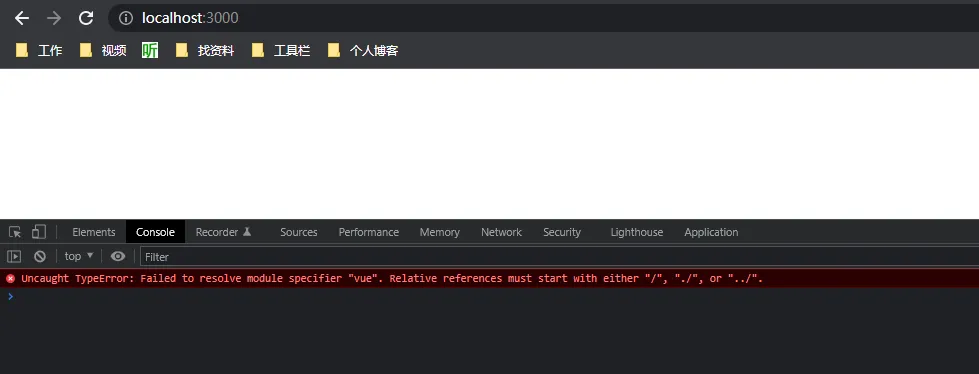
- 导致这个的原因是因为没法处理
from 'vue',需要对/src/server.js进行一下改造:
app.get(/(.*)\.js$/, (req, res, next)=>{
  console.log(req.url, path.resolve(__dirname, "./src/"+ req.url));
  const p = fs.readFileSync(path.resolve(__dirname, "./src/"+ req.url), "utf-8");
  res.setHeader("content-type", "text/javascript")
-  res.send(p)
+  res.send(reWritePath(p))
  res.end()
})

app.get(/^\/@module/, (req, res, next)=>{
  console.log(req.url, req.url.slice(9));
  # 将最终文件指向/node_modules/vue/package.json里的module配置
  const moduleFolder = path.resolve(__dirname, `./node_modules/${req.url.slice(9)}`)
  const modulePackageContent = require(moduleFolder+"/package.json").module
  const finalModulePath = path.join(moduleFolder, modulePackageContent)
  console.log("finalModulePath: ", finalModulePath);
  res.setHeader("content-type", "text/javascript")
  res.send(reWritePath(fs.readFileSync(finalModulePath, "utf-8")))
  res.end()
})

# 处理 import from "vue" 导出,将其转换成可识别路径
function reWritePath(content) {
  let reg = / from ['"](.*)['"]/g
  return content.replace(reg, (s1, s2)=>{
    console.log(s1, " ", s2);
    if(s2.startsWith(".") || s2.startsWith("./") || s2.startsWith("../")){
      return s1
    }else {
      return `from '/@module/${s2}'`
    }
  })
}- 修改模板文件/src/index.html
<!DOCTYPE html>
<html lang="en">
<head>
  <meta charset="UTF-8">
  <meta http-equiv="X-UA-Compatible" content="IE=edge">
  <meta name="viewport" content="width=device-width, initial-scale=1.0">
  <title>Document</title>
</head>
<body>
  <div id="app"></div>
  <script src="./index.js" type="module"></script>
</body>
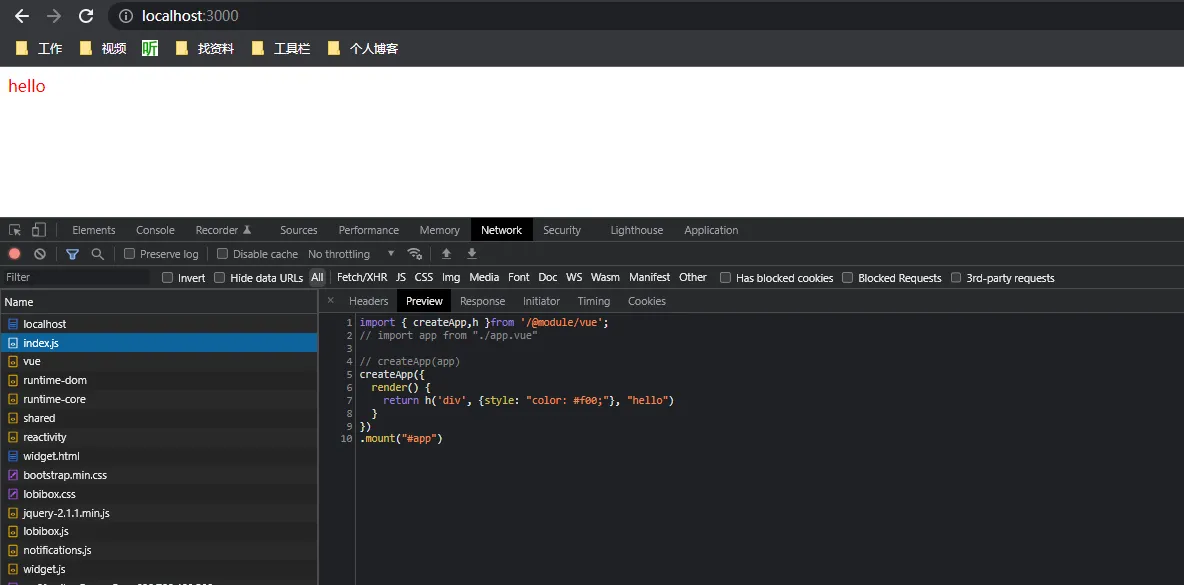
</html>- 预览效果

4.2 那么如何成功读取.vue文件,并将其渲染到浏览器页面呢?
这就需要用到改造/src/index文件
1. 新建/src/app.vue文件
<template>
  {{title}}
</template>
<script>
import {ref} from "vue"
export default {
  setup() {
    const title = ref("hello")
    return {
      title
    }
  }
}
</script>

<style>
*{
  color:#f00;
}
</style>
2. 修改/src/index.js文件
import { createApp} from "vue";
import app from "./app.vue"

createApp(app)
.mount("#app")
3. 预览报错

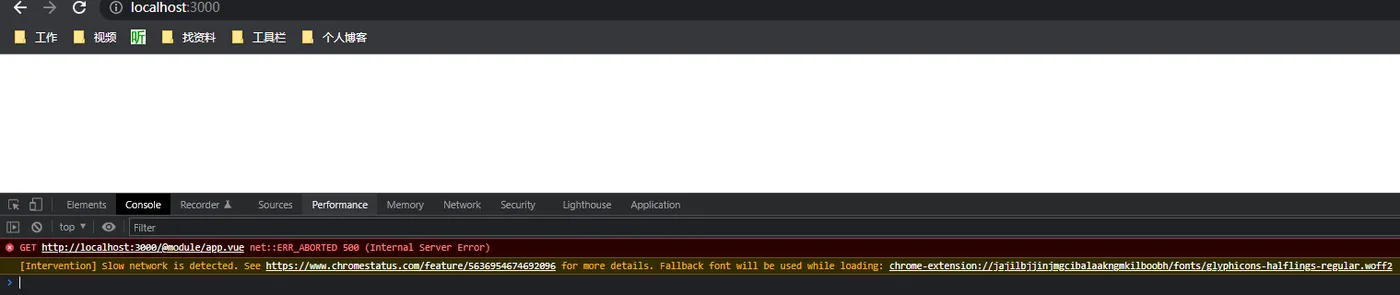
4. 这个错误是不识别vue后缀的请求导致的
4.1 解决方法就是添加处理以vue为后缀的请求
- 修改/server.js
app.get(/(.*)\.vue$/, (req, res, next)=>{
  // exclude request with ? which is template or style requestion
  const questUrl = req.url
  console.log("vue: ", req.url, path.resolve(__dirname, `./src/${questUrl}`));
  const content = fs.readFileSync(path.resolve(__dirname, `./src/${questUrl}`), 'utf-8')
  const contentAST = compilerSFC.parse(reWritePath(content))
  console.log("ast: ", contentAST);
  console.log("query: ", req.query);
})
此时,会返回一串ast树代码,然后query是个空对象
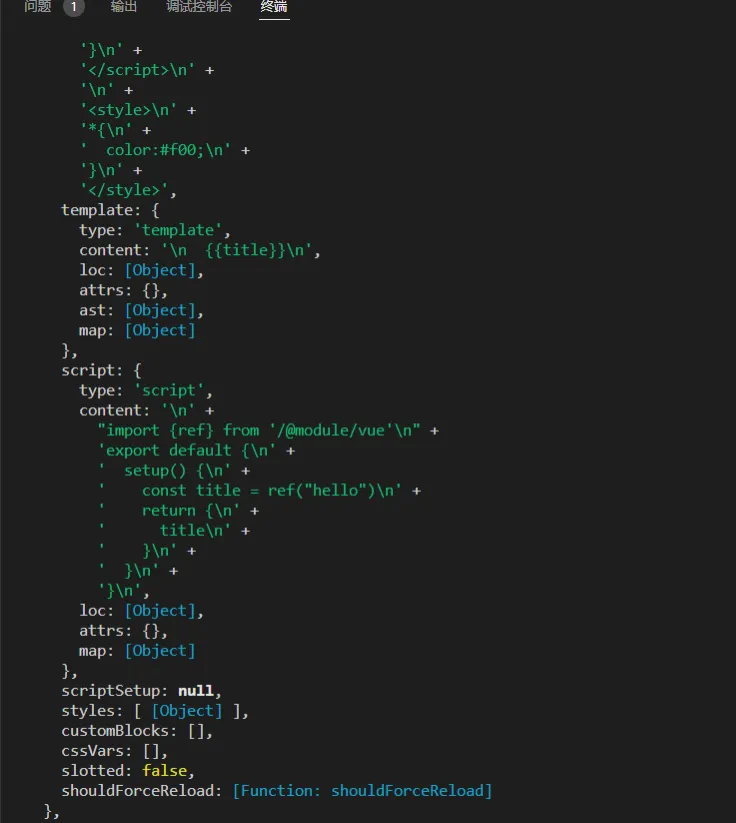
- 继续修改/server.js
app.get(/(.*)\.vue$/, (req, res, next)=>{
  // exclude request with ? which is template or style requestion
  const questUrl = req.url
  console.log("vue: ", req.url, path.resolve(__dirname, `./src/${questUrl}`));
  const content = fs.readFileSync(path.resolve(__dirname, `./src/${questUrl}`), 'utf-8')
  const contentAST = compilerSFC.parse(reWritePath(content))
  console.log("ast: ", contentAST);
  console.log("query: ", req.query);
  const scriptContent = contentAST.descriptor.script.content
  const script = scriptContent.replace("export default", "const _script = ")
  res.setHeader("content-type", "text/javascript")
  res.send(`
    ${reWritePath(script)}
    import {render as _render} from '${req.url}?type=template';
    import '${req.url}?type=style'
    _script.render = _render
    export default _script
  `)
  res.end()
})
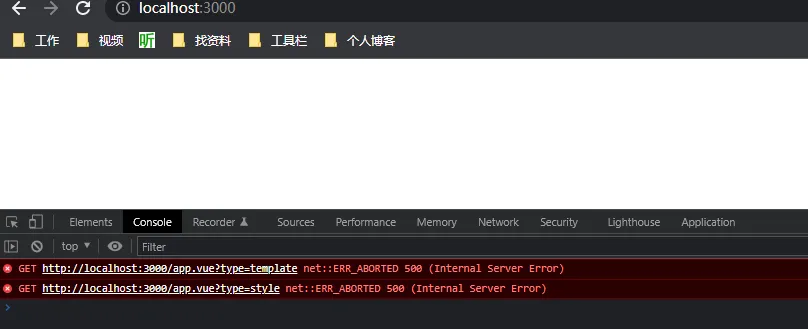
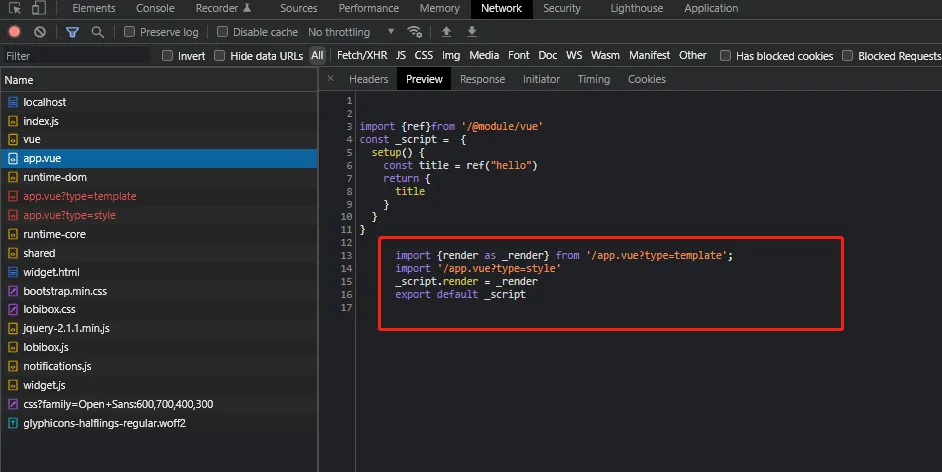
通过compilerSFC插件,将.vue文件解析为ast树;从中的script字段的content获取到js内容;并且再次请求app.vue?type=template(请求模板内容)和app.vue?type=style(请求样式);将export default替换为const _script,并导出
- 预览效果:

- 请求返回内容

4.2 处理app.vue?type=template和app.vue?type=style请求,继续修改/src/server文件
app.get(/(.*)\.vue$/, (req, res, next)=>{
  // exclude request with ? which is template or style requestion
  const questUrl = req.url.split('?')[0]
  console.log("vue: ", req.url, path.resolve(__dirname, `./src/${questUrl}`));
  const content = fs.readFileSync(path.resolve(__dirname, `./src/${questUrl}`), 'utf-8')
  const contentAST = compilerSFC.parse(reWritePath(content))
  console.log("ast: ", contentAST);
  console.log("query: ", req.query);
  // deal with sfc when req.query.type is empty
  if(!req.query.type) {
    const scriptContent = contentAST.descriptor.script.content
    const script = scriptContent.replace("export default", "const _script = ")
    res.setHeader("content-type", "text/javascript")
    res.send(`
      ${reWritePath(script)}
      import {render as _render} from '${req.url}?type=template';
      import '${req.url}?type=style'
      _script.render = _render
      export default _script
    `)
    res.end()
  }else if(req.query.type === 'template') {
    const templateContent = contentAST.descriptor.template.content;
    console.log("compiler: ", compilerDOM.compile(templateContent, {mode: "module"}));
    const renderContent = compilerDOM.compile(templateContent, {mode: "module"}).code
    console.log("code: ", renderContent);
    res.setHeader("content-type", "text/javascript")
    res.send(reWritePath(renderContent));
    res.end()
  }else if(req.query.type === 'style') {
    console.log(contentAST.descriptor.styles[0].content);
    const styleContent = contentAST.descriptor.styles[0].content.replace(/\s/g, "")
    res.setHeader("content-type", "text/javascript")
    res.send(`
      const style = document.createElement('style');
      style.innerHTML = '${styleContent}'
      document.head.appendChild(style)
    `);
    res.end()
  }
})
预览效果:
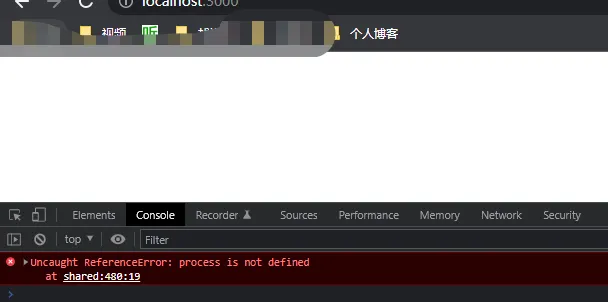
4.3. 修改/src/index.js,处理process参数
<!DOCTYPE html>
<html lang="en">
<head>
  <meta charset="UTF-8">
  <meta http-equiv="X-UA-Compatible" content="IE=edge">
  <meta name="viewport" content="width=device-width, initial-scale=1.0">
  <title>Document</title>
</head>
<body>
  <div id="app"></div>
  <script src="./index.js" type="module"></script>
+  <script>
+    window.process = {
+      env: {
+        NODE_ENV: "development"
+      }
+    }
+  </script>
</body>
</html>
预览效果:
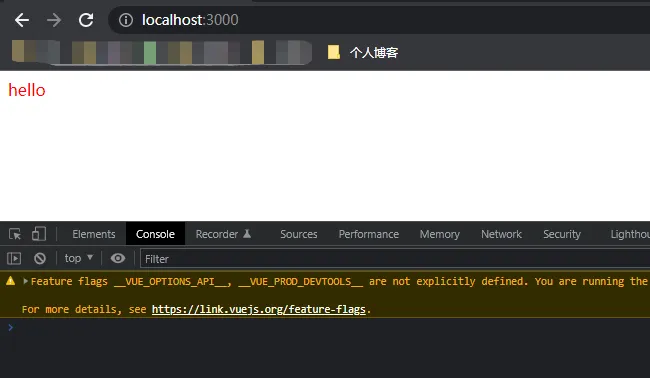
5. 至此,vite解析.vue的原理基本脉络就清楚了

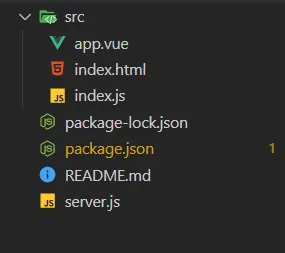
- package.json
{
  "name": "demo-viteCore",
  "version": "1.0.0",
  "description": "",
  "main": "index.js",
  "scripts": {
    "test": "echo \"Error: no test specified\" && exit 1"
  },
  "keywords": [],
  "author": "",
  "license": "ISC",
  "dependencies": {
    "express": "^4.18.1",
    "vue": "^3.2.37"
  }
}- /src/index.html
<!DOCTYPE html>
<html lang="en">
<head>
  <meta charset="UTF-8">
  <meta http-equiv="X-UA-Compatible" content="IE=edge">
  <meta name="viewport" content="width=device-width, initial-scale=1.0">
  <title>Document</title>
</head>
<body>
  <div id="app"></div>
  <script src="./index.js" type="module"></script>
  <script>
    window.process = {
      env: {
        NODE_ENV: "development"
      }
    }
  </script>
</body>
</html>- /src/app.vue
<template>
  {{title}}
</template>
<script>
import {ref} from "vue"
export default {
  setup() {
    const title = ref("hello")
    return {
      title
    }
  }
}
</script>

<style>
*{
  color:#f00;
}
</style>- /src/index.js
import { createApp} from "vue";
import app from "./app.vue"
createApp(app)
.mount("#app")- /server.js
const express = require("express")
var app = express()

const compilerSFC = require("@vue/compiler-sfc")
const compilerDOM = require("@vue/compiler-dom")

const path = require("path")
const fs = require("fs")
const port = "3000"

app.get("/", (req, res, next)=>{
  res.setHeader("content-type", "text/html")
  res.send(fs.readFileSync("./src/index.html"))
  res.end()
})

app.get(/(.*)\.js$/, (req, res, next)=>{
  console.log(req.url, path.resolve(__dirname, "./src/"+ req.url));
  const p = fs.readFileSync(path.resolve(__dirname, "./src/"+ req.url), "utf-8");
  res.setHeader("content-type", "text/javascript")
  res.send(reWritePath(p))
  res.end()
})

app.get(/(.*)\.vue$/, (req, res, next)=>{
  // exclude request with ? which is template or style requestion
  const questUrl = req.url.split('?')[0]
  console.log("vue: ", req.url, path.resolve(__dirname, `./src/${questUrl}`));
  const content = fs.readFileSync(path.resolve(__dirname, `./src/${questUrl}`), 'utf-8')
  const contentAST = compilerSFC.parse(reWritePath(content))
  console.log("ast: ", contentAST);
  console.log("query: ", req.query);
  // deal with sfc when req.query.type is empty
  if(!req.query.type) {
    const scriptContent = contentAST.descriptor.script.content
    const script = scriptContent.replace("export default", "const _script = ")
    res.setHeader("content-type", "text/javascript")
    res.send(`
      ${reWritePath(script)}
      import {render as _render} from '${req.url}?type=template';
      import '${req.url}?type=style'
      _script.render = _render
      export default _script
    `)
    res.end()
  }else if(req.query.type === 'template') {
    const templateContent = contentAST.descriptor.template.content;
    console.log("compiler: ", compilerDOM.compile(templateContent, {mode: "module"}));
    const renderContent = compilerDOM.compile(templateContent, {mode: "module"}).code
    console.log("code: ", renderContent);
    res.setHeader("content-type", "text/javascript")
    res.send(reWritePath(renderContent));
    res.end()
  }else if(req.query.type === 'style') {
    console.log(contentAST.descriptor.styles[0].content);
    const styleContent = contentAST.descriptor.styles[0].content.replace(/\s/g, "")
    res.setHeader("content-type", "text/javascript")
    res.send(`
      const style = document.createElement('style');
      style.innerHTML = '${styleContent}'
      document.head.appendChild(style)
    `);
    res.end()
  }
})

app.get(/^\/@module/, (req, res, next)=>{
  console.log(req.url, req.url.slice(9));
  const moduleFolder = path.resolve(__dirname, `./node_modules/${req.url.slice(9)}`)
  const modulePackageContent = require(moduleFolder+"/package.json").module
  const finalModulePath = path.join(moduleFolder, modulePackageContent)
  console.log("finalModulePath: ", finalModulePath);
  res.setHeader("content-type", "text/javascript")
  res.send(reWritePath(fs.readFileSync(finalModulePath, "utf-8")))
  res.end()
})

function reWritePath(content) {
  let reg = / from ['"](.*)['"]/g
  return content.replace(reg, (s1, s2)=>{
    console.log(s1, " ", s2);
    if(s2.startsWith(".") || s2.startsWith("./") || s2.startsWith("../")){
      return s1
    }else {
      return `from '/@module/${s2}'`
    }
  })
}


app.listen(port, ()=>{
  console.log(`the server is listen on ${port}`);
})