【错误记录】Android Studio 编译报错 ( Could not find com.android.tools.build:gradle:4.2.1. )

简介: 【错误记录】Android Studio 编译报错 ( Could not find com.android.tools.build:gradle:4.2.1. )

文章目录

一、 报错信息

二、 解决方案


一、 报错信息


导入了一个 Eclipse 项目 , 编译后报如下错误 :


FAILURE: Build failed with an exception.
* What went wrong:
A problem occurred configuring root project 'MidiSheetMusic_02'.
> Could not resolve all artifacts for configuration ':classpath'.
   > Could not find com.android.tools.build:gradle:4.2.1.
     Searched in the following locations:
       - https://jcenter.bintray.com/com/android/tools/build/gradle/4.2.1/gradle-4.2.1.pom
     If the artifact you are trying to retrieve can be found in the repository but without metadata in 'Maven POM' format, you need to adjust the 'metadataSources { ... }' of the repository declaration.
     Required by:
         project :
* Try:
Run with --info or --debug option to get more log output. Run with --scan to get full insights.
* Exception is:
org.gradle.api.ProjectConfigurationException: A problem occurred configuring root project 'MidiSheetMusic_02'.
Caused by: org.gradle.internal.resolve.ModuleVersionNotFoundException: Could not find com.android.tools.build:gradle:4.2.1.
Searched in the following locations:
  - https://jcenter.bintray.com/com/android/tools/build/gradle/4.2.1/gradle-4.2.1.pom
If the artifact you are trying to retrieve can be found in the repository but without metadata in 'Maven POM' format, you need to adjust the 'metadataSources { ... }' of the repository declaration.
Required by:
    project :
* Get more help at https://help.gradle.org
BUILD FAILED in 1s


image.png


二、 解决方案


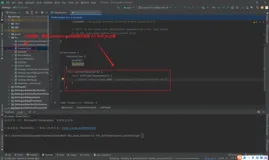
检查了下根目录下的 build.gradle 配置 , 发现只配置了 jcenter 仓库 ;


// Top-level build file where you can add configuration options common to all sub-projects/modules.
buildscript {
    repositories {
        jcenter()
    }
    dependencies {
        classpath 'com.android.tools.build:gradle:4.2.1'
    }
}
allprojects {
    repositories {
        jcenter()
    }
}


添加 google 仓库 和 mavenCentral 仓库 , 问题解决 ;


// Top-level build file where you can add configuration options common to all sub-projects/modules.
buildscript {
    repositories {
        google()
        mavenCentral()
        jcenter()
    }
    dependencies {
        classpath 'com.android.tools.build:gradle:4.2.1'
    }
}
allprojects {
    repositories {
        google()
        mavenCentral()
        jcenter()
    }
}


目录
相关文章
|
7月前
|
Android开发 Windows
Android studio 报错Connect to 127.0.0.1:8888 [/127.0.0.1] failed: Connection refused: connect(已解决)
这是一篇关于解决Android Studio报错“Connect to 127.0.0.1:8888 failed: Connection refused”的文章。问题通常因系统代理设置被Android Studio自动保存导致。解决方法是找到系统中Android Studio使用的gradle.properties文件(位于Windows的C:\Users\你的电脑用户名\.gradle或Mac的/Users/.{你的用户目录}/.gradle),删除或注释掉多余的代理配置后保存并重新Sync项目。希望此经验能帮助快速解决同类问题!
1118 36
|
Java Android开发 C++
Android Studio JNI 使用模板:c/cpp源文件的集成编译,快速上手
本文提供了一个Android Studio中JNI使用的模板,包括创建C/C++源文件、编辑CMakeLists.txt、编写JNI接口代码、配置build.gradle以及编译生成.so库的详细步骤,以帮助开发者快速上手Android平台的JNI开发和编译过程。
1092 1
|
Linux API 开发工具
FFmpeg开发笔记(五十九)Linux编译ijkplayer的Android平台so库
ijkplayer是由B站研发的移动端播放器,基于FFmpeg 3.4,支持Android和iOS。其源码托管于GitHub,截至2024年9月15日,获得了3.24万星标和0.81万分支,尽管已停止更新6年。本文档介绍了如何在Linux环境下编译ijkplayer的so库,以便在较新的开发环境中使用。首先需安装编译工具并调整/tmp分区大小,接着下载并安装Android SDK和NDK,最后下载ijkplayer源码并编译。详细步骤包括环境准备、工具安装及库编译等。更多FFmpeg开发知识可参考相关书籍。
489 0
FFmpeg开发笔记(五十九)Linux编译ijkplayer的Android平台so库
|
编译器 Android开发
配置环境变量,使CMakeLists.txt可直接使用Android NDK工具链编译项目
|
Ubuntu Shell API
Ubuntu 64系统编译android arm64-v8a 的openssl静态库libssl.a和libcrypto.a
|
Android开发 Docker 容器
docker中编译android aosp源码,出现Build sandboxing disabled due to nsjail error
在使用Docker编译Android AOSP源码时,如果遇到"Build sandboxing disabled due to nsjail error"的错误,可以通过在docker run命令中添加`--privileged`参数来解决权限不足的问题。
2600 1
|
Java Android开发 芯片
使用Android Studio导入Android源码:基于全志H713 AOSP,方便解决编译、编码问题
本文介绍了如何将基于全志H713芯片的AOSP Android源码导入Android Studio以解决编译和编码问题,通过操作步骤的详细说明,展示了在Android Studio中利用代码提示和补全功能快速定位并修复编译错误的方法。
1214 0
使用Android Studio导入Android源码:基于全志H713 AOSP,方便解决编译、编码问题
|
API 开发工具 Android开发
Android Studio:解决AOSP自编译framework.jar引用不到的问题
在Android Studio中解决AOSP自编译framework.jar引用问题的几种方法,包括使用相对路径、绝对路径和通过`${project.rootDir}`动态获取路径的方法,以避免硬编码路径带来的配置问题。
1533 0
Android Studio:解决AOSP自编译framework.jar引用不到的问题
|
搜索推荐 Android开发
学习AOSP安卓系统源代码,需要什么样的电脑?不同配置的电脑,其编译时间有多大差距?
本文分享了不同价位电脑配置对于编译AOSP安卓系统源代码的影响,提供了从6000元到更高价位的电脑配置实例,并比较了它们的编译时间,以供学习AOSP源代码时电脑配置选择的参考。
1527 0
学习AOSP安卓系统源代码,需要什么样的电脑?不同配置的电脑,其编译时间有多大差距?
|
Ubuntu 开发工具 Android开发
Repo下载、编译AOSP源码:基于Ubuntu 21.04,android-12.1.0_r27
文章记录了作者在Ubuntu 21.04服务器上配置环境、下载并编译基于Android 12.1.0_r27版本的AOSP源码的过程,包括解决编译过程中遇到的问题和错误处理方法。
1167 0

热门文章

最新文章