文章目录
一、 报错信息
二、 解决方案
三、 备选方案
一、 报错信息
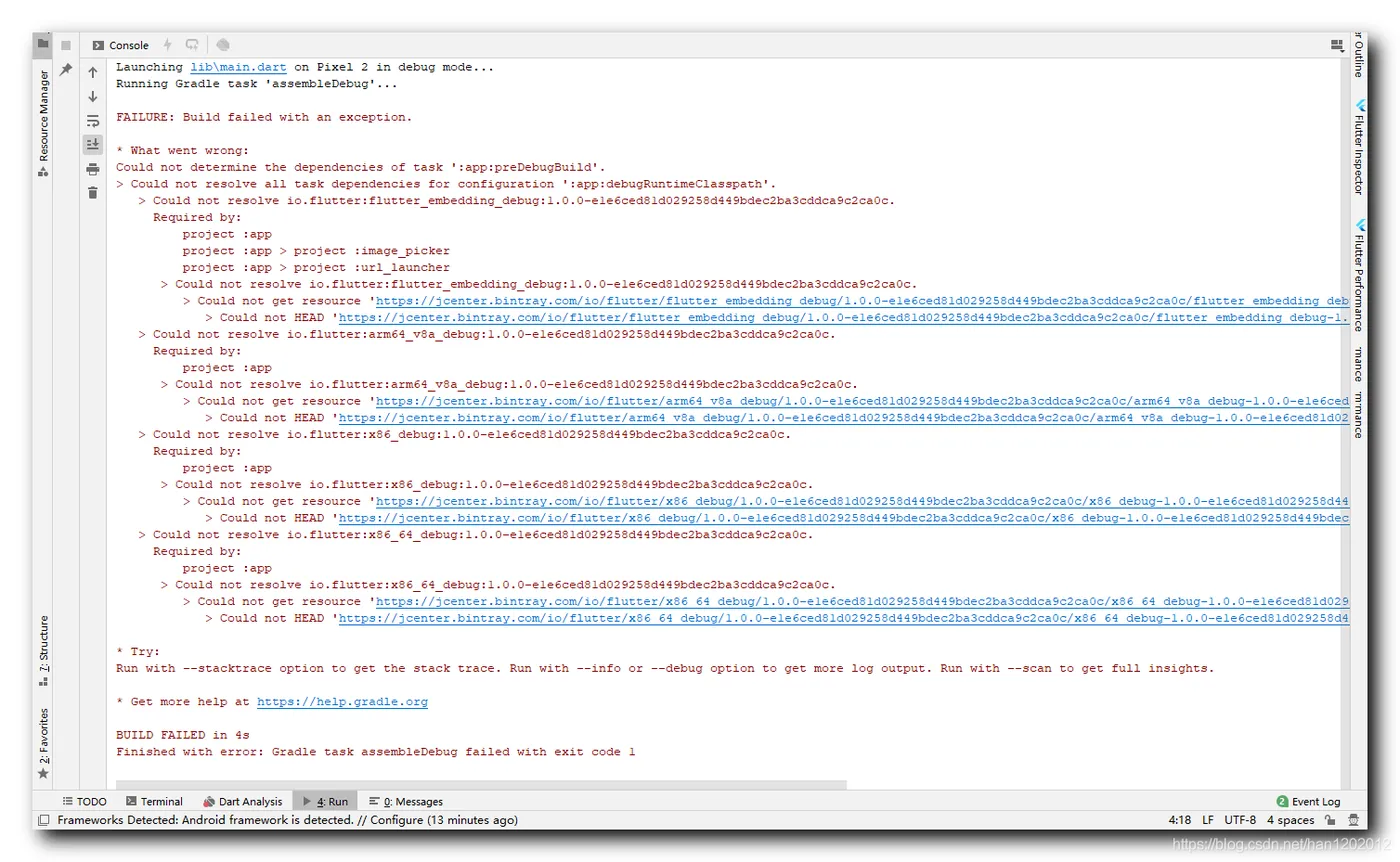
从网上下载了一个 Flutter 工程代码 , 打开时 , 报如下错误 ;
Launching lib\main.dart on Pixel 2 in debug mode...
Running Gradle task 'assembleDebug'...
FAILURE: Build failed with an exception.
* What went wrong:
Could not determine the dependencies of task ':app:preDebugBuild'.
> Could not resolve all task dependencies for configuration ':app:debugRuntimeClasspath'.
   > Could not resolve io.flutter:flutter_embedding_debug:1.0.0-e1e6ced81d029258d449bdec2ba3cddca9c2ca0c.
     Required by:
         project :app
         project :app > project :image_picker
         project :app > project :url_launcher
      > Could not resolve io.flutter:flutter_embedding_debug:1.0.0-e1e6ced81d029258d449bdec2ba3cddca9c2ca0c.
         > Could not get resource 'https://jcenter.bintray.com/io/flutter/flutter_embedding_debug/1.0.0-e1e6ced81d029258d449bdec2ba3cddca9c2ca0c/flutter_embedding_debug-1.0.0-e1e6ced81d029258d449bdec2ba3cddca9c2ca0c.pom'.
            > Could not HEAD 'https://jcenter.bintray.com/io/flutter/flutter_embedding_debug/1.0.0-e1e6ced81d029258d449bdec2ba3cddca9c2ca0c/flutter_embedding_debug-1.0.0-e1e6ced81d029258d449bdec2ba3cddca9c2ca0c.pom'. Received status code 500 from server: Internal Server Error
   > Could not resolve io.flutter:arm64_v8a_debug:1.0.0-e1e6ced81d029258d449bdec2ba3cddca9c2ca0c.
     Required by:
         project :app
      > Could not resolve io.flutter:arm64_v8a_debug:1.0.0-e1e6ced81d029258d449bdec2ba3cddca9c2ca0c.
         > Could not get resource 'https://jcenter.bintray.com/io/flutter/arm64_v8a_debug/1.0.0-e1e6ced81d029258d449bdec2ba3cddca9c2ca0c/arm64_v8a_debug-1.0.0-e1e6ced81d029258d449bdec2ba3cddca9c2ca0c.pom'.
            > Could not HEAD 'https://jcenter.bintray.com/io/flutter/arm64_v8a_debug/1.0.0-e1e6ced81d029258d449bdec2ba3cddca9c2ca0c/arm64_v8a_debug-1.0.0-e1e6ced81d029258d449bdec2ba3cddca9c2ca0c.pom'. Received status code 500 from server: Internal Server Error
   > Could not resolve io.flutter:x86_debug:1.0.0-e1e6ced81d029258d449bdec2ba3cddca9c2ca0c.
     Required by:
         project :app
      > Could not resolve io.flutter:x86_debug:1.0.0-e1e6ced81d029258d449bdec2ba3cddca9c2ca0c.
         > Could not get resource 'https://jcenter.bintray.com/io/flutter/x86_debug/1.0.0-e1e6ced81d029258d449bdec2ba3cddca9c2ca0c/x86_debug-1.0.0-e1e6ced81d029258d449bdec2ba3cddca9c2ca0c.pom'.
            > Could not HEAD 'https://jcenter.bintray.com/io/flutter/x86_debug/1.0.0-e1e6ced81d029258d449bdec2ba3cddca9c2ca0c/x86_debug-1.0.0-e1e6ced81d029258d449bdec2ba3cddca9c2ca0c.pom'. Received status code 502 from server: Bad Gateway
   > Could not resolve io.flutter:x86_64_debug:1.0.0-e1e6ced81d029258d449bdec2ba3cddca9c2ca0c.
     Required by:
         project :app
      > Could not resolve io.flutter:x86_64_debug:1.0.0-e1e6ced81d029258d449bdec2ba3cddca9c2ca0c.
         > Could not get resource 'https://jcenter.bintray.com/io/flutter/x86_64_debug/1.0.0-e1e6ced81d029258d449bdec2ba3cddca9c2ca0c/x86_64_debug-1.0.0-e1e6ced81d029258d449bdec2ba3cddca9c2ca0c.pom'.
            > Could not HEAD 'https://jcenter.bintray.com/io/flutter/x86_64_debug/1.0.0-e1e6ced81d029258d449bdec2ba3cddca9c2ca0c/x86_64_debug-1.0.0-e1e6ced81d029258d449bdec2ba3cddca9c2ca0c.pom'. Received status code 502 from server: Bad Gateway
* Try:
Run with --stacktrace option to get the stack trace. Run with --info or --debug option to get more log output. Run with --scan to get full insights.
* Get more help at https://help.gradle.org
BUILD FAILED in 4s
Finished with error: Gradle task assembleDebug failed with exit code 1
二、 解决方案
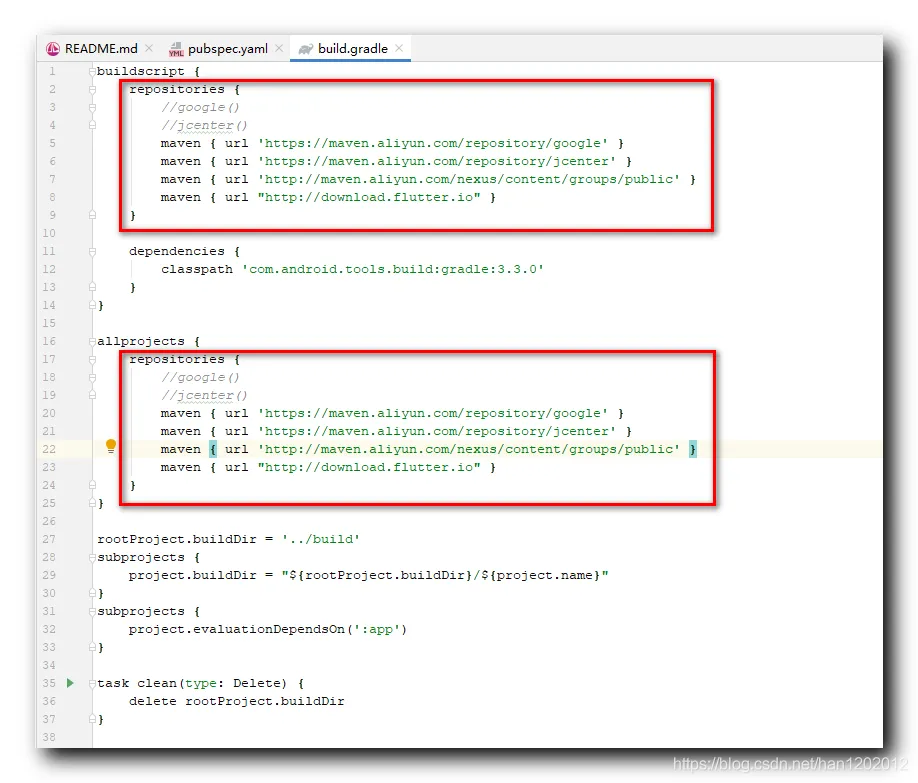
在 Flutter 工程下的 android/build.gradle 下进行如下配置 :
在 repositories 配置如下源 : 注释掉 google() 和 jcenter() , 并添加如下代码 , 其它配置不用动 ;
maven { url 'https://maven.aliyun.com/repository/google' }
maven { url 'https://maven.aliyun.com/repository/jcenter' }
maven { url 'http://maven.aliyun.com/nexus/content/groups/public' }
maven { url "http://download.flutter.io" }
完整代码如下 :
buildscript {
    repositories {
        //google()
        //jcenter()
        maven { url 'https://maven.aliyun.com/repository/google' }
        maven { url 'https://maven.aliyun.com/repository/jcenter' }
        maven { url 'http://maven.aliyun.com/nexus/content/groups/public' }
        maven { url "http://download.flutter.io" }
    }
    dependencies {
        classpath 'com.android.tools.build:gradle:3.3.0'
    }
}
allprojects {
    repositories {
        //google()
        //jcenter()
        maven { url 'https://maven.aliyun.com/repository/google' }
        maven { url 'https://maven.aliyun.com/repository/jcenter' }
        maven { url 'http://maven.aliyun.com/nexus/content/groups/public' }
        maven { url "http://download.flutter.io" }
    }
}
rootProject.buildDir = '../build'
subprojects {
    project.buildDir = "${rootProject.buildDir}/${project.name}"
}
subprojects {
    project.evaluationDependsOn(':app')
}
task clean(type: Delete) {
    delete rootProject.buildDir
}
使用上述方案已解决问题 ;