环境准备
软件版本
操作系统:CentOS-6.8
JDK版本:jdk1.8
Mycat版本:Mycat-server-1.6
MySQL:5.7
注意:这里,我将Mycat和MySQL安装在同一台虚拟机(IP:192.168.209.140 主机名为:binghe140),大家也可以将Mycat和MySQL安装到不同的主机上,测试效果是一样的。
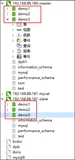
创建物理库
mysql -uroot -proot -h192.168.209.140 -P3306
drop database if exists db1;
create database db1;
drop database if exists db2;
create database db2;
drop database if exists db3;
create database db3;
配置Mycat
schema.xml配置
<?xml version="1.0"?>
<!DOCTYPE mycat:schema SYSTEM "schema.dtd">
<mycat:schema xmlns:mycat="http://org.opencloudb/" >
 <schema name="binghe" checkSQLschema="false" sqlMaxLimit="100">
  <table name="travelrecord" dataNode="dn1,dn2,dn3" rule="auto-sharding-long"></table>
 </schema>
 <!-- <dataNode name="dn1$0-743" dataHost="localhost1" database="db$0-743"
  /> -->
 <dataNode name="dn1" dataHost="localhost1" database="db1" />
 <dataNode name="dn2" dataHost="localhost1" database="db2" />
 <dataNode name="dn3" dataHost="localhost1" database="db3" />
 <!--<dataNode name="dn4" dataHost="sequoiadb1" database="SAMPLE" />
  <dataNode name="jdbc_dn1" dataHost="jdbchost" database="db1" />
 <dataNode name="jdbc_dn2" dataHost="jdbchost" database="db2" />
 <dataNode name="jdbc_dn3"  dataHost="jdbchost" database="db3" /> -->
 <dataHost name="localhost1" maxCon="1000" minCon="10" balance="0"
  writeType="0" dbType="mysql" dbDriver="native" switchType="1"  slaveThreshold="100">
  <heartbeat>select user()</heartbeat>
  <!-- can have multi write hosts -->
  <writeHost host="hostM1" url="127.0.0.1:3306" user="root" password="root"></writeHost>
  <writeHost host="hostM2" url="127.0.0.1:3306" user="root" password="root"></writeHost>
  <!--<writeHost host="hostS1" url="localhost:3316" user="root"-->
   <!--password="123456" />-->
  <!-- <writeHost host="hostM2" url="localhost:3316" user="root" password="123456"/> -->
 </dataHost>
</mycat:schema>
server.xml配置
<?xml version="1.0" encoding="UTF-8"?>
<!DOCTYPE mycat:server SYSTEM "server.dtd">
<mycat:server xmlns:mycat="http://org.opencloudb/">
 <system>
 <property name="defaultSqlParser">druidparser</property>
 </system>
 <user name="binghe">
  <property name="password">binghe.123</property>
  <property name="schemas">binghe</property>
 </user>
 <user name="test">
  <property name="password">test</property>
  <property name="schemas">binghe</property>
  <property name="readOnly">true</property>
 </user>
</mycat:server>
rule.xml配置
<?xml version="1.0" encoding="UTF-8"?>
<!DOCTYPE mycat:rule SYSTEM "rule.dtd">
<mycat:rule xmlns:mycat="http://org.opencloudb/">
 <tableRule name="rule1">
  <rule>
   <columns>id</columns>
   <algorithm>func1</algorithm>
  </rule>
 </tableRule>
 <tableRule name="rule2">
  <rule>
   <columns>user_id</columns>
   <algorithm>func1</algorithm>
  </rule>
 </tableRule>
 <tableRule name="sharding-by-intfile">
  <rule>
   <columns>sharding_id</columns>
   <algorithm>hash-int</algorithm>
  </rule>
 </tableRule>
 <tableRule name="auto-sharding-long">
  <rule>
   <columns>id</columns>
   <algorithm>rang-long</algorithm>
  </rule>
 </tableRule>
 <tableRule name="mod-long">
  <rule>
   <columns>id</columns>
   <algorithm>mod-long</algorithm>
  </rule>
 </tableRule>
 <tableRule name="sharding-by-murmur">
  <rule>
   <columns>id</columns>
   <algorithm>murmur</algorithm>
  </rule>
 </tableRule>
 <tableRule name="sharding-by-month">
  <rule>
   <columns>create_date</columns>
   <algorithm>partbymonth</algorithm>
  </rule>
 </tableRule>
 <tableRule name="latest-month-calldate">
  <rule>
   <columns>calldate</columns>
   <algorithm>latestMonth</algorithm>
  </rule>
 </tableRule>
 <tableRule name="auto-sharding-rang-mod">
  <rule>
   <columns>id</columns>
   <algorithm>rang-mod</algorithm>
  </rule>
 </tableRule>
 <tableRule name="jch">
  <rule>
   <columns>id</columns>
   <algorithm>jump-consistent-hash</algorithm>
  </rule>
 </tableRule>
 <function name="murmur"
  class="org.opencloudb.route.function.PartitionByMurmurHash">
  <property name="seed">0</property>
  <property name="count">2</property>
  <property name="virtualBucketTimes">160</property>
 </function>
 <function name="hash-int"
  class="org.opencloudb.route.function.PartitionByFileMap">
  <property name="mapFile">partition-hash-int.txt</property>
 </function>
 <function name="rang-long"
  class="org.opencloudb.route.function.AutoPartitionByLong">
  <property name="mapFile">autopartition-long.txt</property>
 </function>
 <function name="mod-long" class="org.opencloudb.route.function.PartitionByMod">
  <!-- how many data nodes -->
  <property name="count">3</property>
 </function>
 <function name="func1" class="org.opencloudb.route.function.PartitionByLong">
  <property name="partitionCount">8</property>
  <property name="partitionLength">128</property>
 </function>
 <function name="latestMonth"
  class="org.opencloudb.route.function.LatestMonthPartion">
  <property name="splitOneDay">24</property>
 </function>
 <function name="partbymonth"
  class="org.opencloudb.route.function.PartitionByMonth">
  <property name="dateFormat">yyyy-MM-dd</property>
  <property name="sBeginDate">2020-01-01</property>
 </function>
 <function name="rang-mod" class="org.opencloudb.route.function.PartitionByRangeMod">
         <property name="mapFile">partition-range-mod.txt</property>
 </function>
 <function name="jump-consistent-hash" class="org.opencloudb.route.function.PartitionByJumpConsistentHash">
  <property name="totalBuckets">3</property>
 </function>
</mycat:rule>
登录Mycat
登录Mycat
命令行输入以下命令登录Mycat
D:\>mysql -ubinghe -pbinghe.123 -h192.168.209.140 -P8066
Welcome to the MySQL monitor.  Commands end with ; or \g.
Your MySQL connection id is 2
Server version: 5.5.8-mycat-1.6.1-RELEASE-20170807215126 MyCat Server (OpenCloundDB)
Copyright (c) 2000, 2016, Oracle and/or its affiliates. All rights reserved.
Oracle is a registered trademark of Oracle Corporation and/or its
affiliates. Other names may be trademarks of their respective
owners.
Type 'help;' or '\h' for help. Type '\c' to clear the current input statement.
mysql>
创建表测试
输入以下命令查看创建表的路由
create table travelrecord (id bigint not null primary key,user_id varchar(100),traveldate DATE, fee decimal,days int);
结果如下:
mysql> explain create table travelrecord (id bigint not null primary key,user_id varchar(100),traveldate DATE, fee decimal,days int);
+-----------+-----------------------------------------------------------------------------------------------------------------------+
| DATA_NODE | SQL                                                                                                                   |
+-----------+-----------------------------------------------------------------------------------------------------------------------+
| dn1       | create table travelrecord (id bigint not null primary key,user_id varchar(100),traveldate DATE, fee decimal,days int) |
| dn2       | create table travelrecord (id bigint not null primary key,user_id varchar(100),traveldate DATE, fee decimal,days int) |
| dn3       | create table travelrecord (id bigint not null primary key,user_id varchar(100),traveldate DATE, fee decimal,days int) |
+-----------+-----------------------------------------------------------------------------------------------------------------------+
3 rows in set (0.00 sec)
mysql>
说明创建表的SQL语句被Mycat路由到dn1,dn2,dn3三个节点上,也就是说在3个节点上都执行了创建表的SQL。
我们输入建表语句:
mysql> create table travelrecord (id bigint not null primary key,user_id varchar(100),traveldate DATE, fee decimal,days int);
Query OK, 0 rows affected (0.18 sec)
此时,将会在dn1,dn2,dn3三个节点上创建travelrecord表。
录入数据测试
录入到dn1节点
我们在命令行输入如下SQL语句
explain insert into travelrecord (id,user_id,traveldate,fee,days) values(100001,'binghe','2020-11-10',510.5,3);
结果如下:
mysql> explain insert into travelrecord (id,user_id,traveldate,fee,days) values(100001,'binghe','2017-08-07',510.5,3);
+-----------+-------------------------------------------------------------------------------------------------------------+
| DATA_NODE | SQL                                                                                                         |
+-----------+-------------------------------------------------------------------------------------------------------------+
| dn1       | insert into travelrecord (id,user_id,traveldate,fee,days) values(100001,'binghe','2017-08-07',510.5,3) |
+-----------+-------------------------------------------------------------------------------------------------------------+
1 row in set (0.00 sec)
说明Mycat将SQL路由到了dn1节点。
我们执行插入语句:
mysql> insert into travelrecord (id,user_id,traveldate,fee,days) values(100001,'binghe','2020-11-10',510.5,3);
Query OK, 1 row affected, 1 warning (0.01 sec)
mysql>
录入到dn2节点
我们在命令行输入如下语句:
explain insert into travelrecord (id,user_id,traveldate,fee,days) values(8000004,'binghe','2017-08-07',510.5,3);
结果如下:
mysql> explain insert into travelrecord (id,user_id,traveldate,fee,days) values(8000004,'binghe','2020-11-10',510.5,3);
+-----------+--------------------------------------------------------------------------------------------------------------+
| DATA_NODE | SQL                                                                                                          |
+-----------+--------------------------------------------------------------------------------------------------------------+
| dn2       | insert into travelrecord (id,user_id,traveldate,fee,days) values(8000004,'binghe','2020-11-10',510.5,3) |
+-----------+--------------------------------------------------------------------------------------------------------------+
1 row in set (0.00 sec)
说明Mycat将SQL路由到了dn2节点,我们执行插入语句:
mysql> insert into travelrecord (id,user_id,traveldate,fee,days) values(8000004,'binghe','2017-08-07',510.5,3);
Query OK, 1 row affected, 1 warning (0.06 sec)
路由到dn3节点
我们在命令行输入如下语句
explain insert into travelrecord (id,user_id,traveldate,fee,days) values(10000004,'binghe','2017-08-07',510.5,3);
结果为:
mysql> explain insert into travelrecord (id,user_id,traveldate,fee,days) values(10000004,'binghe','2020-11-10',510.5,3);
+-----------+---------------------------------------------------------------------------------------------------------------+
| DATA_NODE | SQL                                                                                                           |
+-----------+---------------------------------------------------------------------------------------------------------------+
| dn3       | insert into travelrecord (id,user_id,traveldate,fee,days) values(10000004,'binghe','2020-11-10',510.5,3) |
+-----------+---------------------------------------------------------------------------------------------------------------+
1 row in set (0.00 sec)
说明Mycat将SQL路由到了dn3节点,我们同样执行插入语句的操作
mysql>  insert into travelrecord (id,user_id,traveldate,fee,days) values(10000004,'binghe','2017-08-07',510.5,3);
Query OK, 1 row affected, 1 warning (0.01 sec)
查询测试
查询所有数据
在命令行执行如下语句:
explain select * from travelrecord;
结果为:
mysql> explain select * from travelrecord;
+-----------+--------------------------------------+
| DATA_NODE | SQL                                  |
+-----------+--------------------------------------+
| dn1       | SELECT * FROM travelrecord LIMIT 100 |
| dn2       | SELECT * FROM travelrecord LIMIT 100 |
| dn3       | SELECT * FROM travelrecord LIMIT 100 |
+-----------+--------------------------------------+
3 rows in set (0.01 sec)
说明查询所有的数据,Mycat是将SQL语句路由到了所有的数据分片,即dn1,dn2,dn3节点上。
根据id查询指定数据
我们分别在命令行中执行如下SQL:
explain select * from travelrecord where id = 1000004;
explain select * from travelrecord where id = 8000004;
explain select * from travelrecord where id = 10000004;
得到的结果依次如下:
mysql> explain select * from travelrecord where id = 1000004;
+-----------+---------------------------------------------------------+
| DATA_NODE | SQL                                                     |
+-----------+---------------------------------------------------------+
| dn1       | SELECT * FROM travelrecord WHERE id = 1000004 LIMIT 100 |
+-----------+---------------------------------------------------------+
1 row in set (0.06 sec)
mysql> explain select * from travelrecord where id = 8000004;
+-----------+---------------------------------------------------------+
| DATA_NODE | SQL                                                     |
+-----------+---------------------------------------------------------+
| dn2       | SELECT * FROM travelrecord WHERE id = 8000004 LIMIT 100 |
+-----------+---------------------------------------------------------+
1 row in set (0.00 sec)
mysql> explain select * from travelrecord where id = 10000004;
+-----------+----------------------------------------------------------+
| DATA_NODE | SQL                                                      |
+-----------+----------------------------------------------------------+
| dn3       | SELECT * FROM travelrecord WHERE id = 10000004 LIMIT 100 |
+-----------+----------------------------------------------------------+
1 row in set (0.00 sec)
说明:按照分片字段查询,Mycat只会将SQL路由到指定的数据分片。
删表测试
在命令行输入如下SQL:
explain drop table travelrecord;
结果如下
mysql> explain drop table travelrecord;
+-----------+-------------------------+
| DATA_NODE | SQL                     |
+-----------+-------------------------+
| dn1       | drop table travelrecord |
| dn2       | drop table travelrecord |
| dn3       | drop table travelrecord |
+-----------+-------------------------+
3 rows in set (0.00 sec)
有结果可知,删表操作和创建表操作一样,Mycat在本实例中都会将SQL路由到所有的数据分片。
注意:本文的Mycat路由结果针对本文的配置实例,其他配置