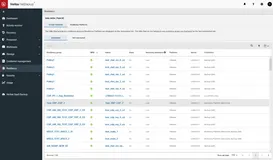
备份脚本:
@echo off
echo 日期:%date%
@set stryear=%date:~0,4%&set strmonth=%date:~5,2%&set strday=%date:~8,2%
echo 时间:%time%
@set strhh=%time:~0,2%&set strmm=%time:~3,2%&set strss=%time:~6,2%
@set strdatetime = %stryear%%strmonth%%strday%%strhh%%strmm%%strss%
echo 日期:%date%
@set stryear=%date:~0,4%&set strmonth=%date:~5,2%&set strday=%date:~8,2%
echo 时间:%time%
@set strhh=%time:~0,2%&set strmm=%time:~3,2%&set strss=%time:~6,2%
@set strdatetime = %stryear%%strmonth%%strday%%strhh%%strmm%%strss%
@md "web_backup_%stryear%%strmonth%%strday%%strhh%%strmm%"
@xcopy "E:\www" /e /c "web_backup_%stryear%%strmonth%%strday%%strhh%%strmm%\" >>"web_backup_%stryear%%strmonth%%strday%%strhh%%strmm%\web_backup_%stryear%%strmonth%%strday%%strhh%%strmm%.txt"
@xcopy "E:\www" /e /c "web_backup_%stryear%%strmonth%%strday%%strhh%%strmm%\" >>"web_backup_%stryear%%strmonth%%strday%%strhh%%strmm%\web_backup_%stryear%%strmonth%%strday%%strhh%%strmm%.txt"
删除脚本:
@echo off
@del G:\web_backup\*.log /f /s /a /q
@set srcdir=G:\web_backup
>"%srcdir%\getdate.vbs" echo dt=date()-7
>>"%srcdir%\getdate.vbs" echo x=right(year(dt),4) ^& right("0" ^& month(dt),2) ^& right("0" ^& day(dt),2)
>>"%srcdir%\getdate.vbs" echo wscript.echo x
@for /f %%a in ('cscript /nologo "%srcdir%\getdate.vbs"') do set dateflag=%%a
@set dateflag=%dateflag:~0,4%-%dateflag:~4,2%-%dateflag:~6,2%
@for /f "tokens=*" %%a in ('dir /b /ad "%srcdir%"') do (if "%%a" lss "web_backup_%dateflag% 000" (rd /s /q "%srcdir%\%%a"))
本文转自 liang3391 51CTO博客,原文链接:http://blog.51cto.com/liang3391/663335