0x00 概览
LimeSDR部分特性: USB 3.0 ; 4 x Tx 发射天线接口 6 x Rx 接收天线接口;
可用于Wi-Fi, GSM, UMTS, LTE, LoRa, Bluetooth, Zigbee, RFID等开发测试环境中。
RTL电视棒、HackRF、BladeRF、USRP、LimeSDR参数对比表:
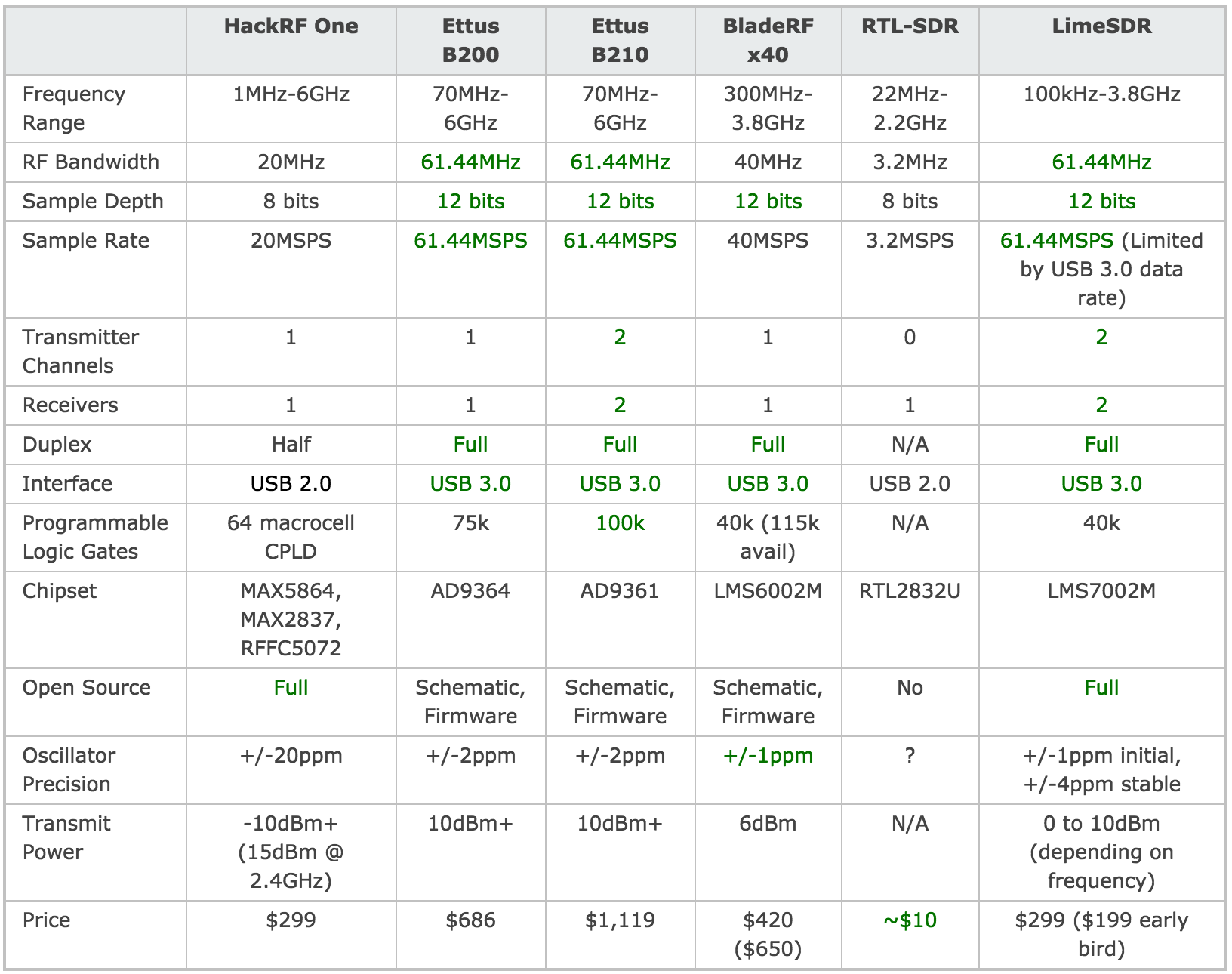
HackRF One的价格,性能参数却能跟BladeRF甚至USRP媲美!
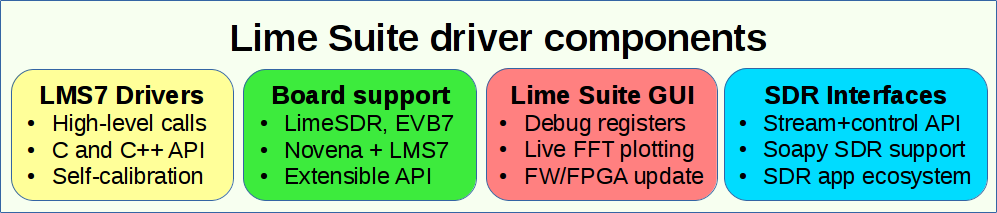
LimeSDR核心组件:
先上几张特写:
主板长10cm,算上USB接口11.5cm:
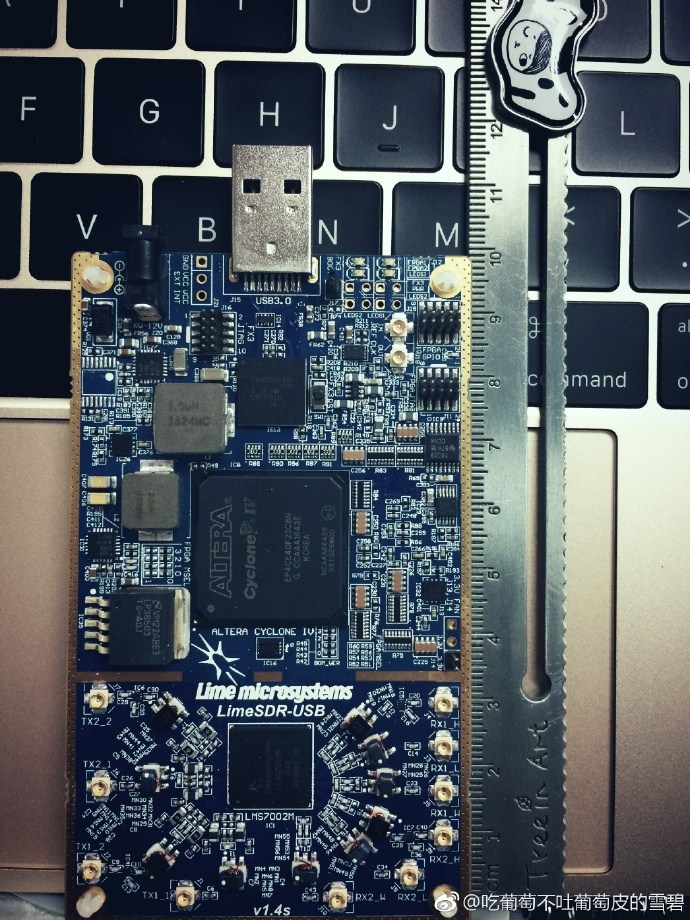
主板宽5.7cm:
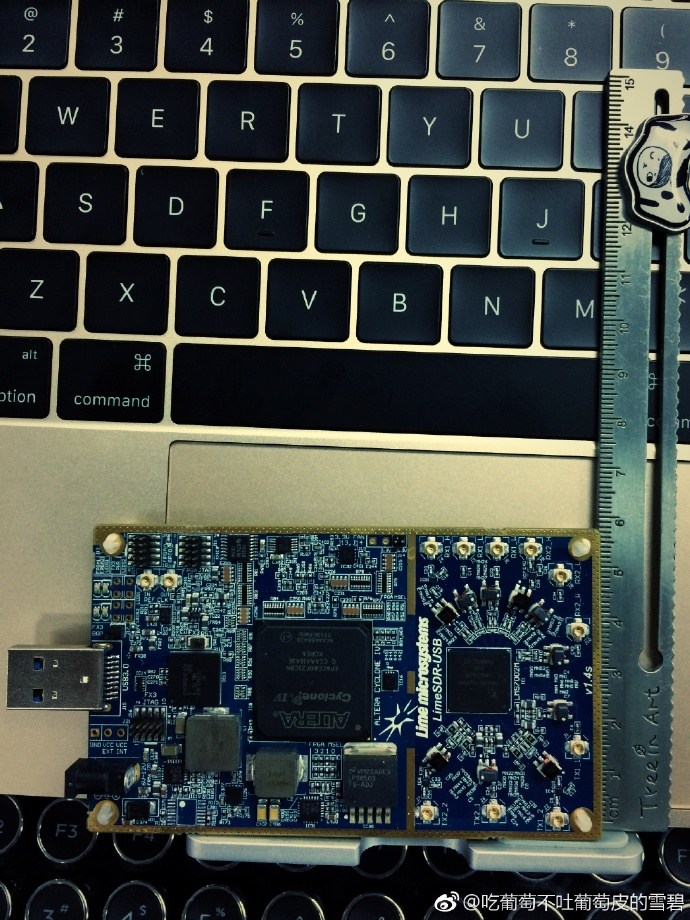
相对于HackRF、BladeRF、USRP这三款主流SDR硬件(USRP mini除外),体积已经很小巧了。LimeSDR其体积实测只有一个iPhone5s的体积大小!
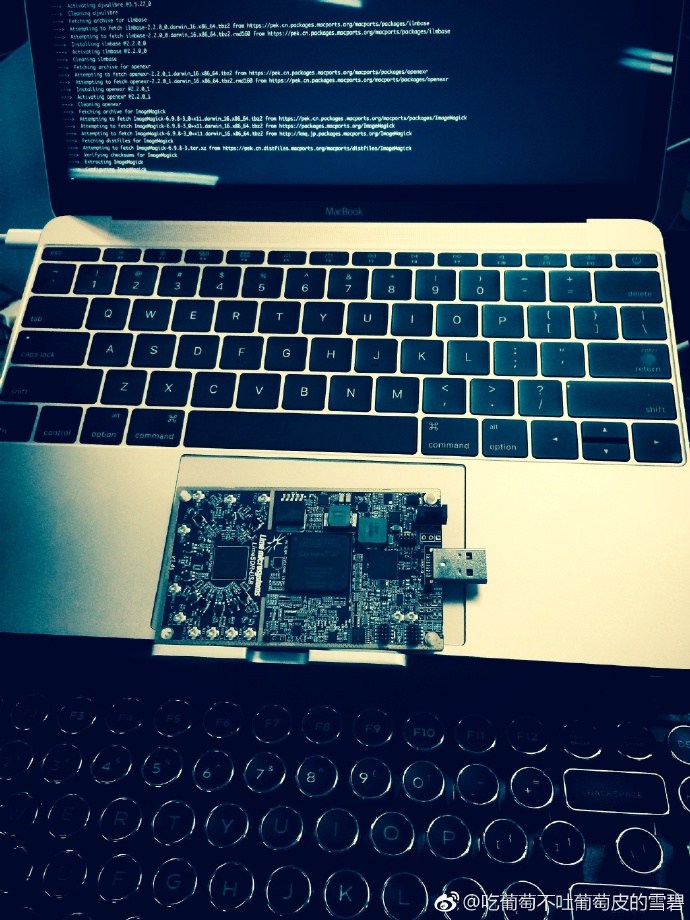
当插上USB供电后,除了上图显示的两颗绿色LED灯,还有一颗一闪一闪的红色LED灯也在工作。
接下来将分一键快速安装和源码编译安装来使用LimeSDR硬件,推荐使用源码编译安装。
0x01 Mac OSX
1.1 搭建开发环境
Mac OSX当中强烈推荐通过Mac Port 搭建SDR环境,配合源码编译达到最佳效果。
1.通过AppStore安装Xcode https://itunes.apple.com/cn/app/xcode/id497799835?mt=12
2.下载安装 XQuartz/X11 http://xquartz.macosforge.org/landing
3.下载安装 MacPorts https://trac.macports.org/wiki/InstallingMacPorts
sudo port search sdr
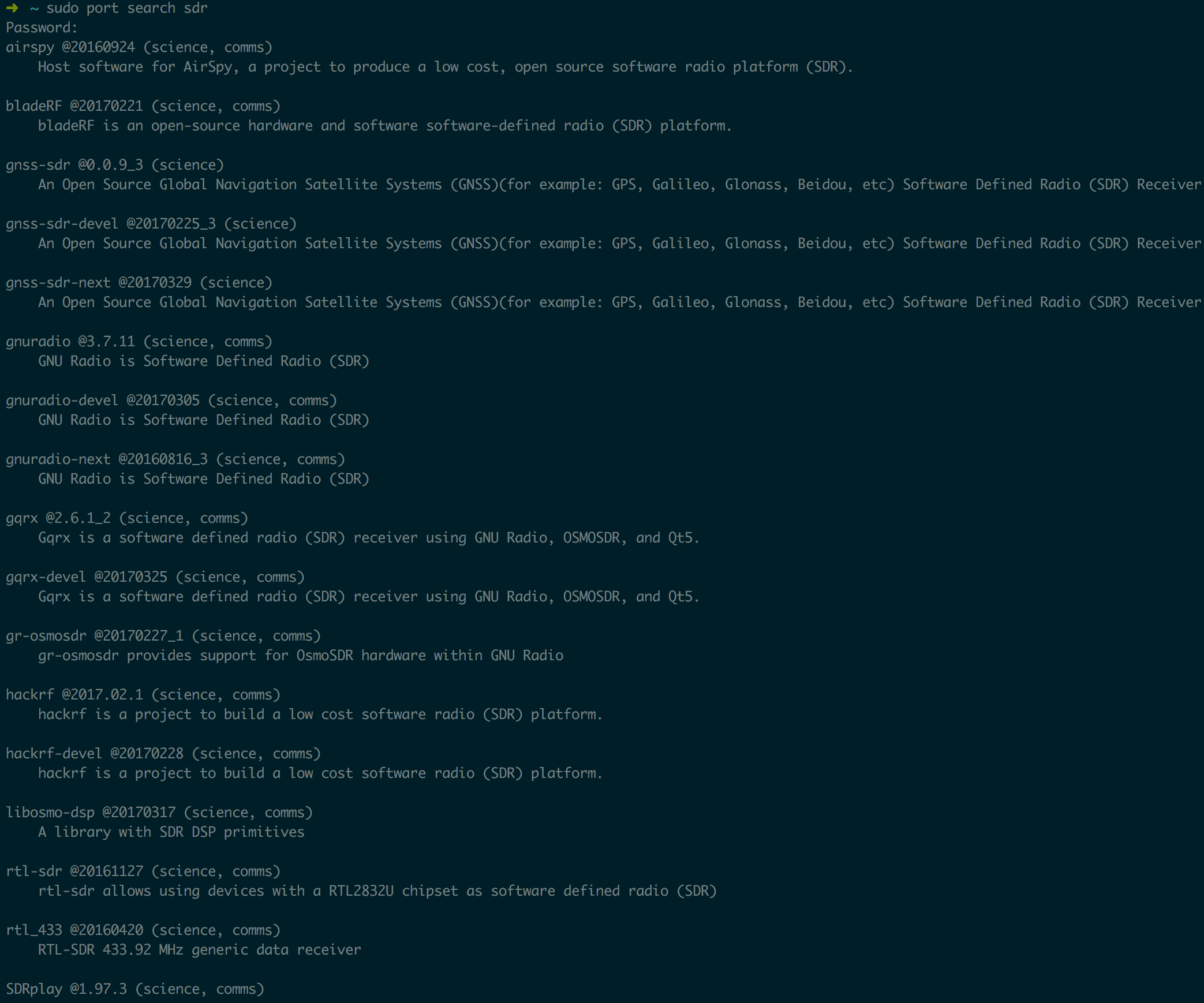
sudo port install rtl-sdr hackrf bladeRF uhd gnuradio gqrx gr-osmosdr gr-fosphor
完成之后便可从GayHub上clone源码并进行编译安装。
1.2 源码编译LimeSuite
git clone https://github.com/myriadrf/LimeSuite.git
cd LimeSuite
mkdir builddir && cd builddir
cmake ../
make -j4
sudo make install
1.3 源码编译UHD驱动&&增加UHD对LimeSDR的支持
jocover基于UHD给LimeSDR开发了LimeSDR的驱动支持OpenUSRP,把LimeSDR来模拟成USRP B210来使用。
git clone https://github.com/EttusResearch/uhd.git
cd uhd/host/lib/usrp
git clone https://github.com/jocover/OpenUSRP.git
echo "INCLUDE_SUBDIRECTORY(OpenUSRP)">>CMakeLists.txt
mkdir build && cd build
cmake ..
make -j4
sudo make install
1.4 添加环境变量
echo 'export UHD_MODULE_PATH=/usr/lib/uhd/modules' >> ~/.bashrc
如果用的是iTerm2+zsh则执行:
echo 'export UHD_MODULE_PATH=/usr/lib/uhd/modules' >> ~/.zshrc
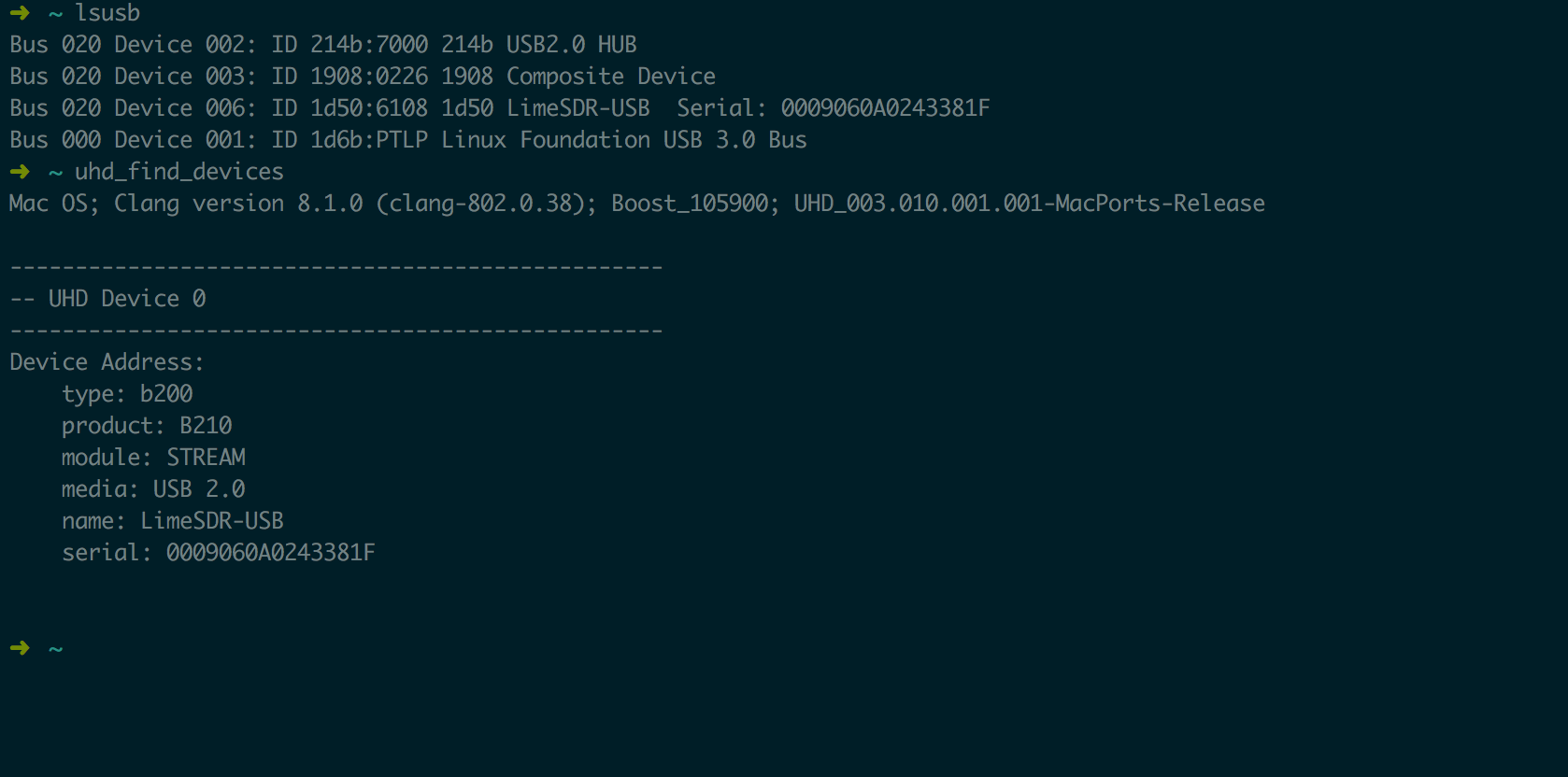
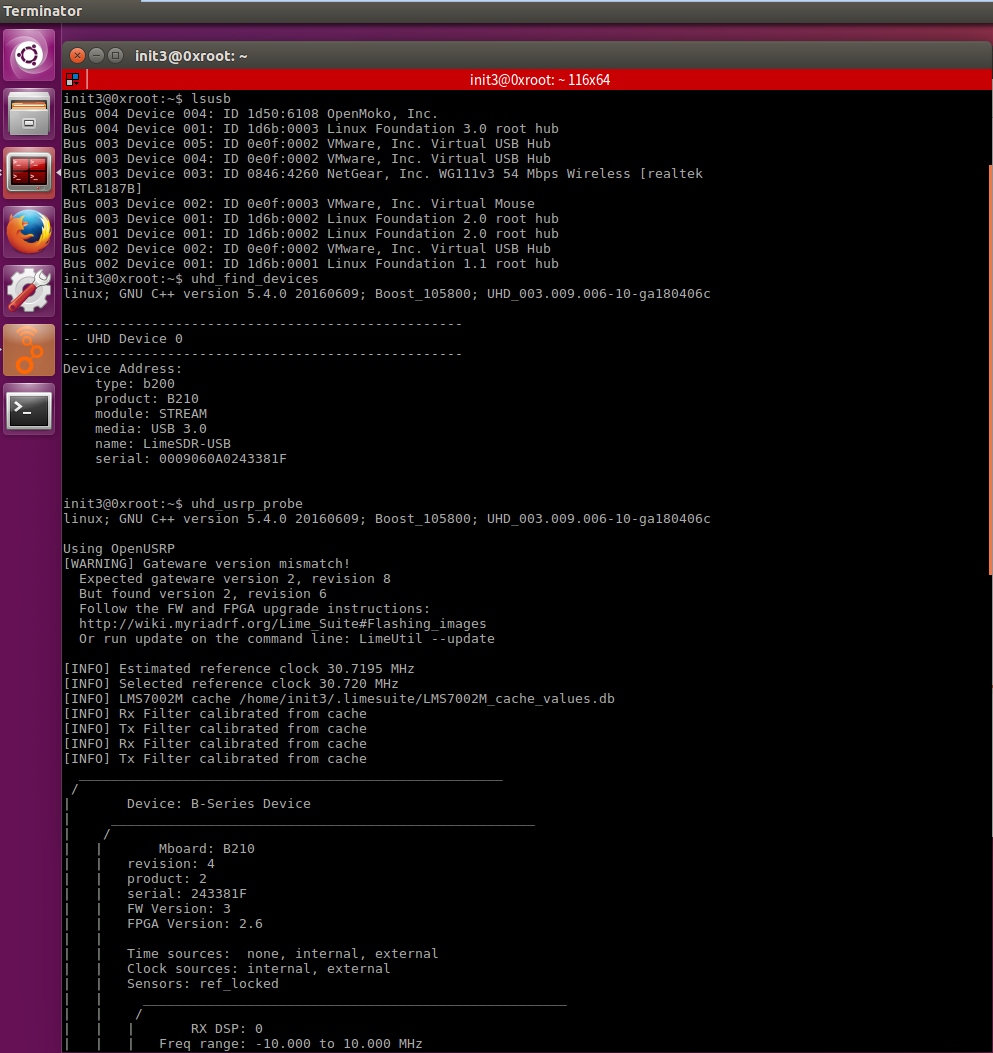
1.5 检测LimeSDR模拟USRP是否成功:
LimeSDR模拟成USRP B210之后最终的效果跟USRP是一样的:
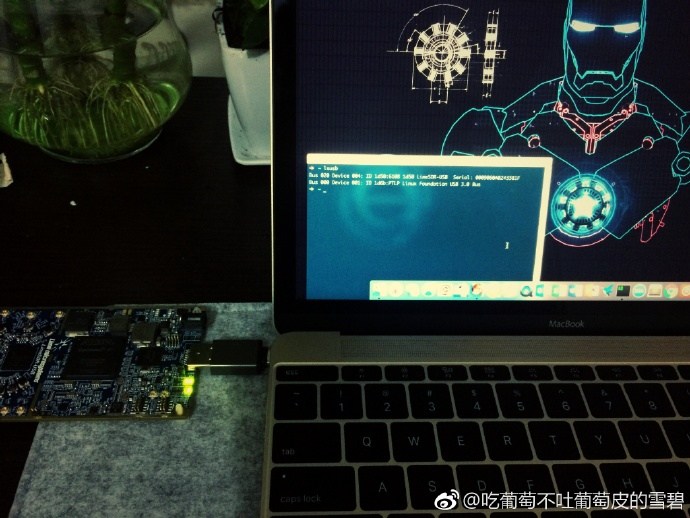
uhd_find_devices
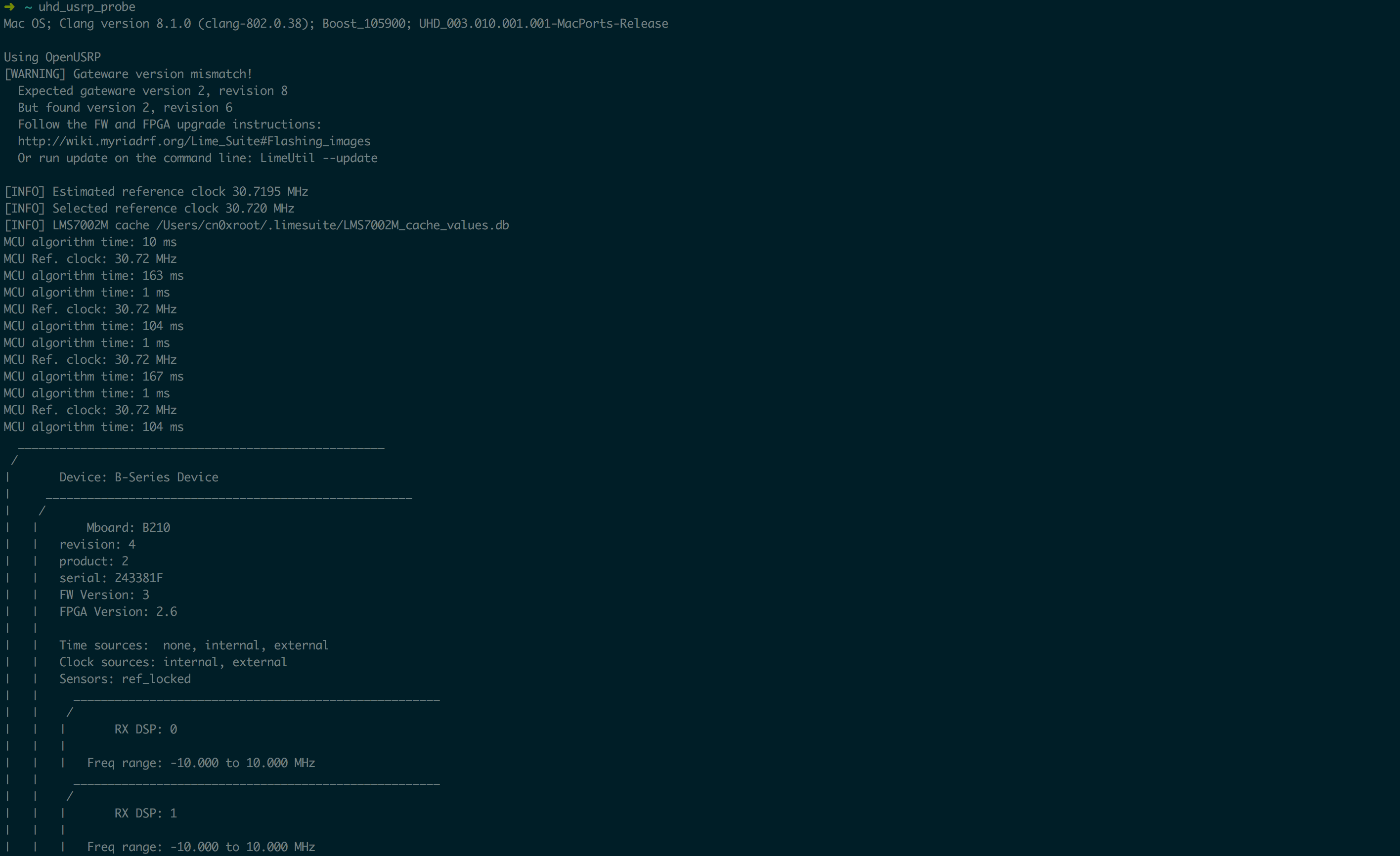
uhd_usrp_probe
Mac OS; Clang version 8.1.0 (clang-802.0.38); Boost_105900; UHD_003.010.001.001-MacPorts-Release

Using OpenUSRP
[WARNING] Gateware version mismatch!
  Expected gateware version 2, revision 8
  But found version 2, revision 6
  Follow the FW and FPGA upgrade instructions:
  http://wiki.myriadrf.org/Lime_Suite#Flashing_images
  Or run update on the command line: LimeUtil --update

[INFO] Estimated reference clock 30.7195 MHz
[INFO] Selected reference clock 30.720 MHz
[INFO] LMS7002M cache /Users/cn0xroot/.limesuite/LMS7002M_cache_values.db
MCU algorithm time: 10 ms
MCU Ref. clock: 30.72 MHz
MCU algorithm time: 163 ms
MCU algorithm time: 1 ms
MCU Ref. clock: 30.72 MHz
MCU algorithm time: 104 ms
MCU algorithm time: 1 ms
MCU Ref. clock: 30.72 MHz
MCU algorithm time: 167 ms
MCU algorithm time: 1 ms
MCU Ref. clock: 30.72 MHz
MCU algorithm time: 104 ms
  _____________________________________________________
 /
|       Device: B-Series Device
|     _____________________________________________________
|    /
|   |       Mboard: B210
|   |   revision: 4
|   |   product: 2
|   |   serial: 243381F
|   |   FW Version: 3
|   |   FPGA Version: 2.6
|   |
|   |   Time sources:  none, internal, external
|   |   Clock sources: internal, external
|   |   Sensors: ref_locked
|   |     _____________________________________________________
|   |    /
|   |   |       RX DSP: 0
|   |   |
|   |   |   Freq range: -10.000 to 10.000 MHz
|   |     _____________________________________________________
|   |    /
|   |   |       RX DSP: 1
|   |   |
|   |   |   Freq range: -10.000 to 10.000 MHz
|   |     _____________________________________________________
|   |    /
|   |   |       RX Dboard: A
|   |   |     _____________________________________________________
|   |   |    /
|   |   |   |       RX Frontend: A
|   |   |   |   Name: FE-RX1
|   |   |   |   Antennas: TX/RX, RX2
|   |   |   |   Sensors: temp, lo_locked, rssi
|   |   |   |   Freq range: 30.000 to 3800.000 MHz
|   |   |   |   Gain range PGA: 0.0 to 76.0 step 1.0 dB
|   |   |   |   Bandwidth range: 1000000.0 to 60000000.0 step 1.0 Hz
|   |   |   |   Connection Type: IQ
|   |   |   |   Uses LO offset: No
|   |   |     _____________________________________________________
|   |   |    /
|   |   |   |       RX Frontend: B
|   |   |   |   Name: FE-RX2
|   |   |   |   Antennas: TX/RX, RX2
|   |   |   |   Sensors: temp, lo_locked, rssi
|   |   |   |   Freq range: 30.000 to 3800.000 MHz
|   |   |   |   Gain range PGA: 0.0 to 76.0 step 1.0 dB
|   |   |   |   Bandwidth range: 1000000.0 to 60000000.0 step 1.0 Hz
|   |   |   |   Connection Type: IQ
|   |   |   |   Uses LO offset: No
|   |   |     _____________________________________________________
|   |   |    /
|   |   |   |       RX Codec: A
|   |   |   |   Name: B210 RX dual ADC
|   |   |   |   Gain Elements: None
|   |     _____________________________________________________
|   |    /
|   |   |       TX DSP: 0
|   |   |
|   |   |   Freq range: -10.000 to 10.000 MHz
|   |     _____________________________________________________
|   |    /
|   |   |       TX DSP: 1
|   |   |
|   |   |   Freq range: -10.000 to 10.000 MHz
|   |     _____________________________________________________
|   |    /
|   |   |       TX Dboard: A
|   |   |     _____________________________________________________
|   |   |    /
|   |   |   |       TX Frontend: A
|   |   |   |   Name: FE-TX1
|   |   |   |   Antennas: TX/RX
|   |   |   |   Sensors: temp, lo_locked
|   |   |   |   Freq range: 30.000 to 3800.000 MHz
|   |   |   |   Gain range PGA: 0.0 to 89.8 step 0.2 dB
|   |   |   |   Bandwidth range: 800000.0 to 60000000.0 step 1.0 Hz
|   |   |   |   Connection Type: IQ
|   |   |   |   Uses LO offset: No
|   |   |     _____________________________________________________
|   |   |    /
|   |   |   |       TX Frontend: B
|   |   |   |   Name: FE-TX2
|   |   |   |   Antennas: TX/RX
|   |   |   |   Sensors: temp, lo_locked
|   |   |   |   Freq range: 30.000 to 3800.000 MHz
|   |   |   |   Gain range PGA: 0.0 to 89.8 step 0.2 dB
|   |   |   |   Bandwidth range: 800000.0 to 60000000.0 step 1.0 Hz
|   |   |   |   Connection Type: IQ
|   |   |   |   Uses LO offset: No
|   |   |     _____________________________________________________
|   |   |    /
|   |   |   |       TX Codec: A
|   |   |   |   Name: B210 RX dual ADC
|   |   |   |   Gain Elements: None

  ~
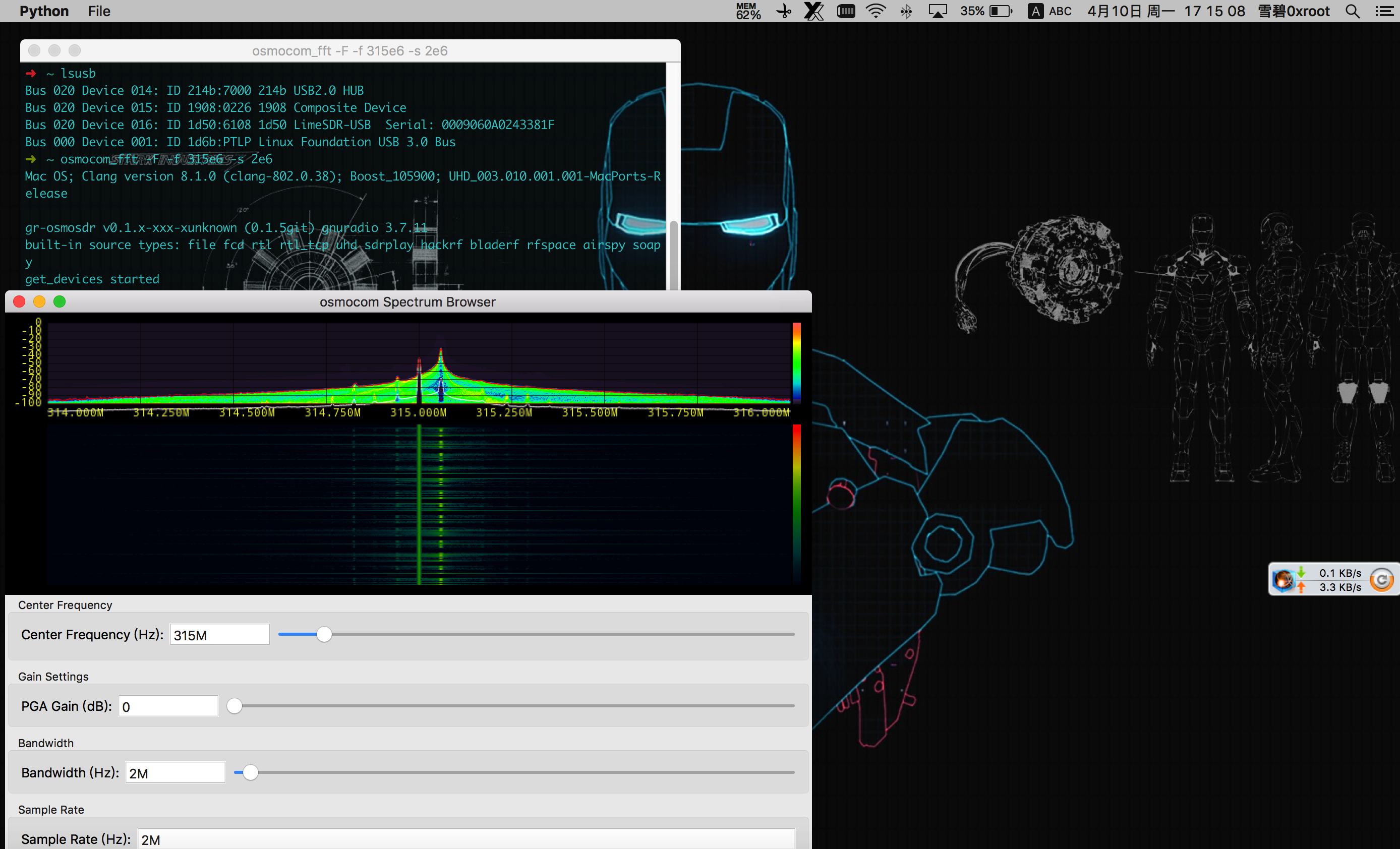
1.6 捕获遥控信号
osmocom_fft -F -f 315e6 -s 2e6
0x02 Ubuntu
2.1 更新软件包
sudo add-apt-repository -y ppa:myriadrf/drivers
sudo apt-get update
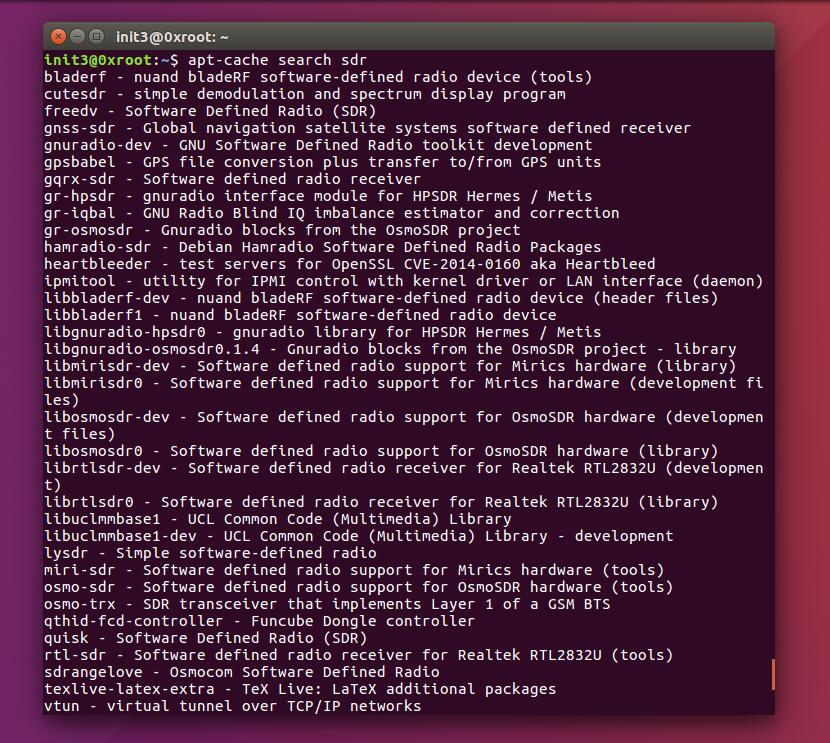
apt-cache search sdr
2.2 安装SDR常用软件:
sudo apt-get update
sudo apt-get install git
sudo apt-get install python-pip

pip install --upgrade pip
pip install git+https://github.com/gnuradio/pybombs.git

pybombs recipes add gr-recipes git+https://github.com/gnuradio/gr-recipes.git
pybombs recipes add gr-etcetera git+https://github.com/gnuradio/gr-etcetera.git

pybombs prefix init /usr/local -a myprefix -R gnuradio-default
pybombs install gqrx gr-osmosdr uhd
2.3 安装Lime_Suite所需依赖包
#packages for soapysdr available at myriadrf PPA
sudo add-apt-repository -y ppa:myriadrf/drivers
sudo apt-get update

#install core library and build dependencies
sudo apt-get install git g++ cmake libsqlite3-dev

#install hardware support dependencies
sudo apt-get install libsoapysdr-dev libi2c-dev libusb-1.0-0-dev

#install graphics dependencies
sudo apt-get install libwxgtk3.0-dev freeglut3-dev
接下来的源码编译过程与在OSX下源码编译过程一样:
2.4 源码编译LimeSuite
git clone https://github.com/myriadrf/LimeSuite.git
cd LimeSuite
mkdir builddir && cd builddir
cmake ../
make -j4
sudo make install
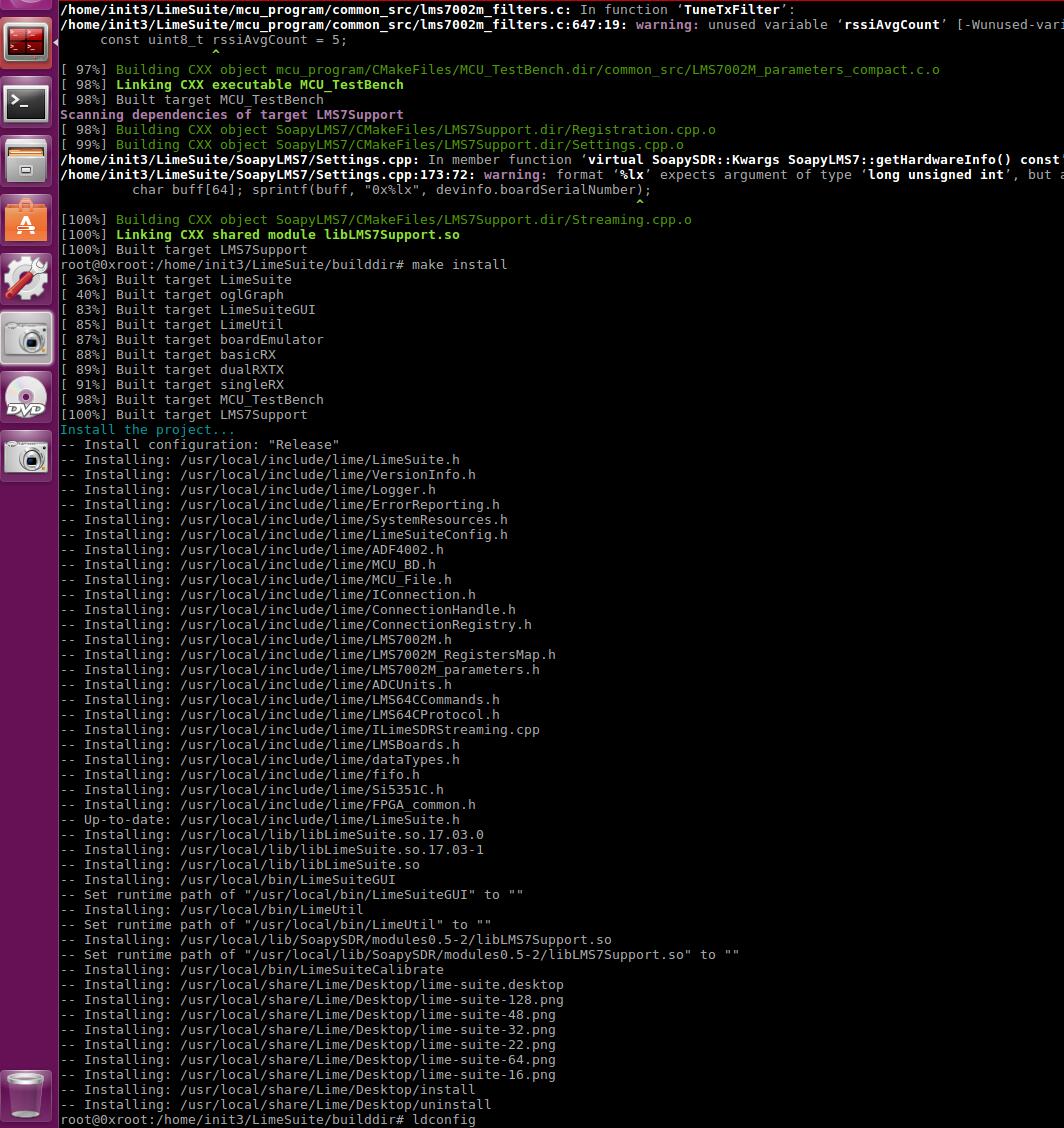
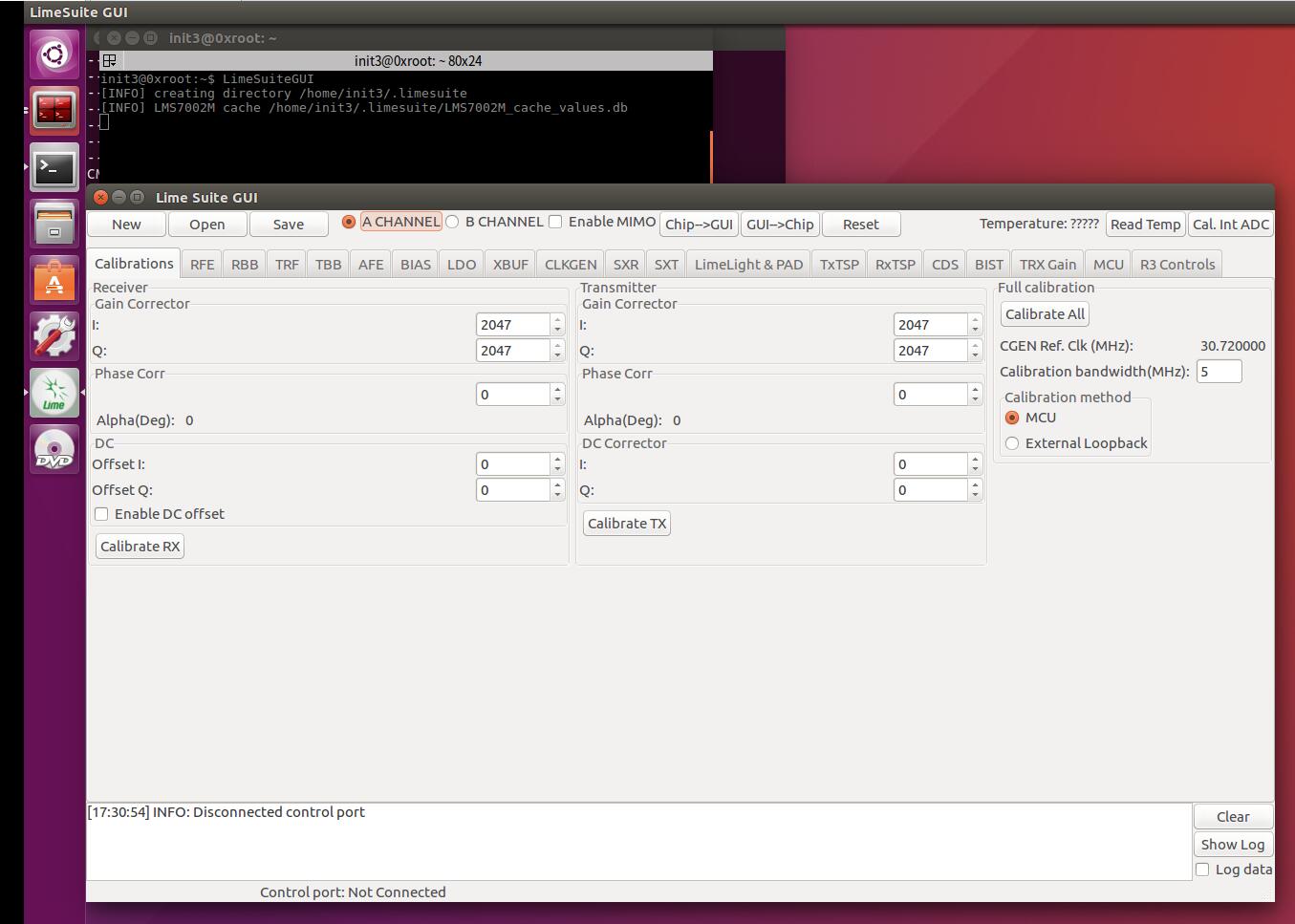
执行LimeSuiteGUI启动LimeSDR的软件图形化界面:
2.5 源码编译UHD驱动&&增加UHD对LimeSDR的支持
源码编译UHD+OpenUSRP
git clone https://github.com/EttusResearch/uhd.git
cd uhd/host/lib/usrp
git clone https://github.com/jocover/OpenUSRP.git
echo "INCLUDE_SUBDIRECTORY(OpenUSRP)">>CMakeLists.txt
cd ../../
mkdir build && cd build
cmake ..
make -j4
sudo make install
sudo ldconfig
2.6 添加环境变量
echo 'export UHD_MODULE_PATH=/usr/lib/uhd/modules' >> ~/.bashrc
2.7 GNURadio使用测试
wget http://www.0xroot.cn/SDR/signal-record.grc
gnuradio-companion signal-record.grc
0x03 Reference
https://wiki.myriadrf.org/Lime_Suite
http://linuxgizmos.com/open-source-sdr-sbc-runs-snappy-ubuntu-on-cyclone-v/