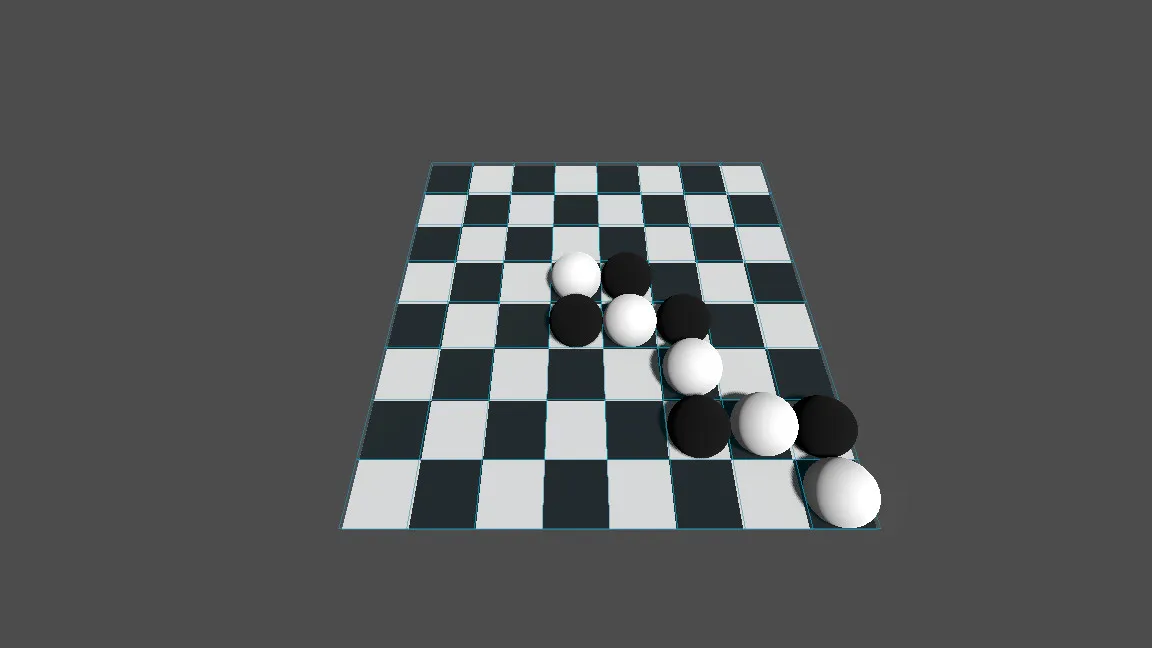
前面的一节,我们发现棋盘本来应该是白色的格子,但是显示的是灰色,这里的原因是缺少光照。我们可以在主场景中添加光照的节点。
添加DirectionalLight3D平行光,Ratation(-60.0,45.0,0,0),添加一个环境光WorldEnvironment用于补光,Environment → 添加 New Environment ,AmbientLight 可以设置自己需要的属性,这里就使用默认的。
创建一个球场景
添加一个Ball.tscn,根节点维Node3D,添加子节点MeshInstance3D,Mesh设置为SphereMesh球体形状,Material Override 新建StandardMaterial3D。
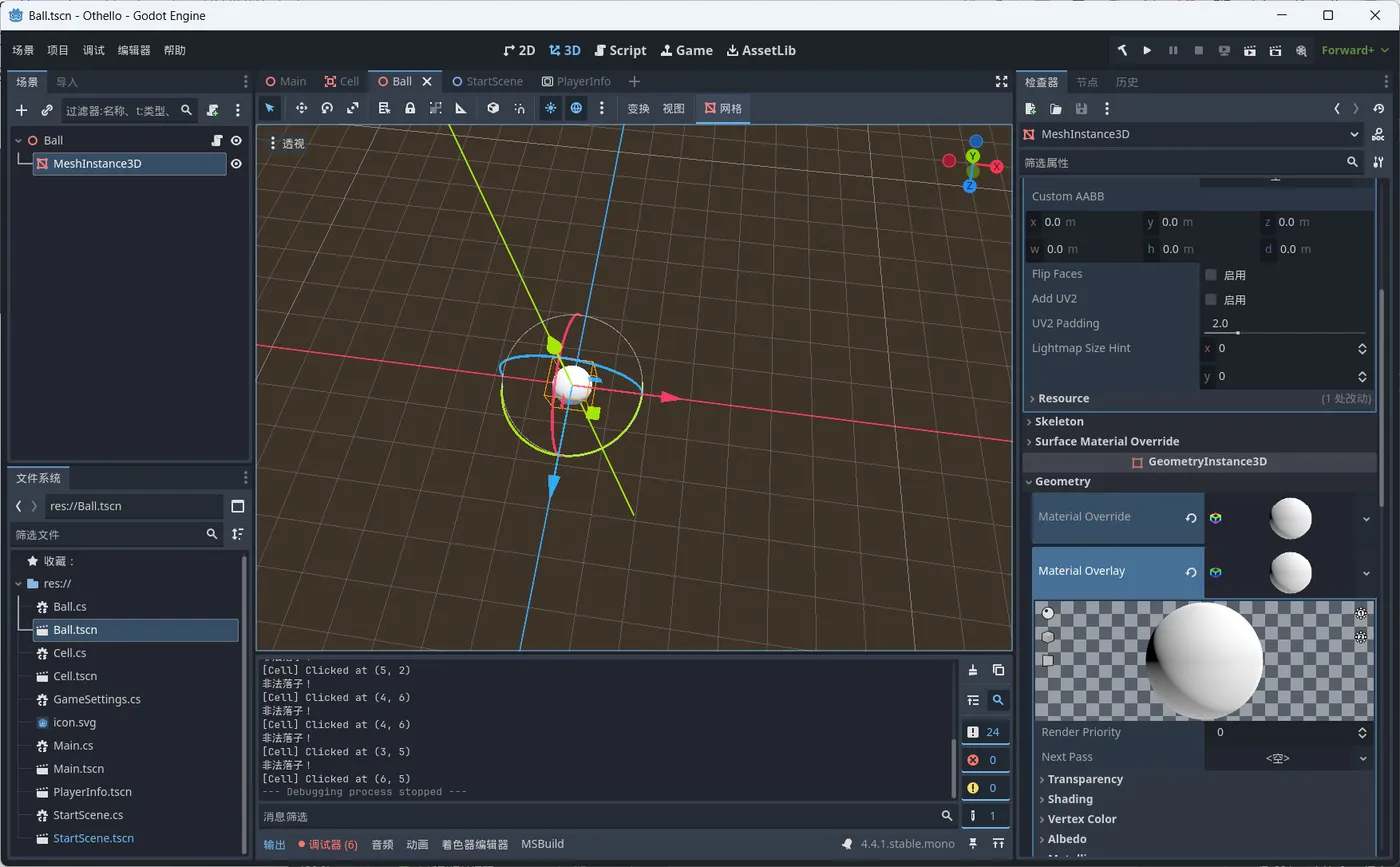
添加脚本,主要实现球(棋子)的颜色变化,跳跃等动画效果,参考代码如下:
using Godot;
using System;
public partial class Ball : Node3D
{
    private StandardMaterial3D material;
    public override void _Ready()
    {
        material = new StandardMaterial3D();
    }
    public void FlipTo(Color targetColor, float duration = 0.4f)
    {
        var tween = GetTree().CreateTween();
        // 旋转动画
        tween.TweenProperty(this, "rotation_degrees", new Vector3(180, 0, 0), duration)
             .SetTrans(Tween.TransitionType.Sine)
             .SetEase(Tween.EaseType.InOut);
        // 缩放动画:放大到 1.2 再回到 1
        tween.TweenProperty(this, "scale", new Vector3(1.2f, 1.2f, 1.2f), duration / 2f)
             .SetTrans(Tween.TransitionType.Sine)
             .SetEase(Tween.EaseType.Out);
        tween.TweenProperty(this, "scale", new Vector3(1, 1, 1), duration / 2f)
             .SetTrans(Tween.TransitionType.Sine)
             .SetEase(Tween.EaseType.In);
        // 跳跃动画(Y轴偏移)
        Vector3 startPos = Position;
        Vector3 peakPos = Position + new Vector3(0, 0.2f, 0);
        tween.TweenProperty(this, "position", peakPos, duration / 2f)
             .SetTrans(Tween.TransitionType.Quad)
             .SetEase(Tween.EaseType.Out);
        tween.TweenProperty(this, "position", startPos, duration / 2f)
             .SetTrans(Tween.TransitionType.Quad)
             .SetEase(Tween.EaseType.In);
        // 颜色过渡
        Color fromColor = material.AlbedoColor;
        tween.TweenMethod(
            Callable.From((Color c) => material.AlbedoColor = c),
            fromColor,
            targetColor,
            duration
        ).SetTrans(Tween.TransitionType.Sine)
         .SetEase(Tween.EaseType.InOut);
    }
}
实现黑白棋的棋子变化游戏规则
点击单元格放置一个球,判断当前位置的8个方向的棋子是否需要翻转颜色,翻转完成之后,玩家切换为对手玩家。
添加单元格点击事件,参考代码如下:
//Cell.cs
using Godot;
using System;
public partial class Cell : Area3D
{
  public Vector2I BoardPosition{get;set;}
  [Signal]
  public delegate void CellClickedEventHandler(Vector2I boardPos);
  public override void _InputEvent(Camera3D camera, InputEvent @event, Vector3 position, Vector3 normal, int shapeIdx)
  {
    if (@event is InputEventMouseButton mb && mb.Pressed && mb.ButtonIndex == MouseButton.Left)
    {
      GD.Print($"[Cell] Clicked at {BoardPosition}");
      EmitSignal(nameof(CellClicked), BoardPosition);
    }
  }
}
点击单元格的时候放置球,获取需要翻转的棋子的位置,翻转棋子颜色,参考代码:
//Main.cs
private enum Piece { None, Black, White }
private Piece[,] boardState = new Piece[BoardSize, BoardSize];
private Piece currentPlayer = Piece.Black;
private void OnCellClicked(Vector2I position)
{
  if (boardState[position.X, position.Y] != Piece.None)
    return;
  var toFlip = GetFlippablePieces(position, currentPlayer);
  if (toFlip.Count == 0)
  {
    GD.Print("非法落子!");
    return;
  }
  // 落子
  boardState[position.X, position.Y] = currentPlayer;
  PlacePiece(position, currentPlayer);
  // 翻子
  foreach (var flipPos in toFlip)
  {
    boardState[flipPos.X, flipPos.Y] = currentPlayer;
    FlipPiece(flipPos, currentPlayer);
  }
  // 切换回合
  currentPlayer = currentPlayer == Piece.Black ? Piece.White : Piece.Black;
}
//获取需要翻转的棋子
private List<Vector2I> GetFlippablePieces(Vector2I pos, Piece player)
{
  List<Vector2I> totalToFlip = new();
  Piece opponent = (player == Piece.Black) ? Piece.White : Piece.Black;
  foreach (var dir in Directions)
  {
    List<Vector2I> toFlip = new();
    int x = pos.X + dir.X;
    int y = pos.Y + dir.Y;
    while (x >= 0 && x < BoardSize && y >= 0 && y < BoardSize)
    {
      var p = boardState[x, y];
      if (p == opponent)
      {
        toFlip.Add(new Vector2I(x, y));
      }
      else if (p == player)
      {
        if (toFlip.Count > 0)
        {
          totalToFlip.AddRange(toFlip);
        }
        break;
      }
      else // None
      {
        break;
      }
      x += dir.X;
      y += dir.Y;
    }
  }
  return totalToFlip;
}
/// <summary>
/// 放置棋子
/// </summary>
/// <param name="pos"></param>
/// <param name="piece"></param>
private void PlacePiece(Vector2I pos, Piece piece)
{
  var ball = ballScene.Instantiate<Node3D>();
  ball.Position = new Vector3(pos.X, 0.2f, pos.Y);
  var mesh = ball.GetNode<MeshInstance3D>("MeshInstance3D");
  var mat = new StandardMaterial3D();
  mat.AlbedoColor = (piece == Piece.Black) ? new Color(0, 0, 0) : new Color(1, 1, 1);
  mesh.MaterialOverride = mat;
  ball.Name = $"Piece_{pos.X}_{pos.Y}";
  boardNode.AddChild(ball);
}
/// <summary>
/// 翻转棋子
/// </summary>
/// <param name="pos"></param>
/// <param name="toColor"></param>
private void FlipPiece(Vector2I pos, Piece toColor)
{
  string nodeName = $"Piece_{pos.X}_{pos.Y}";
  if (boardNode.HasNode(nodeName))
  {
    var piece = boardNode.GetNodeOrNull<Ball>(nodeName);
    var mesh = piece.GetNode<MeshInstance3D>("MeshInstance3D");
    var mat = new StandardMaterial3D();
    mat.AlbedoColor = (toColor == Piece.Black) ? new Color(0, 0, 0) : new Color(1, 1, 1);
    mesh.MaterialOverride = mat;
    piece.FlipTo(currentPlayer == Piece.Black ? Colors.Black : Colors.White);
  }
}
效果展示