##鸿蒙开发能力 ##HarmonyOS SDK应用服务##鸿蒙金融类应用 (金融理财#
一、前言
鸿蒙星闪NearLink Kit 是 HarmonyOS 提供的短距离通信服务,支持星闪设备间的连接、数据交互。例如,手机可作为中心设备与外围设备(如鼠标、手写笔、智能家电、车钥匙等)通过星闪进行连接。
二、NearLink Kit 的接入与使用:
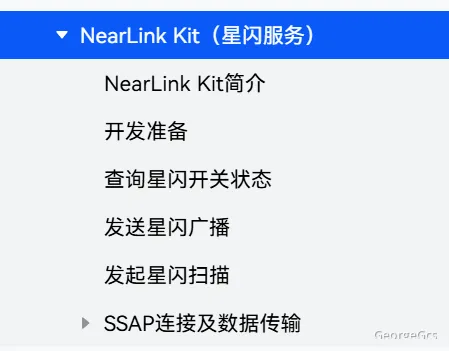
鸿蒙星闪(NearLink)的基本接入代码示例,包含设备发现、连接和数据传输的核心流程:
// NearLink设备管理服务示例
import nearlink from '@ohos.nearlink';
import nearlinkSle from '@ohos.nearlink.sle';
import common from '@ohos.app.ability.common';
// 星闪服务管理类
export class NearLinkManager {
  private context: common.UIAbilityContext | undefined;
  private deviceManager: nearlinkSle.SleDeviceManager | undefined;
  private connectedDeviceId: string | null = null;
  private dataChannel: nearlinkSle.SleDataChannel | undefined;

  constructor(context: common.UIAbilityContext) {
    this.context = context;
  }

  // 初始化星闪服务
  async initNearLinkService() {
    try {
      // 检查并请求星闪权限
      await this.checkAndRequestNearLinkPermission();

      // 创建设备管理器实例
      this.deviceManager = await nearlinkSle.getSleDeviceManager(this.context!);

      // 注册设备状态变化监听
      this.registerDeviceStateListener();

      console.info('NearLink service initialized successfully');
    } catch (error) {
      console.error(`Failed to initialize NearLink service: ${error}`);
      throw error;
    }
  }

  // 检查并请求星闪权限
  private async checkAndRequestNearLinkPermission() {
    // 权限检查逻辑
    // ...
  }

  // 开始扫描附近的星闪设备
  async startDiscovery() {
    if (!this.deviceManager) {
      throw new Error('Device manager not initialized');
    }

    try {
      // 配置扫描参数
      const discoveryConfig = {
        mode: nearlinkSle.SleDiscoveryMode.ACTIVE,
        duration: 30, // 扫描持续时间(秒)
        filter: {
          deviceTypes: [nearlinkSle.SleDeviceType.ALL]
        }
      };

      // 注册设备发现回调
      const callback = {
        onDeviceFound: (device: nearlinkSle.SleDevice) => {
          console.info(`Found device: ${device.deviceName}, type: ${device.deviceType}`);
          // 处理发现的设备,例如更新UI
          this.onDeviceDiscovered(device);
        },
        onDiscoveryStateChanged: (state: number) => {
          console.info(`Discovery state changed: ${state}`);
        }
      };

      // 开始扫描
      await this.deviceManager.startDiscovery(discoveryConfig, callback);
      console.info('NearLink device discovery started');
    } catch (error) {
      console.error(`Failed to start discovery: ${error}`);
      throw error;
    }
  }

  // 处理发现的设备
  private onDeviceDiscovered(device: nearlinkSle.SleDevice) {
    // 这里可以添加设备过滤逻辑
    // ...

    // 通知UI更新设备列表
    // ...
  }

  // 连接到指定星闪设备
  async connectToDevice(deviceId: string) {
    if (!this.deviceManager) {
      throw new Error('Device manager not initialized');
    }

    try {
      // 创建连接参数
      const connectParams = {
        timeout: 10000, // 连接超时时间(毫秒)
        connectionType: nearlinkSle.SleConnectionType.DATA_CHANNEL
      };

      // 连接设备
      const connectionResult = await this.deviceManager.connect(deviceId, connectParams);
      if (connectionResult.resultCode === 0) {
        this.connectedDeviceId = deviceId;
        this.dataChannel = connectionResult.dataChannel;
        console.info(`Connected to device: ${deviceId}`);

        // 注册数据接收回调
        this.registerDataReceiveListener();
      } else {
        console.error(`Failed to connect device, error code: ${connectionResult.resultCode}`);
        throw new Error(`Connection failed: ${connectionResult.resultCode}`);
      }
    } catch (error) {
      console.error(`Failed to connect device: ${error}`);
      throw error;
    }
  }

  // 注册数据接收监听器
  private registerDataReceiveListener() {
    if (!this.dataChannel) return;

    this.dataChannel.on('dataReceived', (data: ArrayBuffer) => {
      // 处理接收到的数据
      const decoder = new TextDecoder();
      const message = decoder.decode(data);
      console.info(`Received data: ${message}`);

      // 通知UI有新数据到达
      // ...
    });
  }

  // 发送数据到已连接设备
  async sendData(message: string) {
    if (!this.dataChannel) {
      throw new Error('Data channel not initialized');
    }

    try {
      const encoder = new TextEncoder();
      const data = encoder.encode(message).buffer;

      // 发送数据
      await this.dataChannel.send(data);
      console.info(`Data sent successfully: ${message}`);
    } catch (error) {
      console.error(`Failed to send data: ${error}`);
      throw error;
    }
  }

  // 断开与设备的连接
  async disconnect() {
    if (!this.deviceManager || !this.connectedDeviceId) return;

    try {
      await this.deviceManager.disconnect(this.connectedDeviceId);
      this.connectedDeviceId = null;
      this.dataChannel = undefined;
      console.info('Device disconnected');
    } catch (error) {
      console.error(`Failed to disconnect device: ${error}`);
      throw error;
    }
  }

  // 注册设备状态变化监听
  private registerDeviceStateListener() {
    if (!this.deviceManager) return;

    this.deviceManager.on('deviceStateChanged', (params) => {
      console.info(`Device state changed: ${JSON.stringify(params)}`);
      // 处理设备状态变化
      // ...
    });
  }

  // 释放资源
  async release() {
    await this.disconnect();

    if (this.deviceManager) {
      try {
        await this.deviceManager.release();
        console.info('NearLink resources released');
      } catch (error) {
        console.error(`Failed to release resources: ${error}`);
      }
    }
  }
}
三、鸿蒙星闪指标对比
以下是鸿蒙星闪、蓝牙和NFC在技术性能、应用场景、成本与生态系统等方面的区别表格:
比较项目 |
鸿蒙星闪 |
蓝牙 |
NFC |
传输速率 |
最高可达2.5Gbps,低功耗模式下峰值速率可达12Mbps |
蓝牙5.2的传输速率为400Mbps,异步连接允许一个方向的数据传输速率达到721kbps,反向速率57.6kbps |
无(数据传输速率通常远低于前两者) |
延迟表现 |
传输延迟可低至20微秒,响应时延为0.25ms |
时延约为600微秒,响应时延约为10ms |
无(主要用于近距离快速交互,不强调延迟指标) |
连接设备数量 |
支持最多4096台设备同时连接 |
一般只能连接8台设备,1个蓝牙设备可以同时加入8个不同的微网 |
无(一般用于一对一的快速连接,不强调多设备连接) |
抗干扰能力 |
采用多种抗干扰技术,抗干扰能力比蓝牙提升10dB以上 |
采用跳频展频技术,抗干扰性强,不易窃听 |
无(工作距离短,干扰相对较小) |
功耗表现 |
采用先进的功耗管理策略,功耗仅相当于蓝牙的60% |
功耗较低,适用于多种低功耗设备 |
功耗较低(工作时间短) |
消费电子领域应用 |
实现高清无损音频传输和低延迟的交互体验,如华为MatePad Pro 13.2英寸平板电脑和FreeBuds Pro 3无线耳机等产品 |
广泛用于无线耳机、音箱等设备的音频传输 |
可用于设备之间的快速配对和数据传输,如手机与音箱、耳机等设备快速连接 |
智能家居领域应用 |
能实现多种智能设备的无缝连接,支持更多设备同时在线 |
用于连接智能家电,实现远程控制等功能 |
可通过NFC标签快速切换手机模式或控制智能家电开关、模式等 |
智能汽车领域应用 |
可实现车内外设备的高速、低延迟数据交换,提升自动驾驶的安全性和效率 |
用于连接车载设备,如车载蓝牙电话、蓝牙音乐播放等 |
可用于汽车钥匙功能,通过手机NFC实现车辆解锁、启动等 |
工业制造领域应用 |
能满足高精度控制和大数据传输的需求,推动工业4.0的实现 |
用于工业设备之间的无线连接,如传感器数据传输等 |
无(一般不用于工业制造场景) |
成本 |
相关解决方案、芯片模块等成本还比较高 |
技术成熟,成本较低 |
成本相对较低 |
生态系统 |
生态系统还不够完善,支持星闪技术的设备相对较少 |
拥有庞大而成熟的生态系统,几乎所有电子设备都支持蓝牙 |
在移动支付、交通出行等领域有广泛的应用,生态系统较为成熟 |
连接方式与距离 |
覆盖范围约为蓝牙的两倍,常规覆盖距离可达到20米,设备之间的连接需要在一定范围内进行配对和连接 |
一般有效传输距离为10cm - 10m,增加发射功率可达到100米,需要进行配对和连接操作 |
工作距离非常短,一般在几厘米以内,通常用于设备之间的近距离快速触碰连接 |