问题描述
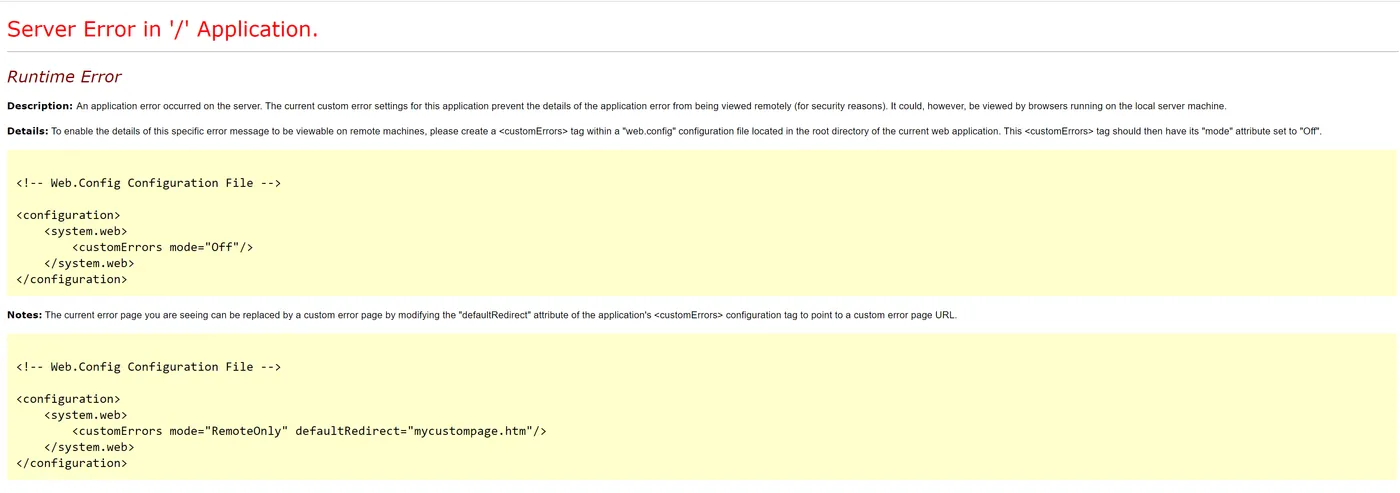
C#下制作的网站,所有网页本地测试运行无误,发布至Azure之后,包含CHART(图表)的网页打开报错,错误消息为 Runtime Error: Server Error in '/' Application
调查方式
面对C#的黄页错误,最好的做法就是根据提示,关闭C#的自定义错误页面,显示出真正的错误消息。根据提示,在Web.config文件中的system.web节点中添加设置 <customErrors mode="Off"/>
方式有二:
一:进入kudu站点,修改web.config (https://<your web app name>.scm.chinacloudsites.cn/DebugConsole)
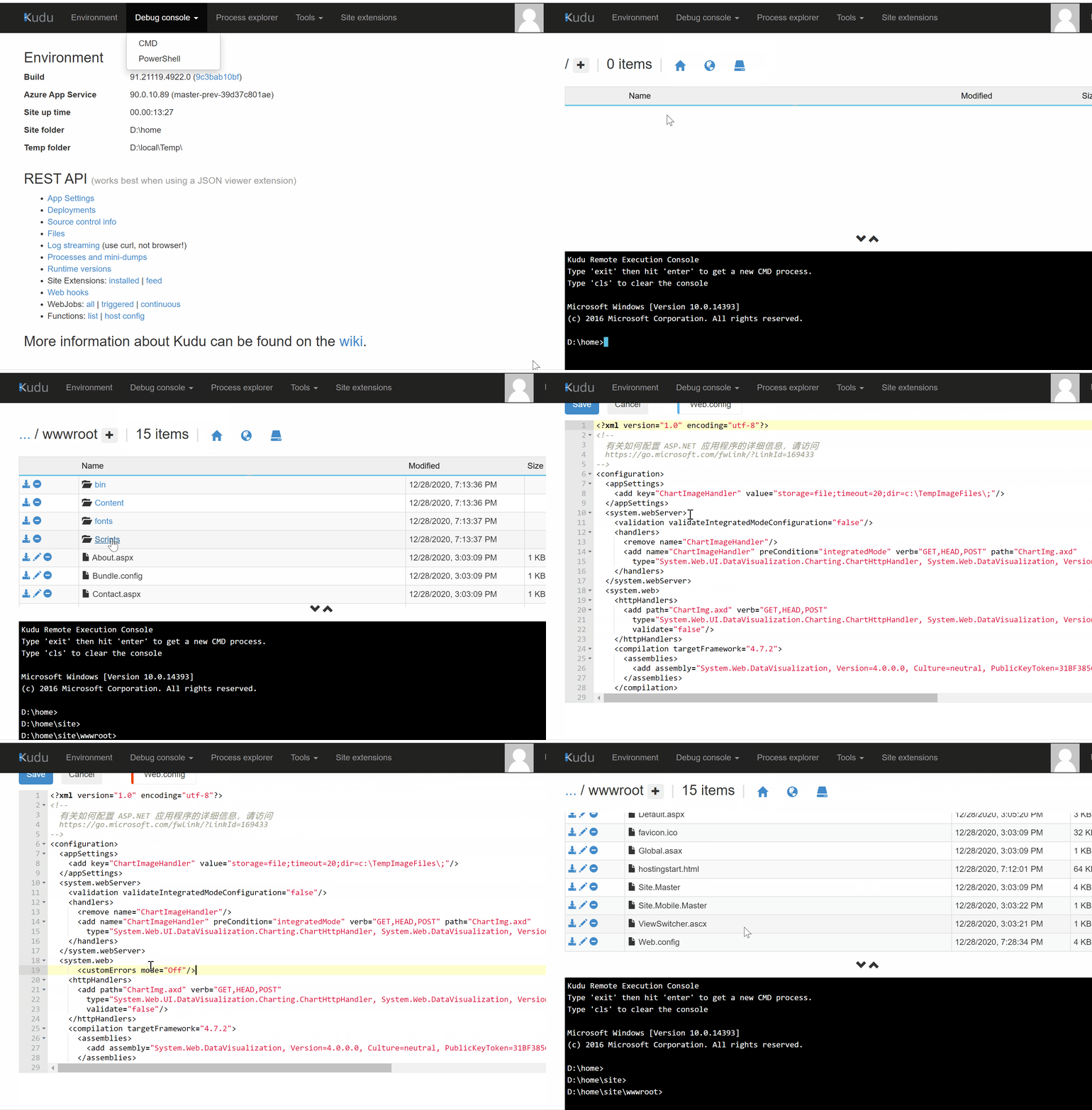
二:在源代码中修改web.config,然后重新部署。
再次访问站点,即可得到正在的异常消息:System.IO.DirectoryNotFoundException
Invalid temp images directory in chart handler configuration [c:\TempImageFiles\]. Please edit the web.config file. The CharImageHandler key, Dir value must point to a valid directory. The directory is required for temporary image storage when storage mode equals file system. |
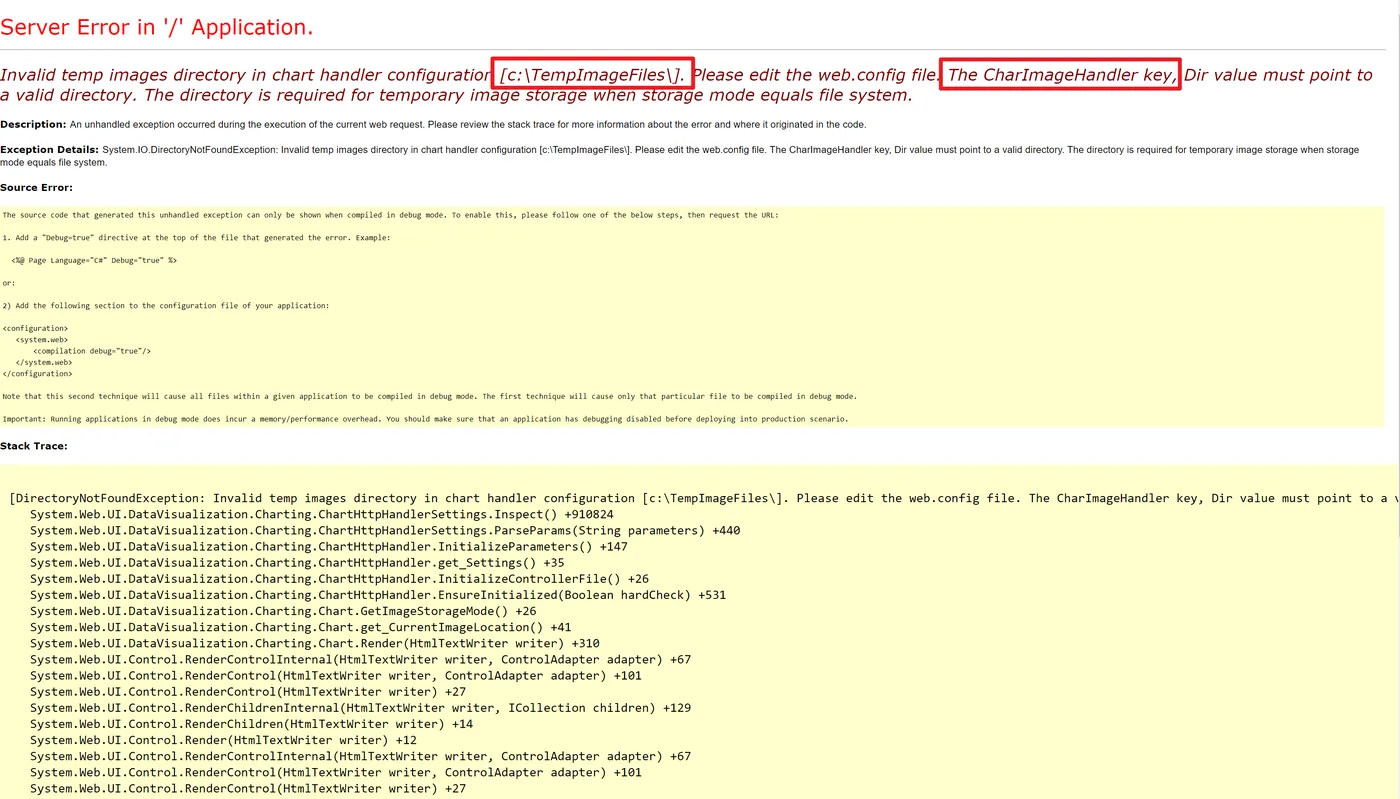
根据错误消息,在本地调试时,应用有权限可以直接访问及操作C盘下的目录,而当部署到Azure App Service后,应用对C盘的操作是不可操作的。
解决方案
在web.config中修改ChartImageHandler中对dir路径的设置,修改为d:/home。 如修改前后的值为:
| 修改前ChartImageHandler值 | 修改后ChartImageHandler值 |
| <add key="ChartImageHandler" value="storage=file;timeout=20;dir=c:\TempImageFiles\;" /> | <add key="ChartImageHandler" value="storage=file;timeout=20;dir=d:\home\;"/> |
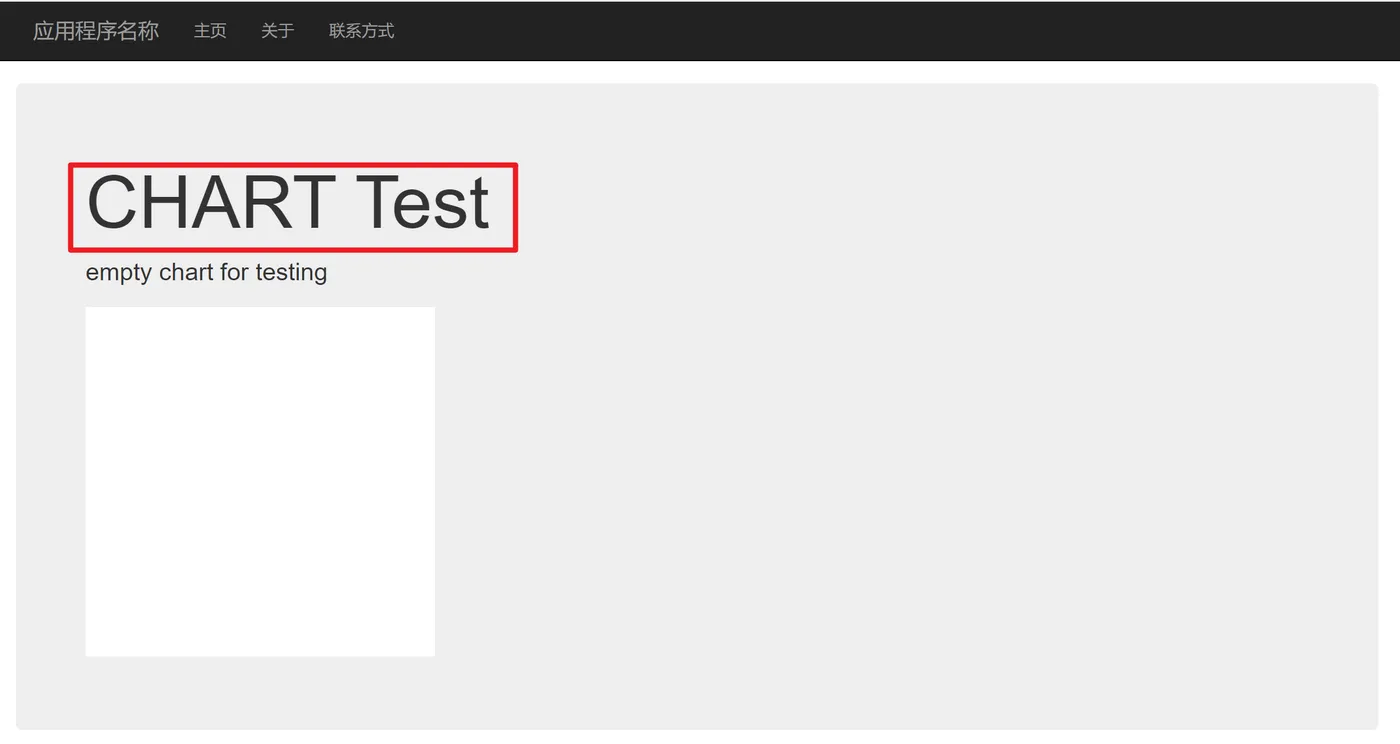
修改后,测试App Serice可以成功访问:
参考资料
File structure on azure: https://github.com/projectkudu/kudu/wiki/File-structure-on-azure
Understanding the Azure App Service file system: https://github.com/projectkudu/kudu/wiki/Understanding-the-Azure-App-Service-file-system
Persisted files
This is what you can view as your web site's files. They follow a structure described here. They are rooted in
%HOME%directory. For App Service on Linux and Web app for Containers, persistent storage is rooted in/home.These files are persistent, meaning that you can rely on them staying there until you do something to change them. Also, they are shared between all instances of your site (when you scale it up to multiple instances). Internally, the way this works is that they are stored in Azure Storage instead of living on the local file system.