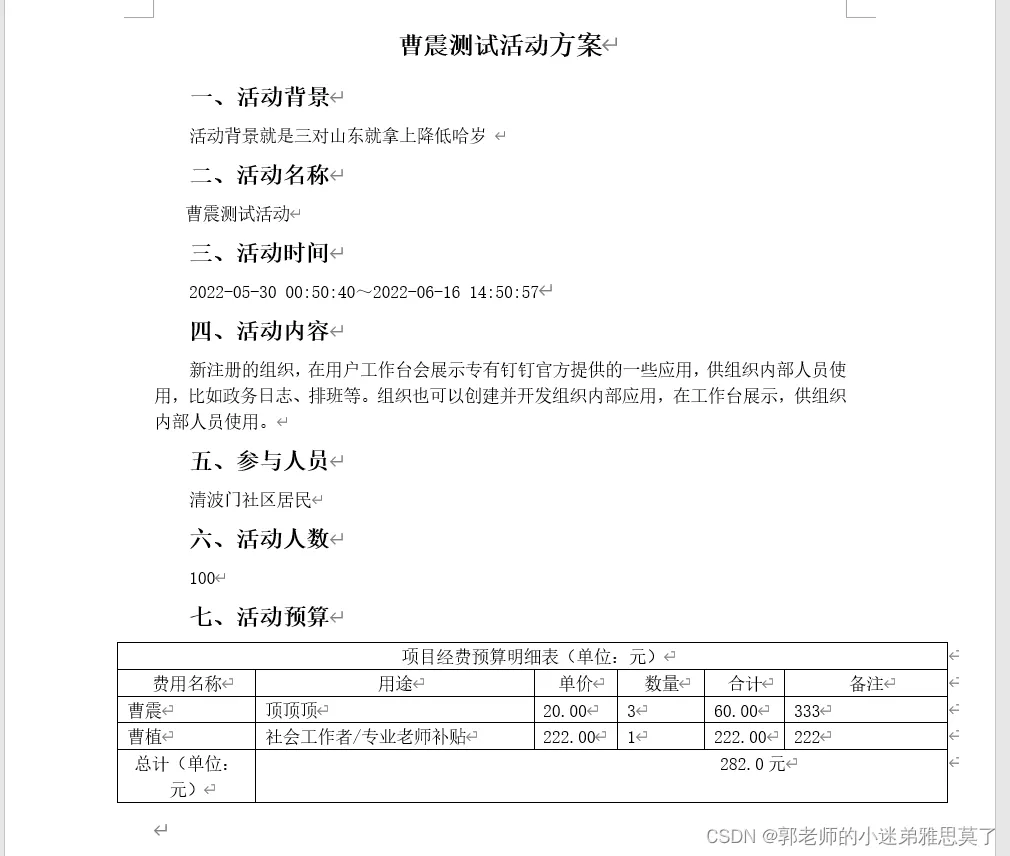
背景
本文将给大家带来如何导入数据到word文档中,固定传值和动态制作表格传值等。
依赖:
        <!-- word导出 -->
        <dependency>
            <groupId>com.deepoove</groupId>
            <artifactId>poi-tl</artifactId>
            <version>1.7.3</version>
        </dependency>
        <!--  上面需要的依赖-->
        <dependency>
            <groupId>org.apache.poi</groupId>
            <artifactId>poi-ooxml</artifactId>
            <version>4.1.2</version>
        </dependency>
        <dependency>
            <groupId>org.apache.poi</groupId>
            <artifactId>poi-ooxml-schemas</artifactId>
            <version>4.1.2</version>
        </dependency>
        <dependency>
            <groupId>org.apache.poi</groupId>
            <artifactId>poi</artifactId>
            <version>4.1.2</version>
        </dependency>
        <dependency>
            <groupId>com.deepoove</groupId>
            <artifactId>poi-tl</artifactId>
            <version>1.9.1</version>
        </dependency>
创建word模板:
说明:{{ }} 这个是用来做占位符的,后续代码中替换值。
如果导出的数据是个集合list,那么在你的表格标题的第一个单元格输入{{list}}占位符,下面空白单位元是用来占位集合中元素key的,占位符是:[] 如图
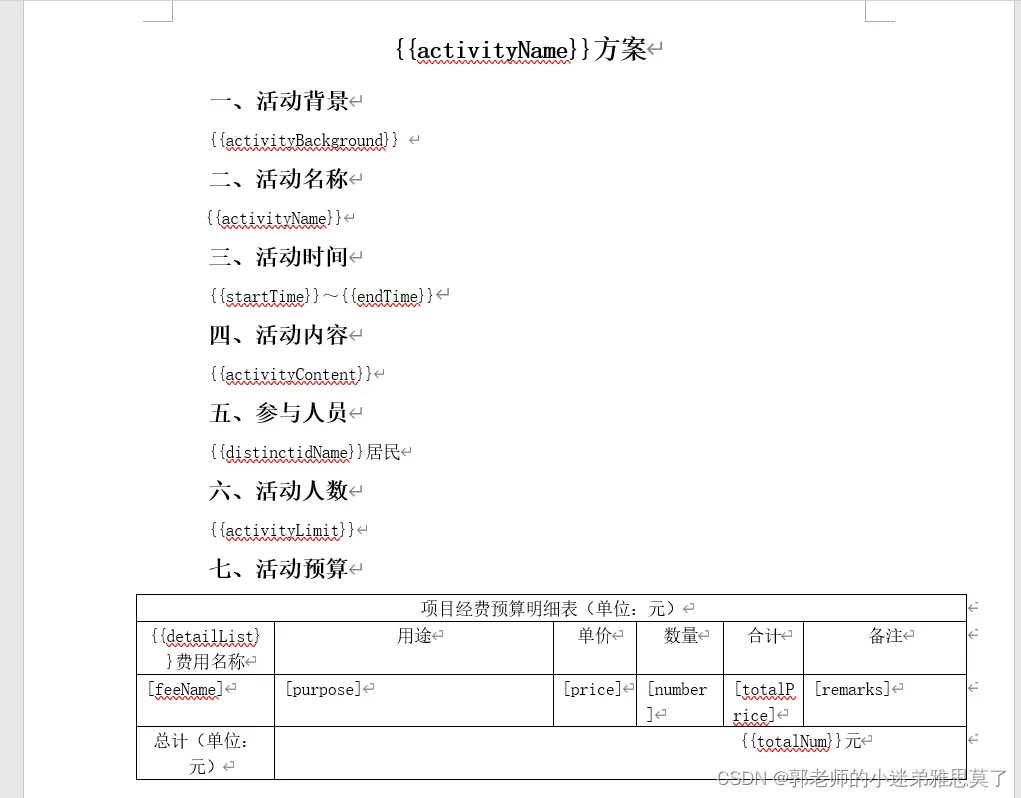
代码实例:
public void getStandingBook(String activityId, HttpServletResponse response, HttpServletRequest request) {
        try {
            //获取文件流
            InputStream stream = getClass().getClassLoader().getResourceAsStream("static/word.docx");
            //获取临时文件
            File file = new File("static/word.docx");
            //将读取到的类容存储到临时文件中,后面就可以用这个临时文件访问了
            FileUtils.copyInputStreamToFile(stream, file);
            //这个时候再去获取证书的文件路径 就可以正常获取了
            String filePath = file.getAbsolutePath();

            QueryWrapper<TActivity> tActivityQueryWrapper = new QueryWrapper<>();
            tActivityQueryWrapper.eq("uuid", activityId);
            tActivityQueryWrapper.eq("status", "0");
            TActivity tActivity = tActivityService.getOne(tActivityQueryWrapper);
            if (tActivity == null) {
                throw new CustomException("导出失败,活动不存在!");
            }
            List<Map> detailList = new ArrayList<>();
            QueryWrapper<TActivityBudget> budgetQueryWrapper = new QueryWrapper<>();
            budgetQueryWrapper.eq("activity_id", tActivity.getUuid());
            budgetQueryWrapper.eq("status", "0");
            List<TActivityBudget> budgetList = activityBudgetService.list(budgetQueryWrapper);
            if (!CollectionUtils.isEmpty(budgetList)) {
                budgetList.forEach(x -> {
                    Map map = new HashMap();
                    map.put("feeName", x.getFeeName());
                    map.put("purpose", x.getPurpose());
                    map.put("price", x.getPrice());
                    map.put("number", x.getNumber());
                    map.put("totalPrice", x.getTotalPrice());
                    map.put("remarks", x.getRemarks());
                    detailList.add(map);
                });
            }
            QueryWrapper<TActivityProfessional> professionalQueryWrapper = new QueryWrapper<>();
            professionalQueryWrapper.eq("activity_id", tActivity.getUuid());
            professionalQueryWrapper.eq("status", "0");
            List<TActivityProfessional> professionalList = activityProfessionalService.list(professionalQueryWrapper);
            if (!CollectionUtils.isEmpty(professionalList)) {
                professionalList.forEach(x -> {
                    Map map = new HashMap();
                    map.put("feeName", x.getPersonName());
                    map.put("purpose", "社会工作者/专业老师补贴");
                    map.put("price", x.getPrice());
                    map.put("number", "1");
                    map.put("totalPrice", x.getPrice());
                    map.put("remarks", x.getRemarks());
                    detailList.add(map);
                });
            }
            if (detailList.size() == 0) {
                Map map = new HashMap();
                map.put("feeName", "");
                map.put("purpose", "");
                map.put("price", "");
                map.put("number", "");
                map.put("totalPrice", "");
                map.put("remarks", "");
                detailList.add(map);
            }
            //计算合计
            double totalNum = 0d;
            if (!CollectionUtils.isEmpty(detailList)) {
                totalNum = detailList.stream().mapToDouble(x -> Double.valueOf(x.get("totalPrice").toString())).sum();
            }
            log.info("合计:{}", totalNum);
            //处理图片
            String[] arr = tActivity.getActivityReviewUrl().split(",");
            List<Map> pic = new ArrayList<>();
            if (arr != null && arr.length > 0) {
                for (String str : arr) {
                    File ff = aliyunCloudStorageService.getFileByUrl(str);
                    BufferedImage bi = null;
                    try {
                        bi = ImageIO.read(ff);
                    } catch (Exception e) {
                        e.printStackTrace();
                    }
                    int width = bi.getWidth(); // 像素
                    if (width > 500) {
                        width = 500;
                    }
                    int height = bi.getHeight(); // 像素
                    if (height > 500) {
                        height = 500;
                    }
                    Map picMap = new HashMap();
                    picMap.put("urlImg", Pictures.ofUrl(str, PictureType.JPEG).size(width, height).create());
                    pic.add(picMap);
                    System.out.println(str);
                    bi.flush();
                }
            }
            //渲染表格
            HackLoopTableRenderPolicy policy = new HackLoopTableRenderPolicy();
            Configure config = Configure.newBuilder().bind("detailList", policy).build();
            double finalTotalNum = totalNum;
            XWPFTemplate template = XWPFTemplate.compile(filePath, config).render(
                    new HashMap<String, Object>() {{
                        put("activityName", tActivity.getActivityName());
                        put("activityBackground", tActivity.getActivityBackground());
                        put("startTime", DateUtils.getStringDate(tActivity.getStartTime()));
                        put("endTime", DateUtils.getStringDate(tActivity.getEndTime()));
                        put("activityContent", tActivity.getActivityContent());
                        put("distinctidName", tActivity.getDistinctidName());
                        put("activityLimit", tActivity.getActivityLimit());
                        put("organizer", tActivity.getOrganizer());
                        put("nowDate", DateUtils.getStringDate(new Date()));
                        put("totalNum", finalTotalNum);
                        put("activityAddress", tActivity.getActivityAddress());
                        put("activityReviewWeb", tActivity.getActivityReviewWeb());
                        put("detailList", detailList);
                        put("picList", pic);
                    }}
            );
            //=================生成文件保存在本地D盘某目录下=================
            //String temDir="D:/mimi/"+File.separator+"file/word/"; ;//生成临时文件存放地址
            //生成文件名
            Long time = new Date().getTime();
            // 生成的word格式
            String fileName = tActivity.getActivityName() + time + ".docx";
            System.out.println("文件名:" + fileName);
            //=================生成word到设置浏览默认下载地址=================
            //解决文件下载名称变为 ____下划线的BUG
            //针对IE或者以IE为内核的浏览器:
            String userAgent = request.getHeader("User-Agent");
            if (userAgent.contains("MSIE") || userAgent.contains("Trident")) {
                fileName = java.net.URLEncoder.encode(fileName, StandardCharsets.UTF_8.toString());
            } else {
                //非IE浏览器:
                fileName = new String(fileName.getBytes(StandardCharsets.UTF_8), StandardCharsets.ISO_8859_1);
                // 设置强制下载不打开
                response.setContentType("application/force-download");
                // 设置文件名
                response.addHeader("Content-Disposition", "attachment;fileName=" + fileName);
                response.setCharacterEncoding("UTF-8");
                OutputStream out = response.getOutputStream();
                template.write(out);
                out.flush();
                out.close();
                template.close();
            }
        } catch (UnsupportedEncodingException e) {
            e.printStackTrace();
        } catch (IOException e) {
            e.printStackTrace();
        }
    }
重点代码在这里:
 //渲染表格
            HackLoopTableRenderPolicy policy = new HackLoopTableRenderPolicy();
            Configure config = Configure.newBuilder().bind("detailList", policy).build();
            double finalTotalNum = totalNum;
            XWPFTemplate template = XWPFTemplate.compile(filePath, config).render(
                    new HashMap<String, Object>() {{
                        put("activityName", tActivity.getActivityName());
                        put("activityBackground", tActivity.getActivityBackground());
                        put("startTime", DateUtils.getStringDate(tActivity.getStartTime()));
                        put("endTime", DateUtils.getStringDate(tActivity.getEndTime()));
                        put("activityContent", tActivity.getActivityContent());
                        put("distinctidName", tActivity.getDistinctidName());
                        put("activityLimit", tActivity.getActivityLimit());
                        put("organizer", tActivity.getOrganizer());
                        put("nowDate", DateUtils.getStringDate(new Date()));
                        put("totalNum", finalTotalNum);
                        put("activityAddress", tActivity.getActivityAddress());
                        put("activityReviewWeb", tActivity.getActivityReviewWeb());
                        put("detailList", detailList);
                        put("picList", pic);
                    }}
            );
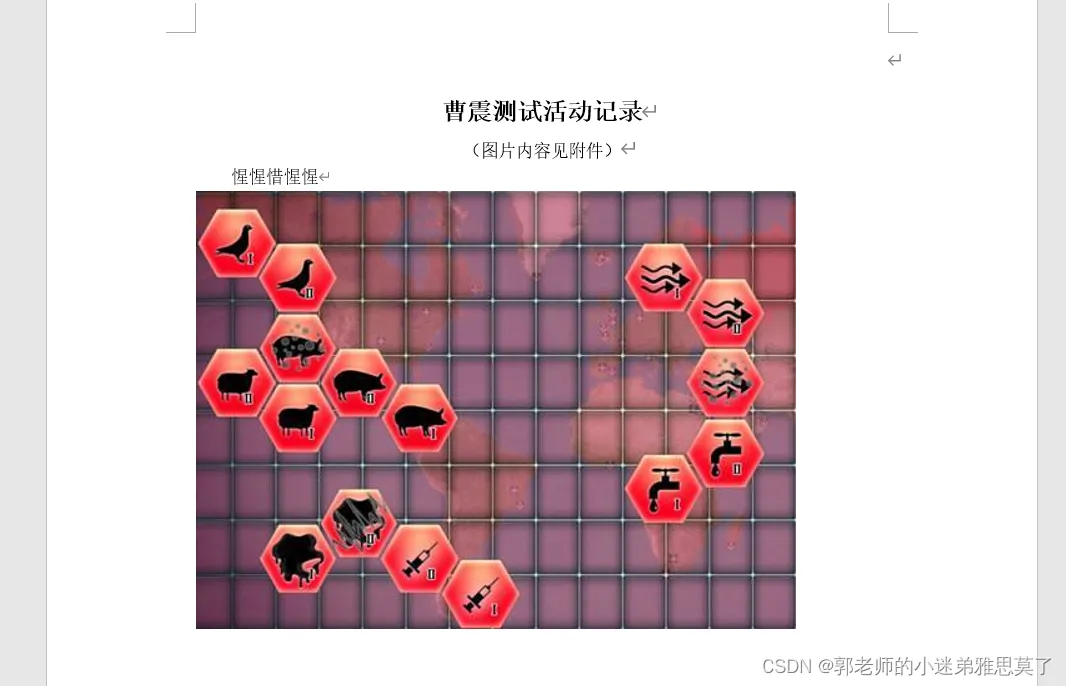
关于向word文档中插入多张图片:
代码:
 //处理图片
            String[] arr = tActivity.getActivityReviewUrl().split(",");
            List<Map> pic = new ArrayList<>();
            if (arr != null && arr.length > 0) {
                for (String str : arr) {
                    //File ff = aliyunCloudStorageService.getFileByUrl(str);
                    BufferedImage bi = null;
                    try {
                        bi = ImageIO.read(ff);
                    } catch (Exception e) {
                        e.printStackTrace();
                    }
                    //int width = bi.getWidth(); // 像素
                    //if (width > 500) {
                    //    width = 500;
                    //}
                    //int height = bi.getHeight(); // 像素
                    //if (height > 500) {
                    //    height = 500;
                    //}
                    Map picMap = new HashMap();
                    picMap.put("urlImg", Pictures.ofUrl(str, PictureType.JPEG).size(width, height).create());
                    pic.add(picMap);
                    System.out.println(str);
                    bi.flush();
                }
            }
文档中插入多张图片的占位符是:{{?picList}}{{@urlImg}}{{/picList}} picList是你集合key ,urlImg是集合内元素
导出结果: