需要源码或运行有问题请点赞关注收藏后评论区留言~~~
一、手势事件的分发流程
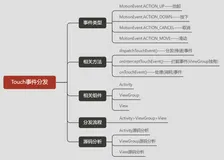
智能手机的一大革命性技术就是把屏幕变为可触摸设备,既可用于信息输入也可以用于信息输出。与手势事件有关的方法主要有以下三个
dispatchTouchEvent 进行事件分发处理 返回结果表示该事件是否需要分发
onInterceptTouchEvent 进行事件拦截处理 返回结果表示当前容器是否需要拦截该处理
onTouchEvent 进行事件触摸事件 返回结果表示该事件是否处理完毕
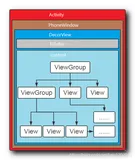
上述手势方法的执行者有三个
页面类 包括Activity及其派生类
容器类 包括从ViewGroup派生出的各类容器
控件类 包括从View类派生的各类控件
处理流程如下
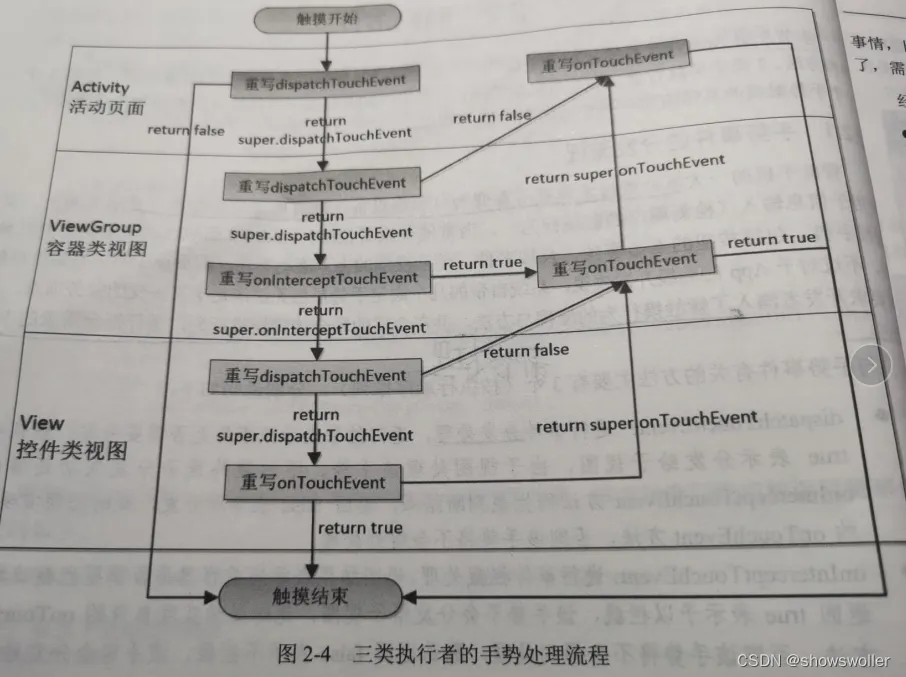
经过上图的分析,常见的手势处理方法可以总结为以下三种
页面类的dispatchTouchEvent 控制事件的分发 决定把手势交给谁处理
容器类的onInterceptTouchEvent 控制事件的拦截 决定是否要把手势交给子视图处理
控件类的onTouchEvent 进行手势处理的具体处理
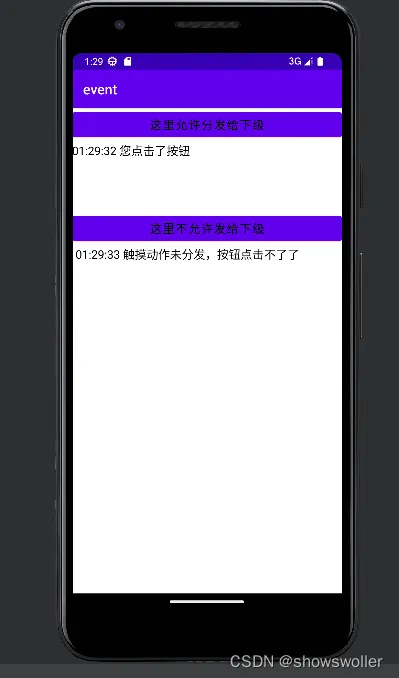
下面是对不派发事件的处理效果
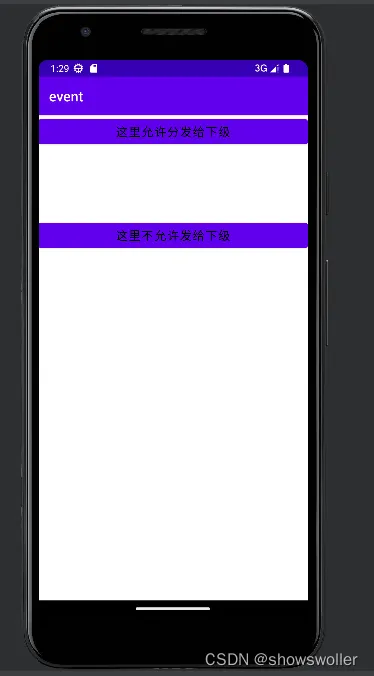
点击按钮后即会出现相应效果
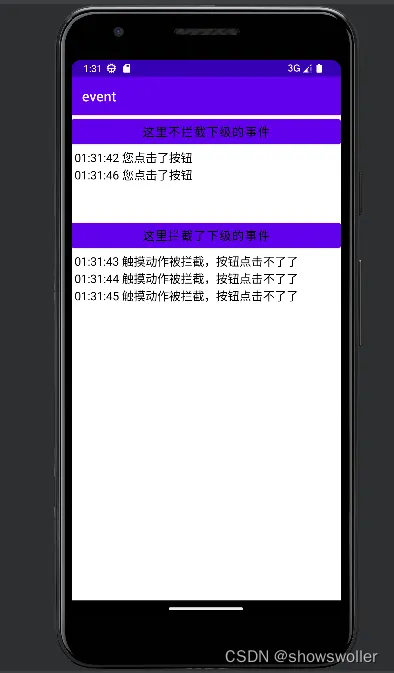
下面是拦截事件的处理效果
代码如下
Java类
package com.example.event;
import com.example.event.util.DateUtil;
import com.example.event.widget.NotDispatchLayout;
import com.example.event.widget.NotDispatchLayout.NotDispatchListener;
import android.os.Bundle;
import androidx.appcompat.app.AppCompatActivity;
import android.widget.TextView;
public class EventDispatchActivity extends AppCompatActivity implements NotDispatchListener {
    private TextView tv_dispatch_yes; // 声明一个文本视图对象
    private TextView tv_dispatch_no; // 声明一个文本视图对象
    private String desc_yes = "", desc_no = "";
    @Override
    protected void onCreate(Bundle savedInstanceState) {
        super.onCreate(savedInstanceState);
        setContentView(R.layout.activity_event_dispatch);
        tv_dispatch_yes = findViewById(R.id.tv_dispatch_yes);
        tv_dispatch_no = findViewById(R.id.tv_dispatch_no);
        NotDispatchLayout ndl_no = findViewById(R.id.ndl_no);
        // 设置不分发布局的事件分发监听器
        ndl_no.setNotDispatchListener(this);
        findViewById(R.id.btn_dispatch_yes).setOnClickListener(v -> {
            desc_yes = String.format("%s%s 您点击了按钮\n", desc_yes, DateUtil.getNowTime());
            tv_dispatch_yes.setText(desc_yes);
        });
        findViewById(R.id.btn_dispatch_no).setOnClickListener(v -> {
            desc_no = String.format("%s%s 您点击了按钮\n", desc_no, DateUtil.getNowTime());
            tv_dispatch_no.setText(desc_no);
        });
    }
    // 在分发触摸事件时触发
    @Override
    public void onNotDispatch() {
        desc_no = String.format("%s%s 触摸动作未分发,按钮点击不了了\n"
                , desc_no, DateUtil.getNowTime());
        tv_dispatch_no.setText(desc_no);
    }
}
拦截事件类
package com.example.event;
import android.os.Bundle;
import androidx.appcompat.app.AppCompatActivity;
import android.widget.TextView;
import com.example.event.util.DateUtil;
import com.example.event.widget.InterceptLayout;
import com.example.event.widget.InterceptLayout.InterceptListener;
public class EventInterceptActivity extends AppCompatActivity implements InterceptListener {
    private TextView tv_intercept_no; // 声明一个文本视图对象
    private TextView tv_intercept_yes; // 声明一个文本视图对象
    private String desc_no = "", desc_yes = "";
    @Override
    protected void onCreate(Bundle savedInstanceState) {
        super.onCreate(savedInstanceState);
        setContentView(R.layout.activity_event_intercept);
        tv_intercept_no = findViewById(R.id.tv_intercept_no);
        tv_intercept_yes = findViewById(R.id.tv_intercept_yes);
        InterceptLayout il_yes = findViewById(R.id.il_yes);
        // 设置拦截布局的事件拦截监听器
        il_yes.setInterceptListener(this);
        findViewById(R.id.btn_intercept_no).setOnClickListener(v -> {
            desc_no = String.format("%s%s 您点击了按钮\n", desc_no, DateUtil.getNowTime());
            tv_intercept_no.setText(desc_no);
        });
        findViewById(R.id.btn_intercept_yes).setOnClickListener(v -> {
            desc_yes = String.format("%s%s 您点击了按钮\n", desc_yes, DateUtil.getNowTime());
            tv_intercept_yes.setText(desc_yes);
        });
    }
    // 在拦截触摸事件时触发
    @Override
    public void onIntercept() {
        desc_yes = String.format("%s%s 触摸动作被拦截,按钮点击不了了\n", desc_yes,
                DateUtil.getNowTime());
        tv_intercept_yes.setText(desc_yes);
    }
}
XML文件
<LinearLayout xmlns:android="http://schemas.android.com/apk/res/android"
    android:layout_width="match_parent"
    android:layout_height="match_parent"
    android:orientation="vertical" >
    <LinearLayout
        android:layout_width="match_parent"
        android:layout_height="150dp"
        android:orientation="vertical" >
        <Button
            android:id="@+id/btn_dispatch_yes"
            android:layout_width="match_parent"
            android:layout_height="wrap_content"
            android:gravity="center"
            android:text="这里允许分发给下级"
            android:textColor="@color/black"
            android:textSize="17sp" />
        <TextView
            android:id="@+id/tv_dispatch_yes"
            android:layout_width="match_parent"
            android:layout_height="wrap_content"
            android:textColor="@color/black"
            android:textSize="17sp" />
    </LinearLayout>
    <com.example.event.widget.NotDispatchLayout
        android:id="@+id/ndl_no"
        android:layout_width="match_parent"
        android:layout_height="150dp"
        android:orientation="vertical" >
        <Button
            android:id="@+id/btn_dispatch_no"
            android:layout_width="match_parent"
            android:layout_height="wrap_content"
            android:gravity="center"
            android:text="这里不允许发给下级"
            android:textColor="@color/black"
            android:textSize="17sp" />
        <TextView
            android:id="@+id/tv_dispatch_no"
            android:layout_width="match_parent"
            android:layout_height="wrap_content"
            android:paddingLeft="5dp"
            android:textColor="@color/black"
            android:textSize="17sp" />
    </com.example.event.widget.NotDispatchLayout>
</LinearLayout>
拦截事件的XML文件
<LinearLayout xmlns:android="http://schemas.android.com/apk/res/android"
    android:layout_width="match_parent"
    android:layout_height="match_parent"
    android:orientation="vertical" >
    <LinearLayout
        android:layout_width="match_parent"
        android:layout_height="150dp"
        android:orientation="vertical" >
        <Button
            android:id="@+id/btn_intercept_no"
            android:layout_width="match_parent"
            android:layout_height="wrap_content"
            android:gravity="center"
            android:text="这里不拦截下级的事件"
            android:textColor="@color/black"
            android:textSize="17sp" />
        <TextView
            android:id="@+id/tv_intercept_no"
            android:layout_width="match_parent"
            android:layout_height="wrap_content"
            android:paddingLeft="5dp"
            android:textColor="@color/black"
            android:textSize="17sp" />
    </LinearLayout>
    <com.example.event.widget.InterceptLayout
        android:id="@+id/il_yes"
        android:layout_width="match_parent"
        android:layout_height="150dp"
        android:orientation="vertical" >
        <Button
            android:id="@+id/btn_intercept_yes"
            android:layout_width="match_parent"
            android:layout_height="wrap_content"
            android:gravity="center"
            android:text="这里拦截了下级的事件"
            android:textColor="@color/black"
            android:textSize="17sp" />
        <TextView
            android:id="@+id/tv_intercept_yes"
            android:layout_width="match_parent"
            android:layout_height="wrap_content"
            android:paddingLeft="5dp"
            android:textColor="@color/black"
            android:textSize="17sp" />
    </com.example.event.widget.InterceptLayout>
</LinearLayout>
创作不易 觉得有帮助请点赞关注收藏~~~