
来源:https://www.cnblogs.com/scy251147/p/17242557.html
ChatGPT出来好久了,vscode上面由于集成了相关的插件,所以用起来很简单,经过本人深度使用后,发觉其能力的强大之处,在书写单元测试,书写可视化小工具,代码纠错,代码规范,编程辅助方面,极其可靠,而且能识别一些坑并绕过,下面来看看他能干的一些事情吧。
注意:由于英文的表述可以让ChatGPT的反馈更准确,所以这里的问题我均以英文来描述。
1、单测用例生成
待生成单测的测试类,此类就是一个静态工厂类,可以根据传入的数据类型和语言类型,创建出几个语言数据服务,包括ducc,mysql,配置,空语言数据服务:
public class SepI18nDataFactory {
/**
* 配置文件数据服务
*/
public static ISepI18nDataService dataService;
/**
* 构建数据服务
*
* @param dataType
* @return
*/
public static ISepI18nDataService buildDataService(SepI18nDataType dataType, SepI18nLanguageType languageType) {
//按照数据类型判断
switch (dataType) {
//从ducc中构建多语言服务
case DUCC:
return getInstance(languageType, x -> new SepI18nDuccDataService(x));
//从mysql中构建多语言服务
case MYSQL:
return getInstance(languageType, x -> new SepI18nMysqlDataService(x));
//从本地配置中构建多语言服务
case CONFIG:
return getInstance(languageType, x -> new SepI18nConfigDataService(x));
//空数据服务,兜底逻辑
default:
return getInstance(languageType, x -> new SepI18nEmptyDataService(x));
}
}
/**
* 高并发下实例创建管控
*
* @param languageType
* @param callback
* @return
*/
private static ISepI18nDataService getInstance(SepI18nLanguageType languageType, Function<SepI18nLanguageType, ISepI18nDataService> callback) {
if (dataService == null) {
synchronized (SepI18nDataFactory.class) {
if (dataService == null) {
dataService = callback.apply(languageType);
}
}
}
return dataService;
}
}
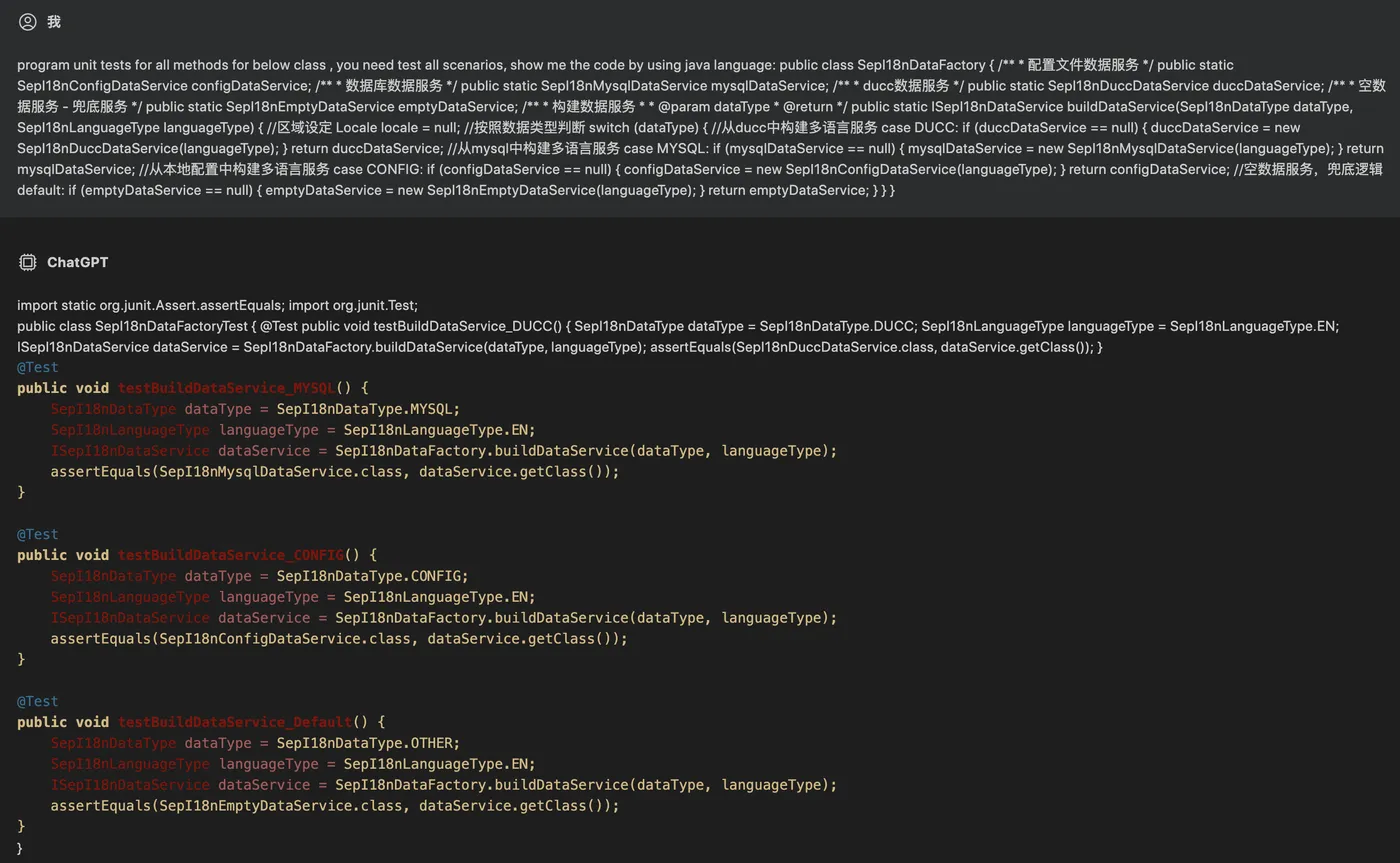
ChatGPT问题如下(要求:为类中的所有方法创建单测并包含所有的场景):
program unit tests for all methods for below class , you need test all scenarios, show me the code by using java language:
public class SepI18nDataFactory {
/** * 配置文件数据服务 */
public static SepI18nConfigDataService configDataService;
/** * 数据库数据服务 */
public static SepI18nMysqlDataService mysqlDataService;
/** * ducc数据服务 */
public static SepI18nDuccDataService duccDataService;
/** * 空数据服务 - 兜底服务 */
public static SepI18nEmptyDataService emptyDataService;
/** * 构建数据服务
* @param dataType
* @return
*/
public static ISepI18nDataService buildDataService(SepI18nDataType dataType, SepI18nLanguageType languageType) {
//区域设定 Locale locale = null;
//按照数据类型判断
switch (dataType) {
//从ducc中构建多语言服务
case DUCC:
if (duccDataService == null) {
duccDataService = new SepI18nDuccDataService(languageType);
}
return duccDataService;
//从mysql中构建多语言服务
case MYSQL:
if (mysqlDataService == null) {
mysqlDataService = new SepI18nMysqlDataService(languageType);
}
return mysqlDataService;
//从本地配置中构建多语言服务
case CONFIG:
if (configDataService == null) {
configDataService = new SepI18nConfigDataService(languageType);
} return configDataService;
//空数据服务,兜底逻辑
default:
if (emptyDataService == null) {
emptyDataService = new SepI18nEmptyDataService(languageType);
}
return emptyDataService;
}
}
}
ChatGPT回答如下:
import static org.junit.Assert.assertEquals; import org.junit.Test;
public class SepI18nDataFactoryTest {
@Test
public void testBuildDataService_DUCC() {
SepI18nDataType dataType = SepI18nDataType.DUCC;
SepI18nLanguageType languageType = SepI18nLanguageType.EN;
ISepI18nDataService dataService = SepI18nDataFactory.buildDataService(dataType, languageType);
assertEquals(SepI18nDuccDataService.class, dataService.getClass());
}
@Test
public void testBuildDataService_MYSQL() {
SepI18nDataType dataType = SepI18nDataType.MYSQL;
SepI18nLanguageType languageType = SepI18nLanguageType.EN;
ISepI18nDataService dataService = SepI18nDataFactory.buildDataService(dataType, languageType);
assertEquals(SepI18nMysqlDataService.class, dataService.getClass());
}
@Test
public void testBuildDataService_CONFIG() {
SepI18nDataType dataType = SepI18nDataType.CONFIG;
SepI18nLanguageType languageType = SepI18nLanguageType.EN;
ISepI18nDataService dataService = SepI18nDataFactory.buildDataService(dataType, languageType);
assertEquals(SepI18nConfigDataService.class, dataService.getClass());
}
@Test
public void testBuildDataService_Default() {
SepI18nDataType dataType = SepI18nDataType.OTHER;
SepI18nLanguageType languageType = SepI18nLanguageType.EN;
ISepI18nDataService dataService = SepI18nDataFactory.buildDataService(dataType, languageType);
assertEquals(SepI18nEmptyDataService.class, dataService.getClass());}}
生成的单测可以完美运行且包含所有的场景,完美。
2、编写小工具
由于在工作中,我们免不了需要写一些小工具来辅助业务,所以看看是否可以把这种活儿交给ChatGPT来干一下。 这里我们准备让其编写基于javafx框架的form界面工具,然后实际运行这个小工具来检验其编写小工具的可行性。
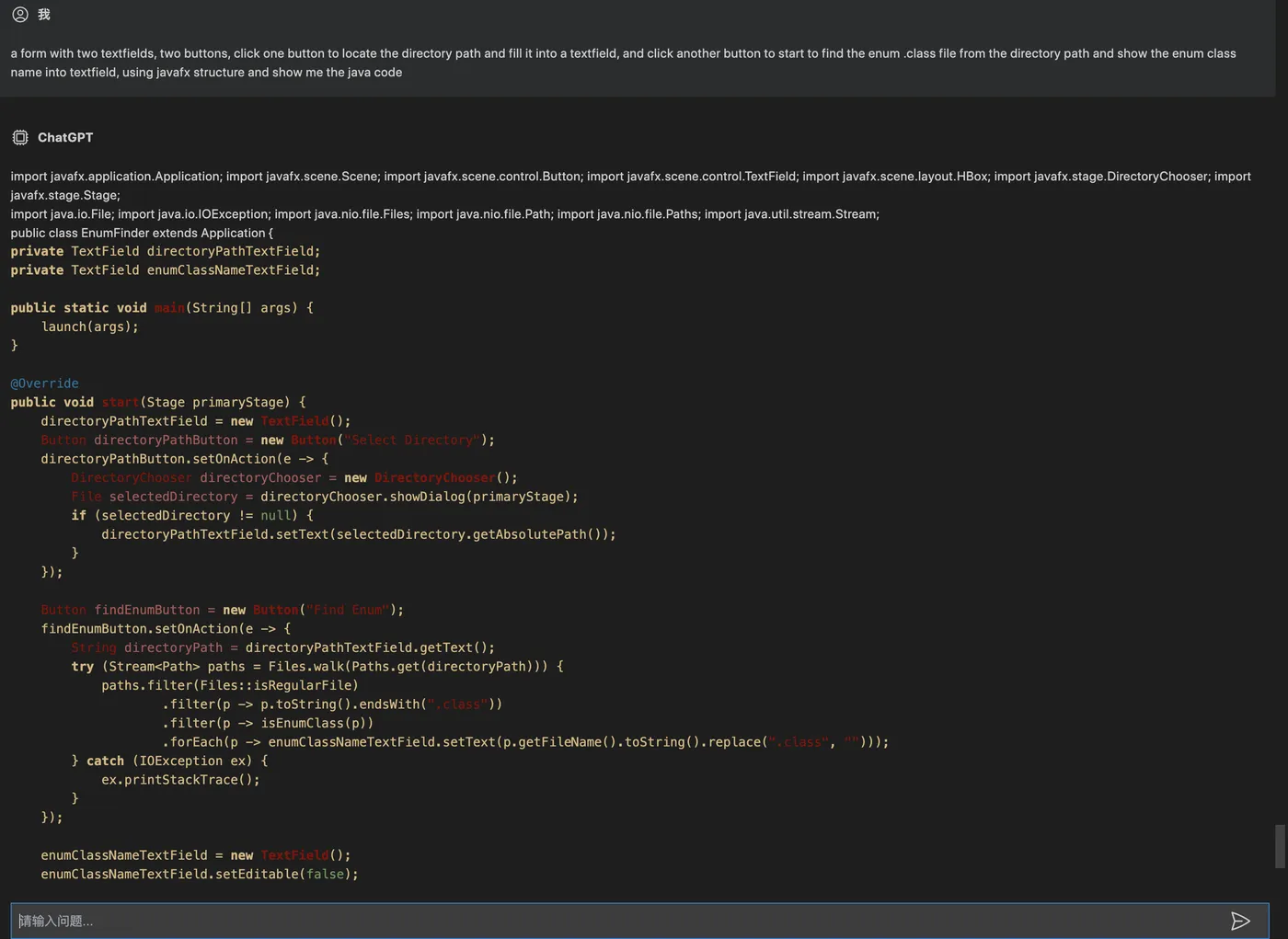
ChatGPT问题如下(界面上,两个文本框,两个按钮,点击第一个按钮,会选择文件夹,然后点击第二个按钮会将文件夹下的enum类名显示到另一个文本框中):
a form with two textfields, two buttons, click one button to locate the directory path and fill it into a textfield, and click another button to start to find the enum .class file from the directory path and show the enum class name into textfield, using javafx structure and show me the java code
ChatGPT回答如下:
import javafx.application.Application;
import javafx.scene.Scene;
import javafx.scene.control.Button;
import javafx.scene.control.TextField;
import javafx.scene.layout.HBox;
import javafx.stage.DirectoryChooser;
import javafx.stage.Stage;
import java.io.File;
import java.io.IOException;
import java.nio.file.Files;
import java.nio.file.Path;
import java.nio.file.Paths;
import java.util.stream.Stream;
public class EnumFinder extends Application {
private TextField directoryPathTextField;
private TextField enumClassNameTextField;
public static void main(String[] args) {
launch(args);
}
@Override
public void start(Stage primaryStage) {
directoryPathTextField = new TextField();
Button directoryPathButton = new Button("Select Directory");
directoryPathButton.setOnAction(e -> {
DirectoryChooser directoryChooser = new DirectoryChooser();
File selectedDirectory = directoryChooser.showDialog(primaryStage);
if (selectedDirectory != null) {
directoryPathTextField.setText(selectedDirectory.getAbsolutePath());
}
});
Button findEnumButton = new Button("Find Enum");
findEnumButton.setOnAction(e -> {
String directoryPath = directoryPathTextField.getText();
try (Stream<Path> paths =Files.walk(Paths.get(directoryPath))){
paths.filter(Files::isRegularFile).filter(p -> p.toString().endsWith(".class")).filter(p ->isEnumClass(p)).forEach(p -> enumClassNameTextField.setText(p.getFileName().toString().replace(".class","")));}catch(IOException ex){
ex.printStackTrace();}});
enumClassNameTextField =newTextField();
enumClassNameTextField.setEditable(false);HBox hBox =newHBox(directoryPathTextField, directoryPathButton, findEnumButton, enumClassNameTextField);Scene scene =newScene(hBox);
primaryStage.setScene(scene);
primaryStage.show();}privatebooleanisEnumClass(Path path){try{Class clazz =Class.forName(path.toString().replace(".class",""));return clazz.isEnum();}catch(ClassNotFoundException e){
e.printStackTrace();returnfalse;}}}
有点呆住了,居然完全正确的生成了我要的工具且能正常运行(稍微调整下界面布局)。
3. 修复代码bug
Sample1:高并发bug
还是之前的代码,改了改,让其在高并发压力下,工作的不那么ok:
public class SepI18nDataFactory {
/**
* 配置文件数据服务
*/
public static ISepI18nDataService dataService;
/**
* 构建数据服务
*
* @param dataType
* @return
*/
public static ISepI18nDataService buildDataService(SepI18nDataType dataType, SepI18nLanguageType languageType) {
//按照数据类型判断
switch (dataType) {
//从ducc中构建多语言服务
case DUCC:
return getInstance(languageType, x -> new SepI18nDuccDataService(x));
//从mysql中构建多语言服务
case MYSQL:
return getInstance(languageType, x -> new SepI18nMysqlDataService(x));
//从本地配置中构建多语言服务
case CONFIG:
return getInstance(languageType, x -> new SepI18nConfigDataService(x));
//空数据服务,兜底逻辑
default:
return getInstance(languageType, x -> new SepI18nEmptyDataService(x));
}
}
/**
* 高并发下实例创建管控
*
* @param languageType
* @param callback
* @return
*/
private static ISepI18nDataService getInstance(SepI18nLanguageType languageType, Function<SepI18nLanguageType, ISepI18nDataService> callback) {
if (dataService == null) {
dataService = callback.apply(languageType);
}
return dataService;
}
}
ChatGPT训练如下(指出代码在高并发下工作不太正常,让其修复):
below class is worked not ok under high flow pressure, please find the bug and fix for me :
public class SepI18nDataFactory {
/** 配置文件数据服务 */
public static ISepI18nDataService dataService;
/** 构建数据服务
* @param dataType
* @return
*/
public static ISepI18nDataService buildDataService(SepI18nDataType dataType, SepI18nLanguageType languageType) {
//按照数据类型判断
switch (dataType) {
//从ducc中构建多语言服务 case DUCC: return getInstance(languageType, x -> new SepI18nDuccDataService(x));
//从mysql中构建多语言服务 case MYSQL: return getInstance(languageType, x -> new SepI18nMysqlDataService(x));
//从本地配置中构建多语言服务 case CONFIG: return getInstance(languageType, x -> new SepI18nConfigDataService(x));
//空数据服务,兜底逻辑 default: return getInstance(languageType, x -> new SepI18nEmptyDataService(x));
}
}
/** 高并发下实例创建管控
* @param languageType
* @param callback
* @return
*/
private static ISepI18nDataService getInstance(SepI18nLanguageType languageType, Function callback) {
if (dataService == null) {
synchronized (SepI18nDataFactory.class) {
if (dataService == null) {
dataService = callback.apply(languageType);
}
}
}
return dataService;
}
}
ChatGPT回答如下:
It looks like the bug is in the getInstance() method. The dataService variable is not being synchronized, which can cause issues with concurrent access. To fix this, you can add a synchronized block around the code that checks and sets the dataService variable. This will ensure that only one thread can access the variable at a time.
很明显,一针见血的指出了高并发下存在的问题。
Sample2: 自定义锁bug
随便写了个基于AQS锁框架的自定义锁,代码如下:
class SepSync extends AbstractQueuedSynchronizer {
@Override
protected boolean tryAcquire(int arg) {
if (compareAndSetState(0, 1)) {
setExclusiveOwnerThread(Thread.currentThread());
return true;
}
return false;
}
@Override
protected boolean tryRelease(int arg) {
if (getState() == 0) {
throw new IllegalMonitorStateException();
}
setExclusiveOwnerThread(null);
setState(0);
return true;
}
public void lock() {
acquire(1);
}
public void unlock() {
release(1);
}
}
ChatGPT问题如下(大意是帮忙看下锁写的有没有问题):
below is the lock class, please find the bug and fix it for me :
class SepSync extends AbstractQueuedSynchronizer {
@Override protected boolean tryAcquire(int arg) {
if (compareAndSetState(0, 1)) {
setExclusiveOwnerThread(Thread.currentThread());
return true;
}
return false;
}
@Override
protected boolean tryRelease(int arg) {
if (getState() == 0) {
throw new IllegalMonitorStateException();
}
setExclusiveOwnerThread(null);
setState(0);
return true;
}
public void lock() {
acquire(1);
}
public void unlock() {
release(1);
}
}
ChatGPT回答如下:
The bug in the above code is that the tryRelease() method does not check if the current thread is the exclusive owner thread before releasing the lock. This can lead to a situation where the lock is released by a thread that does not own it.
To fix this bug, the tryRelease() method should be modified to check if the current thread is the exclusive owner thread before releasing the lock. The modified code should look like this:
@Override protected boolean tryRelease(int arg){
if(Thread.currentThread() != getExclusiveOwnerThread()){
throw new IllegalMonitorStateException();
}
setExclusiveOwnerThread(null);
setState(0);
return true;
}
大意就是,我的锁写的有点问题,其他线程可以释放不属于它的锁。(幸好偷偷去看了ReetrentLock实现,确实如此),到这里有些折服了。
————————————————
版权声明:本文为CSDN博主「Java技术栈」的原创文章,遵循CC 4.0 BY-SA版权协议,转载请附上原文出处链接及本声明。
原文链接:https://blog.csdn.net/youanyyou/article/details/130427582