第一次发现这种情况,驱动版本完全对的上,但是调用 chrome 就提示 Only local connections are allowed. 然后浏览器调用失败报错。
Only local connections are allowed.
Please see https://chromedriver.chromium.org/security-considerations for suggestions on keeping ChromeDriver s
afe.
ChromeDriver was started successfully.
解决方法:
调用 chrome 驱动的时候加个参数 --whitelisted-ips="",值为空就是把所有调入来源都加入白名单。
ips 的全称是 intrusion prevention system,解释为入侵防御系统。
C:\Selenium2.0\driver>chromedriver_70.0.3538.97_win32.exe --whitelisted-ips=""
Starting ChromeDriver 70.0.3538.97 (d035916fe243477005bc95fe2a5778b8f20b6ae1) on port 9515
All remote connections are allowed. Use a whitelist instead!
如果是封装好的不能代码里集成,可以外部 cmd 窗口里启用驱动,后面加上这个参数,注意参数前要有个空格,注意窗口不要关,不然就失效了,可以保证启用过程中可以正常的调用 chrome。
如果每次都这么做,可以创建个快捷方式,里面写好参数,这样就每次执行个快捷方式就完事了。

详细报错内容展示:
老版本和新版本的报错内容存在一定差异。
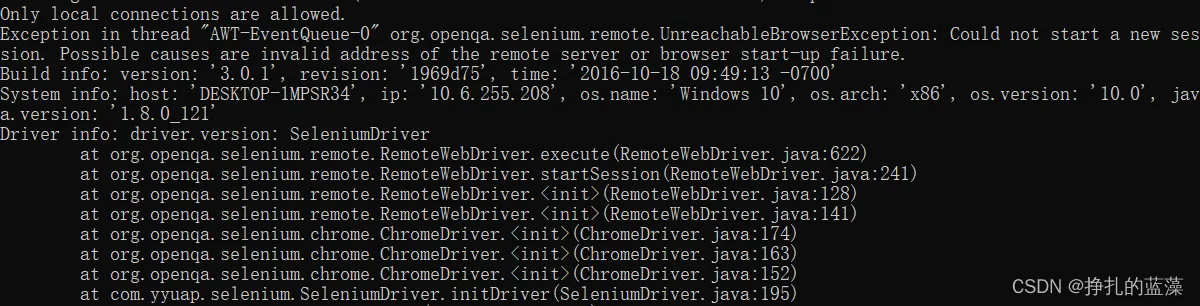
Only local connections are allowed.
Exception in thread "AWT-EventQueue-0" org.openqa.selenium.remote.UnreachableBrowserException: Could not start a new session. Possible causes are invalid address of the remote server or browser start-up failure.
Build info: version: '3.0.1', revision: '1969d75', time: '2016-10-18 09:49:13 -0700'
System info: host: 'DESKTOP-1MPSR34', ip: '10.6.255.208', os.name: 'Windows 10', os.arch: 'x86', os.version: '10.0', java.version: '1.8.0_121'
Driver info: driver.version: SeleniumDriver
        at org.openqa.selenium.remote.RemoteWebDriver.execute(RemoteWebDriver.java:622)
        at org.openqa.selenium.remote.RemoteWebDriver.startSession(RemoteWebDriver.java:241)
        at org.openqa.selenium.remote.RemoteWebDriver.<init>(RemoteWebDriver.java:128)
        at org.openqa.selenium.remote.RemoteWebDriver.<init>(RemoteWebDriver.java:141)
        at org.openqa.selenium.chrome.ChromeDriver.<init>(ChromeDriver.java:174)
        at org.openqa.selenium.chrome.ChromeDriver.<init>(ChromeDriver.java:163)
        at org.openqa.selenium.chrome.ChromeDriver.<init>(ChromeDriver.java:152)
        at com.yyuap.selenium.SeleniumDriver.initDriver(SeleniumDriver.java:195)
        at com.yyuap.selenium.Debuger.init(Debuger.java:256)
        at com.yyuap.selenium.Debuger.actionPerformed(Debuger.java:124)
        at javax.swing.AbstractButton.fireActionPerformed(AbstractButton.java:2022)
        at javax.swing.AbstractButton$Handler.actionPerformed(AbstractButton.java:2348)
        at javax.swing.DefaultButtonModel.fireActionPerformed(DefaultButtonModel.java:402)
        at javax.swing.DefaultButtonModel.setPressed(DefaultButtonModel.java:259)
        at javax.swing.plaf.basic.BasicButtonListener.mouseReleased(BasicButtonListener.java:252)
        at java.awt.Component.processMouseEvent(Component.java:6533)
        at javax.swing.JComponent.processMouseEvent(JComponent.java:3324)
        at java.awt.Component.processEvent(Component.java:6298)
        at java.awt.Container.processEvent(Container.java:2236)
        at java.awt.Component.dispatchEventImpl(Component.java:4889)
        at java.awt.Container.dispatchEventImpl(Container.java:2294)
        at java.awt.Component.dispatchEvent(Component.java:4711)
        at java.awt.LightweightDispatcher.retargetMouseEvent(Container.java:4888)
        at java.awt.LightweightDispatcher.processMouseEvent(Container.java:4525)
        at java.awt.LightweightDispatcher.dispatchEvent(Container.java:4466)
        at java.awt.Container.dispatchEventImpl(Container.java:2280)
        at java.awt.Window.dispatchEventImpl(Window.java:2746)
        at java.awt.Component.dispatchEvent(Component.java:4711)
        at java.awt.EventQueue.dispatchEventImpl(EventQueue.java:758)
        at java.awt.EventQueue.access$500(EventQueue.java:97)
        at java.awt.EventQueue$3.run(EventQueue.java:709)
        at java.awt.EventQueue$3.run(EventQueue.java:703)
        at java.security.AccessController.doPrivileged(Native Method)
        at java.security.ProtectionDomain$JavaSecurityAccessImpl.doIntersectionPrivilege(ProtectionDomain.java:80)
        at java.security.ProtectionDomain$JavaSecurityAccessImpl.doIntersectionPrivilege(ProtectionDomain.java:90)
        at java.awt.EventQueue$4.run(EventQueue.java:731)
        at java.awt.EventQueue$4.run(EventQueue.java:729)
        at java.security.AccessController.doPrivileged(Native Method)
        at java.security.ProtectionDomain$JavaSecurityAccessImpl.doIntersectionPrivilege(ProtectionDomain.java:80)
        at java.awt.EventQueue.dispatchEvent(EventQueue.java:728)
        at java.awt.EventDispatchThread.pumpOneEventForFilters(EventDispatchThread.java:201)
        at java.awt.EventDispatchThread.pumpEventsForFilter(EventDispatchThread.java:116)
        at java.awt.EventDispatchThread.pumpEventsForHierarchy(EventDispatchThread.java:105)
        at java.awt.EventDispatchThread.pumpEvents(EventDispatchThread.java:101)
        at java.awt.EventDispatchThread.pumpEvents(EventDispatchThread.java:93)
        at java.awt.EventDispatchThread.run(EventDispatchThread.java:82)
Caused by: java.lang.IllegalStateException: The process has not exited yet therefore no result is available ...
        at org.apache.commons.exec.DefaultExecuteResultHandler.getException(DefaultExecuteResultHandler.java:76)
        at org.openqa.selenium.os.UnixProcess.checkForError(UnixProcess.java:173)
        at org.openqa.selenium.os.CommandLine.checkForError(CommandLine.java:185)
        at org.openqa.selenium.remote.service.DriverService.waitUntilAvailable(DriverService.java:177)
        at org.openqa.selenium.remote.service.DriverService.start(DriverService.java:166)
        at org.openqa.selenium.remote.service.DriverCommandExecutor.execute(DriverCommandExecutor.java:78)
        at org.openqa.selenium.remote.RemoteWebDriver.execute(RemoteWebDriver.java:601)
        ... 45 more