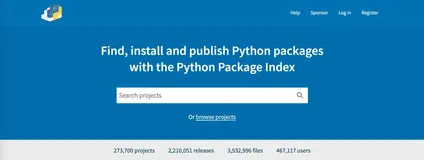
注册账号(重要)
可以配置到$HOME/.pypirc文件中,就不用多次输入了
[pypi]
username = <username>
password = <password>
windows可以参考我之前的文章
Python编程:为世界贡献你的轮子-pipy打包
创建项目
创建一个名为 example_pkg 的项目,目录结构如下
example_pkg
  /example_pkg
    __init__.py
编辑文件 example_pkg/__init__.py
name = "example_pkg"
创建包文件
/example_pkg
  /example_pkg
    __init__.py
  setup.py
  LICENSE
  README.md
创建 setup.py
按照自己的信息,逐项填写即可
import setuptools
import os
import requests
# 将markdown格式转换为rst格式
def md_to_rst(from_file, to_file):
    r = requests.post(url='http://c.docverter.com/convert',
                      data={'to':'rst','from':'markdown'},
                      files={'input_files[]':open(from_file,'rb')})
    if r.ok:
        with open(to_file, "wb") as f:
            f.write(r.content)
md_to_rst("README.md", "README.rst")
if os.path.exists('README.rst'):
    long_description = open('README.rst', encoding="utf-8").read()
else:
  long_description = 'Add a fallback short description here'
if os.path.exists("requirements.txt"):
    install_requires = io.open("requirements.txt").read().split("\n")
else:
    install_requires = []
setuptools.setup(
    name="chinesename",
    version="0.0.8",
    author="Peng Shiyu",
    license = 'MIT License',
    author_email="pengshiyuyx@gmail.com",
    description="get a chinesename by random",
    long_description=long_description,
    long_description_content_type="text/x-rst",
    url="https://github.com/mouday/chinesename",
    packages=setuptools.find_packages(),
    classifiers=(
        "Programming Language :: Python :: 3",
        "License :: OSI Approved :: MIT License",
        "Operating System :: OS Independent",
    ),
    install_requires = install_requires,       # 常用
    # include_package_data=True,  # 自动打包文件夹内所有数据
    # 如果需要包含多个文件可以单独配置 MANIFEST.in
    package_data = {
            # If any package contains *.txt or *.rst files, include them:
            'chinesename': ['source/*.txt', "source/*.json"],
    },
    # 如果需要支持脚本方法运行,可以配置入口点
     entry_points={
        'console_scripts': [
            'chinesename = chinesename.run:main'
        ]
    }
)
关于setup.py文件可以参考官方给的例子:
https://github.com/pypa/sampleproject/blob/master/setup.py
创建 README.md
建议写的详细些,展示你项目的主要介绍
# Example Package
This is a simple example package. You can use
[Github-flavored Markdown](https://guides.github.com/features/mastering-markdown/)
to write your content.
官网上说支持markdown格式,可是显示不正确,可以将.md文件转为.rst文件, 也有推荐说使用 Pandoc装换,我没成功,所以使用了setup.py中的方法
Have the same README both in Markdown and reStructuredText
生成目录树,添加文件目录说明:
tree /F > tree.txt
创建 LICENSE
可以忽略
可参考:https://choosealicense.com/
Copyright (c) 2018 The Python Packaging Authority
Permission is hereby granted, free of charge, to any person obtaining a copy
of this software and associated documentation files (the "Software"), to deal
in the Software without restriction, including without limitation the rights
to use, copy, modify, merge, publish, distribute, sublicense, and/or sell
copies of the Software, and to permit persons to whom the Software is
furnished to do so, subject to the following conditions:
The above copyright notice and this permission notice shall be included in all
copies or substantial portions of the Software.
THE SOFTWARE IS PROVIDED "AS IS", WITHOUT WARRANTY OF ANY KIND, EXPRESS OR
IMPLIED, INCLUDING BUT NOT LIMITED TO THE WARRANTIES OF MERCHANTABILITY,
FITNESS FOR A PARTICULAR PURPOSE AND NONINFRINGEMENT. IN NO EVENT SHALL THE
AUTHORS OR COPYRIGHT HOLDERS BE LIABLE FOR ANY CLAIM, DAMAGES OR OTHER
LIABILITY, WHETHER IN AN ACTION OF CONTRACT, TORT OR OTHERWISE, ARISING FROM,
OUT OF OR IN CONNECTION WITH THE SOFTWARE OR THE USE OR OTHER DEALINGS IN THE
SOFTWARE.
生成发布压缩包
确保已经安装setuptools 和 wheel
python3 -m pip install --user --upgrade setuptools wheel
setup.py文件同目录命令行下运行
python3 setup.py sdist bdist_wheel
产生两个文件
dist/
  example_pkg-0.0.1-py3-none-any.whl
  example_pkg-0.0.1.tar.gz
tar.gz 源文件
.whl 分发文件
检查打包的文件是否正常
python setup.py install # 安装
按照使用方式导入测试,没问题后继续
上传文件
安装twine
pip install twine
上传
twine upload dist/*
没有报错就成功了
Uploading distributions to https://test.pypi.org/legacy/
Enter your username: [your username]
Enter your password:
Uploading example_pkg-0.0.1-py3-none-any.whl
100%|█████████████████████| 4.65k/4.65k [00:01<00:00, 2.88kB/s]
Uploading example_pkg-0.0.1.tar.gz
100%|█████████████████████| 4.25k/4.25k [00:01<00:00, 3.05kB/s]
安装你刚刚上传的包
pip install -i https://test.pypi.org/simple/ example_pkg
导入测试
>>> import example_pkg
>>> example_pkg.name
'example_pkg'
总结
发布项目分三步
配置setup.py文件
打包项目
发布项目
python setup.py sdist bdist_wheel
twine upload dist/*
建议
1、打包流程
打包过程中也可以多增加一些额外的操作,减少上传中的错误
# 先升级打包工具
pip install --upgrade setuptools wheel twine
# 打包
python setup.py sdist bdist_wheel
# 检查
twine check dist/*
# 上传pypi
twine upload dist/*
# 安装最新的版本测试
pip install -U example_pkg -i https://pypi.org/simple
2、关于markdown 格式的readme文件
from setuptools import setup
# read the contents of your README file
from os import path
this_directory = path.abspath(path.dirname(__file__))
with open(path.join(this_directory, 'README.md'), encoding='utf-8') as f:
    long_description = f.read()
setup(
    name='an_example_package',
    # other arguments omitted
    long_description=long_description,
    long_description_content_type='text/markdown'
)
3、关于多文件打包
添加文件 MANIFEST.in,大致内容如下, 会将用到的文件都打包进来
include README.md
include requirements.txt
graft spideradmin/static
graft spideradmin/templates
global-include *.py
global-exclude *.pyc
4、常用的打包设置
setup.py 示例
# -*- coding: utf-8 -*-
import io
from setuptools import setup, find_packages
VERSION = '0.0.6'
with io.open("README.md", 'r', encoding='utf-8') as f:
    long_description = f.read()
setup(
    name='spideradmin',
    version=VERSION,
    description="a spider admin based scrapyd api and APScheduler",
    keywords='spider admin',
    author='Peng Shiyu',
    author_email='pengshiyuyx@gmail.com',
    license='MIT',
    url="https://github.com/mouday/SpiderAdmin",
    long_description=long_description,
    long_description_content_type='text/markdown',
    classifiers=[
        "Programming Language :: Python :: 3",
        "Programming Language :: Python :: 3.6"
    ],
    packages=find_packages(),
    include_package_data=True,
    zip_safe=True,
    install_requires=[
        "requests>=2.22.0",
        "Flask>=1.0.3",
        "APScheduler>=3.6.0",
        "tinydb>=3.13.0",
        "Flask-BasicAuth>=0.2.0"
    ],
    entry_points={
        'console_scripts': [
            'spideradmin = spideradmin.run:main'
        ]
    }
)